Support engineer finds scorched modem chip despite Windows reporting healthy status in hardware mismatch
A support engineer found that Windows reported a modem as healthy despite physical evidence of catastrophic component failure and scorched circuitry.
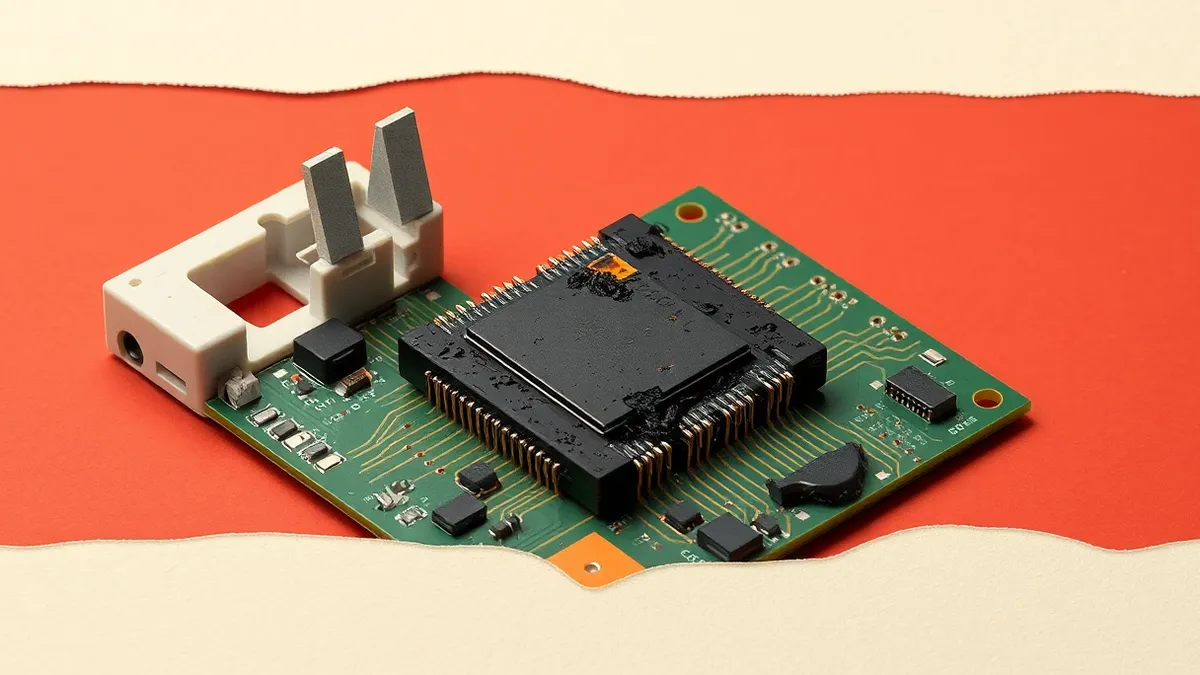
Key points
- Windows Device Manager reported the modem was functioning correctly.
- Physical inspection revealed a vaporized voltage regulator chip.
- The failure resulted from high voltage exceeding the component's protection limits.
A case study published by The Register illustrates a limitation in Windows modem diagnostics. The report details how standard software checks can confirm a device is healthy while the hardware is physically destroyed. This scenario highlights the gap between software status reports and physical hardware reality for technicians diagnosing peripheral failures.
Root cause
The underlying issue involved a failed voltage regulator chip on the modem's printed circuit board. According to the account, this component protects sensitive internal chips from the seventy volts used by BT to establish phone connections. In this instance, the chip was vaporised by a voltage way higher than the standard line voltage, leaving a visible black soot mark on the board.
Attack path
There was no malicious attack path in this incident. The failure originated from an electrical anomaly. The technician asked the user if he could recall any recent electrical storms when the email stopped working. The modem’s protective circuitry failed to handle the surge, leading to immediate physical destruction of the component responsible for voltage regulation.
Affected versions
The diagnostic failure occurred within the Windows operating system. The technician used the advanced settings in Windows Device Manager to send low-level AT commands to the modem. The software interpreted the responses as indicating a healthy device, despite the physical reality of the burnt hardware.
Mitigation
- Perform physical visual inspections of hardware when software diagnostics contradict sensory evidence like burning smells.
- Check for recent environmental factors such as electrical storms that could cause line voltage spikes.
- Replace modems showing signs of physical damage regardless of software status reports.
What it means for organisations
Teams should question whether automated diagnostics provide sufficient assurance for hardware integrity. Support staff must be trained to recognise when software reports conflict with physical evidence, such as odours or visible damage. Organisations need clear escalation paths that allow technicians to bypass software green lights when physical signs of failure are present. This prevents wasted time on faulty components and ensures accurate inventory records.
What to do and how to stay safe: Windows
- Trust physical indicators like burning smells over software health reports.
- Inspect modem circuit boards for visible scorch marks or damaged chips.
- Consider environmental factors like recent storms when diagnosing line issues.
- Replace hardware that shows physical damage regardless of diagnostic results.
General security guidance from the TechSec Observer newsroom. It is not confirmed advice from the organisations named in this story.
Frequently asked questions
Can Windows detect burnt modem components?
No, in this case Windows reported the modem was healthy despite the voltage regulator chip being vaporised and leaving soot marks.
What caused the modem to fail?
The failure was caused by voltage way higher than the standard line voltage, vaporising the regulator chip.
How was the damage discovered?
The technician discovered the damage by smelling scorched electronics and visually inspecting the board after software tests passed.