Certificate Management Checklist: Preventing Silent Outages and Trust Failures
Certificate failures often stem from misconfigured chain ordering or hidden intermediate expiry dates rather than the end-entity certificate itself, causing silent trust breaks.

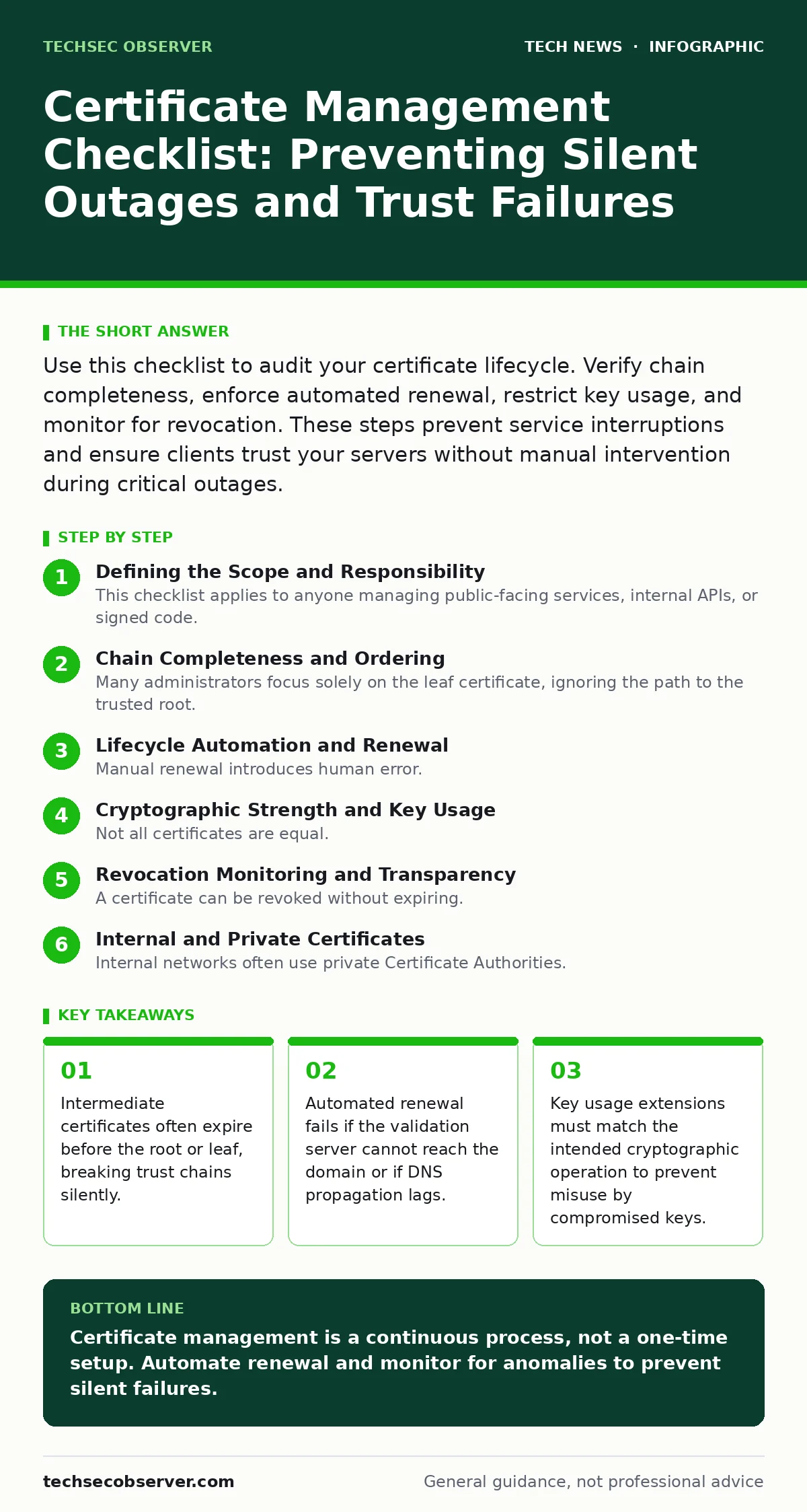
Use this checklist to audit your certificate lifecycle. Verify chain completeness, enforce automated renewal, restrict key usage, and monitor for revocation. These steps prevent service interruptions and ensure clients trust your servers without manual intervention during critical outages.
Defining the Scope and Responsibility
This checklist applies to anyone managing public-facing services, internal APIs, or signed code. You need it because certificate failures are rarely dramatic; they usually manifest as intermittent connection errors or failed health checks. Use this list before any deployment and during quarterly audits. It separates administrative tasks from cryptographic hygiene.
Chain Completeness and Ordering
Many administrators focus solely on the leaf certificate, ignoring the path to the trusted root. Browsers and clients build a trust chain by verifying each certificate against the issuer above it. If the chain is incomplete, the client cannot verify the signature, resulting in a security warning.
- Include all intermediate certificates: Missing intermediates force clients to fetch them separately, failing on restricted networks or older clients.
- Order certificates from leaf to root: Incorrect ordering causes parsers to reject the chain, even if all certificates are valid.
- Verify the root is trusted: An untrusted root requires manual installation on every client, defeating the purpose of public trust.
- Check for cross-signed intermediates: Some older clients require specific cross-signatures to bridge trust gaps between legacy and modern roots.
Lifecycle Automation and Renewal
Manual renewal introduces human error. If you forget to renew, the service stops. If you renew too early, you waste the remaining validity period and risk key reuse issues. Automation reduces this risk but introduces new dependencies.
- Implement ACME or equivalent automation: Automated renewal eliminates human forgetfulness and ensures seamless rotation.
- Verify DNS propagation timing: Slow DNS updates can cause validation failures during automated renewal attempts.
- Test renewal in staging first: Dry runs expose configuration errors without risking production availability.
See our guide on smartphone security updates for parallel lessons on automated patching cycles and user consent models.
Cryptographic Strength and Key Usage
Not all certificates are equal. The strength of the key and the permissions granted to it determine how much damage a compromise causes. Weak algorithms are deprecated because they are computationally feasible to break.
- Use RSA 2048-bit or higher, or ECDSA P-256: Weaker keys are vulnerable to brute-force attacks and are no longer trusted by modern clients.
- Check Key Usage extensions: Restricting keys to digital signatures prevents them from being used for encryption or key agreement.
- Verify Extended Key Usage: Ensuring the certificate is marked for server authentication prevents misuse in code signing or email.
- Rotate keys regularly: Frequent rotation limits the window of exposure if a private key is compromised.
Revocation Monitoring and Transparency
A certificate can be revoked without expiring. If your server presents a revoked certificate, clients must check revocation lists or OCSP responders. This adds latency and privacy concerns.
- Enable OCSP Stapling: This allows the server to provide freshness proofs, reducing client latency and preserving privacy.
- Monitor Certificate Transparency logs: Public logs allow you to detect unauthorized certificates issued for your domain.
- Configure CRL distribution points: While less common, some legacy clients still rely on Certificate Revocation Lists for validation.
- Audit subdomain coverage: Wildcards cover subdomains but increase risk if one subdomain is compromised.
Internal and Private Certificates
Internal networks often use private Certificate Authorities. These require different management practices because they do not benefit from public trust stores.
- Distribute root certificates to all clients: Without the root, internal services appear untrusted, leading to bypassed security controls.
- Enforce shorter validity periods: Internal certificates should expire faster to limit the impact of internal key compromises.
- Separate CA keys from server keys: Compromise of a server key should not allow forging of new certificates.
- Monitor CRL updates for internal CAs: Internal revocation lists must be frequently updated and accessible to all clients.
Storage and Access Control
The private key is the most sensitive part of the certificate. If it leaks, the certificate is worthless. Protecting it requires strict access controls and secure storage.
- Store keys in hardware security modules: HSMs prevent key extraction and ensure cryptographic operations happen in secure hardware.
- Restrict file permissions on key stores: Only the service account should read the private key file on disk.
- Encrypt keys at rest: Encryption adds a layer of protection if the storage medium is stolen or accessed illicitly.
- Audit access logs: Regular reviews detect unauthorized access attempts before a breach occurs.
Reference our encryption guide for deeper insights into key management best practices and algorithm selection.
Validation and Testing
Assumptions about certificate validity are dangerous. Regular testing ensures that what you think is working actually works for clients.
- Test with multiple clients: Different browsers and operating systems handle chain building and revocation differently.
- Verify SNI configuration: Server Name Indication ensures the correct certificate is served for each domain.
- Check for mixed content: Loading resources over HTTP on an HTTPS page undermines the security of the connection.
- Monitor for certificate transparency errors: Alerts on unexpected certificate issuance can indicate a domain takeover.
Key takeaways
- Intermediate certificates often expire before the root or leaf, breaking trust chains silently.
- Automated renewal fails if the validation server cannot reach the domain or if DNS propagation lags.
- Key usage extensions must match the intended cryptographic operation to prevent misuse by compromised keys.
Certificate management is a continuous process, not a one-time setup. Automate renewal and monitor for anomalies to prevent silent failures.
Frequently asked questions
How often should I rotate my private keys?
Rotate keys at least every two years, or immediately if a compromise is suspected. Shorter periods reduce the impact of a breach.
Can I use a wildcard certificate for all subdomains?
Yes, but it increases risk. If one subdomain is compromised, the attacker can impersonate any other subdomain. Use specific certificates for sensitive services.
What is the difference between OCSP and CRL?
OCSP provides real-time revocation status for a single certificate, while CRL is a list of revoked certificates that must be downloaded and parsed.
Do I need to manage certificates for internal APIs?
Yes, internal APIs should use certificates to prevent man-in-the-middle attacks and ensure service identity. Use a private CA for these.
How this guide was produced: written by the TechSec Observer editorial team with AI assistance, checked against the public references listed below, and reviewed when the facts change. See our editorial policy or report an error.