How Bluetooth Security Works: The Hidden Handshake Mechanics
Bluetooth pairing relies on a temporary link key that vanishes after disconnection, leaving long-term bonds vulnerable to replay attacks if not properly managed.
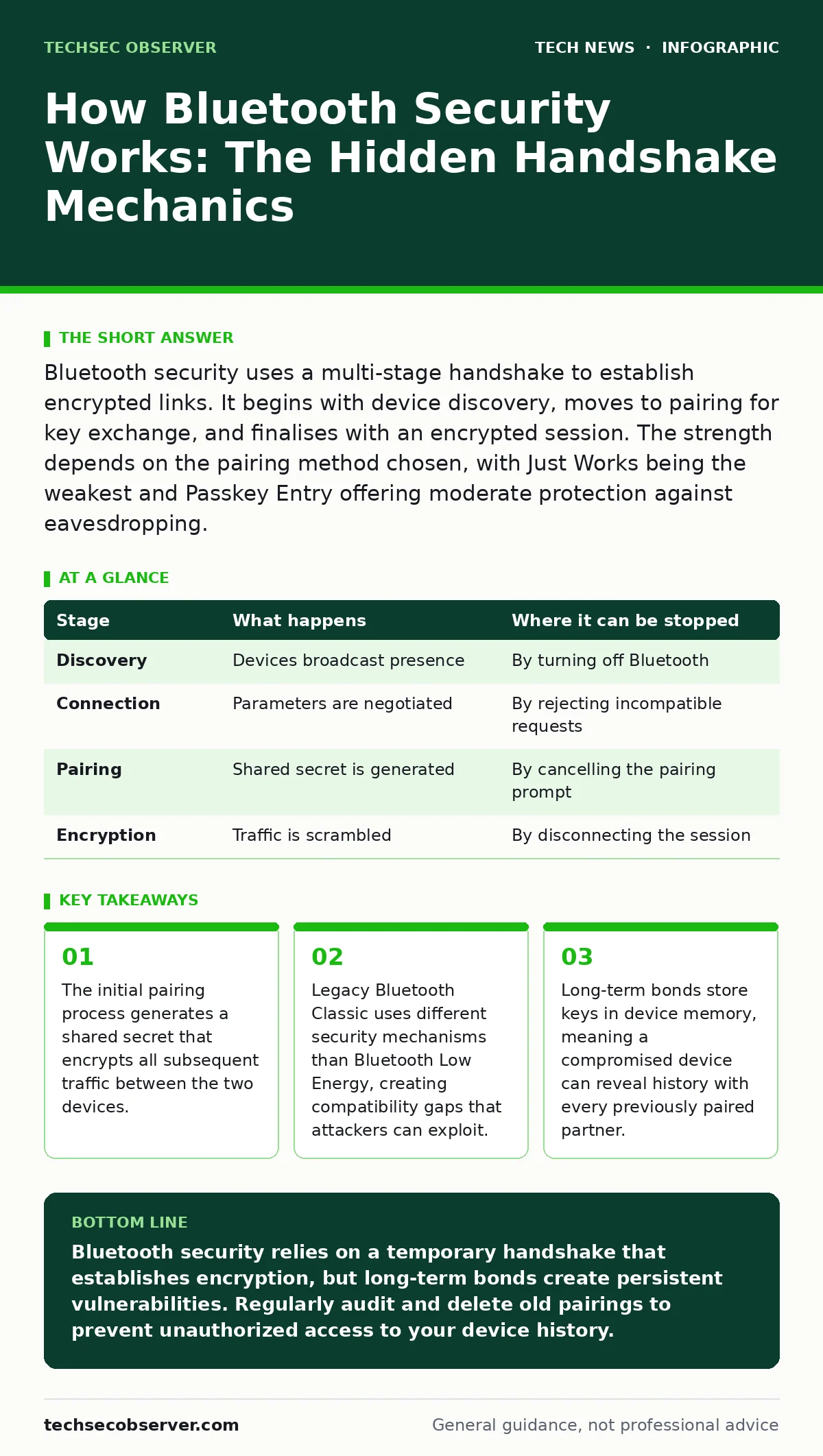
Bluetooth security uses a multi-stage handshake to establish encrypted links. It begins with device discovery, moves to pairing for key exchange, and finalises with an encrypted session. The strength depends on the pairing method chosen, with Just Works being the weakest and Passkey Entry offering moderate protection against eavesdropping.
The Discovery Phase and Initial Exposure
Before any security measures engage, your device must find others. This process, known as discovery, involves broadcasting radio signals that announce presence. These advertisements contain minimal data to keep power consumption low. However, they also reveal your device type and manufacturer to anyone within range.
Imagine a crowded train station where everyone shouts their name. You can choose who to talk to, but everyone hears who is there. This phase is inherently public. There is no encryption yet. An observer can map the physical layout of a building by tracking these signals.
This visibility is a design choice, not a flaw. It enables convenience. The trade-off is privacy. Your device leaves a digital footprint simply by existing in a space. This is why localisation attacks are possible. An attacker does not need to break encryption to track you. They only need to record the unique identifier in the advertisement packet.
Stage 1: Initiating the Connection Request
Once you select a device to connect, the protocol shifts from broadcast to unicast communication. The initiating device sends a connection request to the target. This request includes parameters for the radio link, such as data rate and timing. The target device must accept these parameters to proceed.
If the parameters are incompatible, the connection fails immediately. This prevents resource exhaustion attacks where a malicious device floods your phone with connection requests. The device rejects unsuitable requests before spending energy on security checks.
This stage is still unencrypted. The parameters are visible to anyone listening. However, they do not contain sensitive data. They are merely technical settings. The real security begins when the devices agree to move to the next phase. This agreement is implicit in the acceptance of the connection.
Stage 2: Pairing and Key Exchange
Pairing is the critical moment where trust is established. The two devices negotiate how to create a shared secret. This secret, called the link key, will encrypt all future communications. There are several methods for this exchange, each with different security levels.
The weakest method is Just Works. It requires no user interaction. The devices generate a key based on random numbers. This is fast but offers no protection against man-in-the-middle attacks. An attacker can intercept the exchange and impersonate both devices.
A stronger method is Passkey Entry. One device displays a six-digit number. The user must verify this number on the other device. This confirms that both parties are physically present and willing to pair. It prevents remote interception because the attacker cannot see the number on the screen.
Another method is Out of Band. This uses a separate channel, such as NFC or QR code, to exchange keys. This is the most secure method as it relies on a different physical medium. It eliminates the risk of radio interference during the exchange.
| Stage | What happens | Where it can be stopped |
|---|---|---|
| Discovery | Devices broadcast presence | By turning off Bluetooth |
| Connection | Parameters are negotiated | By rejecting incompatible requests |
| Pairing | Shared secret is generated | By cancelling the pairing prompt |
| Encryption | Traffic is scrambled | By disconnecting the session |
Stage 3: Establishing the Encrypted Link
After successful pairing, the devices derive encryption keys from the shared secret. The Bluetooth protocol uses these keys to scramble all data sent over the air. This process is called encryption. It ensures that even if an attacker captures the radio waves, they cannot read the content.
The encryption algorithm changes depending on the Bluetooth version. Older versions used weaker algorithms that could be broken with significant computing power. Modern versions use Advanced Encryption Standard, which is widely regarded as secure.
This encryption applies to the data payload. It does not necessarily hide the fact that communication is happening. The headers of the packets still contain addresses and sequence numbers. This allows the devices to manage the connection but reveals metadata to observers.
Stage 4: Maintaining the Session Security
Once connected, the devices maintain the encrypted session. They periodically refresh the encryption keys to limit the amount of data encrypted with a single key. This is known as key rotation. It reduces the risk of an attacker accumulating enough data to crack the key.
The devices also monitor the integrity of the data. If a packet is corrupted or tampered with, it is discarded. This prevents injection attacks where an attacker tries to send false commands. The protocol checks a message authentication code to verify integrity.
However, this protection only works if the session remains active. If the connection drops, the security context may be lost. The devices must re-authenticate to restore full security. This re-authentication process can be less rigorous than the initial pairing.
The Limits of Long-Term Bonds
Many devices form long-term bonds. This means they store the link key in memory. When you reconnect, they skip the pairing phase and resume encryption immediately. This is convenient but risky. If your device is stolen, the thief can access all previously paired devices.
Imagine your laptop is stolen. The thief does not need your password to connect to your old headphones. They can simply select the headphones from the list of known devices. The headphones will accept the connection because they trust the stored key.
This is why certificate management principles apply here too. Keys should be revoked when a device is lost or decommissioned. You must manually remove old pairings from your device settings. Failing to do so leaves a backdoor open.
Legacy Protocols and Compatibility Gaps
Bluetooth Classic and Bluetooth Low Energy use different security mechanisms. Classic Bluetooth is designed for continuous data streams, like audio. Low Energy is designed for intermittent bursts, like sensor data. They do not always interoperate seamlessly.
When a device supports both, it must handle two different security stacks. This increases complexity. Bugs in one stack can affect the other. Attackers often target the weaker implementation to gain access.
This is similar to how smart home security varies between devices. A secure lock is only as strong as the weakest sensor in the system. If one component uses outdated security, the whole network is vulnerable. You must ensure all devices support the latest security features.
Mitigating Risks in Daily Use
You can reduce risk by using the strongest pairing method available. Avoid Just Works whenever possible. Look for Passkey Entry or Out of Band options. These methods require active user participation, which prevents automated attacks.
Regularly audit your paired devices. Remove any devices you no longer use. This reduces the attack surface. It also prevents accidental connections to unknown devices in public spaces.
Keep your device firmware updated. Manufacturers release patches for security flaws. These updates often improve the pairing process and encryption strength. Ignoring updates leaves known vulnerabilities open. This is why smartphone security updates are critical for maintaining Bluetooth security.
The Future of Wireless Trust
Bluetooth security continues to evolve. New versions introduce features like direction finding and improved encryption. These features make attacks more difficult but not impossible. The fundamental challenge remains: balancing convenience with security.
You must remain aware of the trade-offs. Convenience often requires weakening security. Automatic connections are convenient but risky. Manual pairing is secure but tedious. You must choose the right balance for each situation.
This is similar to macOS security settings. You can enable strict controls that block all unknown devices. Or you can allow easier connections at the cost of exposure. There is no perfect setting. You must adapt to the threat model.
Key takeaways
- The initial pairing process generates a shared secret that encrypts all subsequent traffic between the two devices.
- Legacy Bluetooth Classic uses different security mechanisms than Bluetooth Low Energy, creating compatibility gaps that attackers can exploit.
- Long-term bonds store keys in device memory, meaning a compromised device can reveal history with every previously paired partner.
Bluetooth security relies on a temporary handshake that establishes encryption, but long-term bonds create persistent vulnerabilities. Regularly audit and delete old pairings to prevent unauthorized access to your device history.
Frequently asked questions
Is Bluetooth encryption strong enough for sensitive data?
Modern Bluetooth encryption is strong, but the pairing process can be weak. Use Passkey Entry or Out of Band methods to ensure the initial key exchange is secure.
Can Bluetooth be hacked from a distance?
Yes, attackers can use directional antennas to extend the range of Bluetooth signals. Physical proximity is not a sufficient security measure.
Do I need to keep Bluetooth on to use paired devices?
No, you can turn off Bluetooth when not in use. This prevents discovery and connection attempts, reducing the attack surface.
What is the difference between Classic and Low Energy security?
Classic Bluetooth uses continuous encryption for high-bandwidth data. Low Energy uses intermittent encryption for low-power data. They have different vulnerabilities and require different mitigation strategies.
How this guide was produced: written by the TechSec Observer editorial team with AI assistance, checked against the public references listed below, and reviewed when the facts change. See our editorial policy or report an error.