Container Escape Vulnerabilities: Mechanisms, Risks and Defences
Container isolation relies on kernel features that can be bypassed, turning a lightweight runtime into a full host compromise vector.

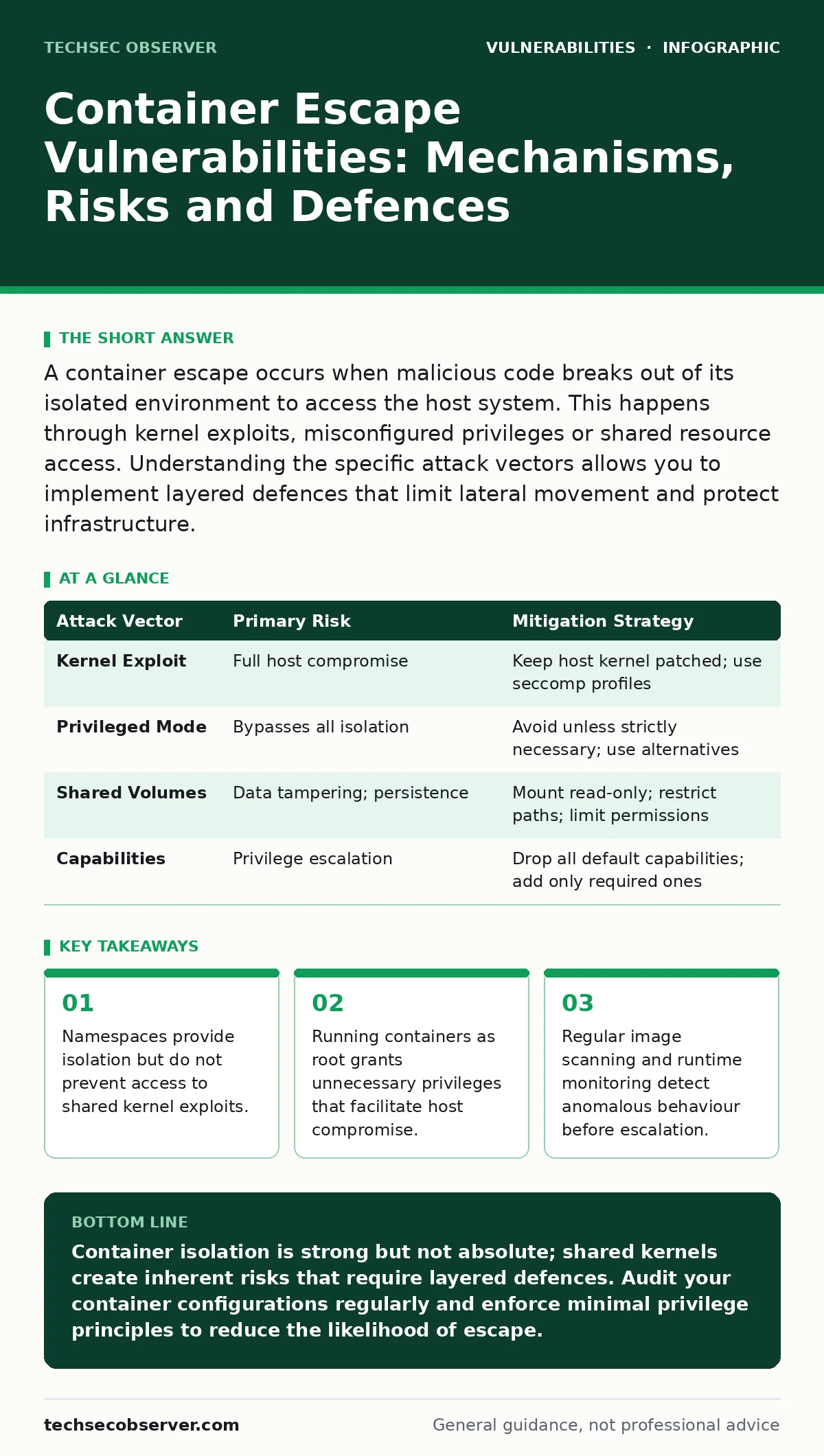
A container escape occurs when malicious code breaks out of its isolated environment to access the host system. This happens through kernel exploits, misconfigured privileges or shared resource access. Understanding the specific attack vectors allows you to implement layered defences that limit lateral movement and protect infrastructure.
What defines a container escape vulnerability?
A container escape vulnerability allows a process inside a container to break through isolation boundaries and interact directly with the host operating system. Containers rely on Linux namespaces and control groups to separate processes, but they share the same kernel. If an attacker finds a way to bypass these boundaries, they gain the same access rights as the container process on the host. This differs from a traditional breach because the initial compromise often starts with limited privileges inside a sandboxed environment.
How do attackers achieve container escape?
Attackers typically exploit one of three mechanisms to achieve escape. First, they may use kernel exploits that target vulnerabilities in the shared Linux kernel. Second, they might abuse misconfigured capabilities or privileged modes that grant excessive host access. Third, they can exploit shared filesystems or volume mounts that expose sensitive host data. Each method relies on finding a gap in the isolation model. Understanding these vectors helps you prioritise which controls to implement.
Why is running as root dangerous in containers?
Running a container as root gives the process full administrative privileges within the container namespace. If an escape occurs, these privileges often map directly to root access on the host machine. This creates a direct path from a compromised application to total system control. Non-root users limit the damage potential because the kernel enforces stricter permission checks. You should always define a specific user for your container processes to reduce this risk.
What role do capabilities play in isolation?
Capabilities break down the all-or-nothing nature of root privileges into discrete units. By default, containers retain many capabilities that are unnecessary for standard applications. Dropping unused capabilities reduces the attack surface significantly. For example, removing the ability to modify network settings or mount filesystems prevents certain types of privilege escalation. You should audit your application requirements and drop every capability that is not strictly required for operation.
How do shared volumes increase risk?
Shared volumes mount directories from the host into the container, allowing data exchange. If a container writes to a mounted directory that contains host configuration files, it can alter system behaviour. An attacker could replace SSH keys or modify cron jobs to persist access. This risk exists even if the container runs as a non-root user, provided the mount permissions allow writes. You should treat shared volumes as high-trust boundaries and restrict access tightly.
See also: Prevent Business Logic Vulnerabilities: 4 Proven Measures
Can image vulnerabilities lead to escape?
Vulnerabilities within the container image itself can serve as the initial foothold for an escape. If the base image contains outdated libraries with known exploits, an attacker can leverage them to gain code execution. From there, they probe for escape vectors. This mirrors the logic behind CVE monitoring for traditional servers, but the stakes are higher due to shared kernel access. You should scan images regularly and rebuild them when base components are updated.
What is the impact of privileged mode?
Privileged mode disables many security features to allow the container to manage hardware or other containers. It grants access to all host devices and bypasses AppArmor or SELinux restrictions. This setting is rarely necessary for standard applications and effectively removes the isolation barrier. Using privileged mode is akin to running the application directly on the host. You should avoid this mode unless you are building specialised infrastructure tools that require direct hardware access.
How do you detect an escape attempt?
Detection relies on monitoring for anomalous behaviour within the container runtime. Look for unexpected system calls that interact with host-level resources. Monitor for new processes spawning outside the expected namespace. Check for modifications to host-mounted volumes or network interfaces. These indicators often precede a full compromise. You should integrate runtime security tools that alert on such deviations in real time.
| Attack Vector | Primary Risk | Mitigation Strategy |
|---|---|---|
| Kernel Exploit | Full host compromise | Keep host kernel patched; use seccomp profiles |
| Privileged Mode | Bypasses all isolation | Avoid unless strictly necessary; use alternatives |
| Shared Volumes | Data tampering; persistence | Mount read-only; restrict paths; limit permissions |
| Capabilities | Privilege escalation | Drop all default capabilities; add only required ones |
What defences prevent escalation?
Layered defences provide the best protection against container escapes. Start by running containers as non-root users with minimal capabilities. Use read-only filesystems where possible to prevent tampering. Implement network policies to restrict communication between containers. Monitor runtime behaviour for anomalies. These measures do not eliminate risk but they increase the effort required for an attacker. You should also consider the impact of fuzz testing on your containerised applications to find bugs before deployment.
How does this relate to other vulnerabilities?
Container escapes often follow an initial compromise via application-layer vulnerabilities. For instance, a SQL injection flaw might allow an attacker to execute commands inside the container. From there, they look for escape paths. Similarly, prototype pollution in Node.js applications can lead to arbitrary code execution. Understanding the connection between application security and container security is vital. You should secure the application code as diligently as you secure the runtime environment.
What is the long-term strategy?
A long-term strategy focuses on reducing the attack surface and improving visibility. Regularly update base images to patch known vulnerabilities. Implement strict admission controllers to enforce security policies. Conduct regular audits of container configurations and permissions. Treat container security as an ongoing process rather than a one-time setup. This approach ensures that new threats are addressed promptly. You should also review your CVSS score assessments to prioritise fixes based on potential impact.
Key takeaways
- Namespaces provide isolation but do not prevent access to shared kernel exploits.
- Running containers as root grants unnecessary privileges that facilitate host compromise.
- Regular image scanning and runtime monitoring detect anomalous behaviour before escalation.
Container isolation is strong but not absolute; shared kernels create inherent risks that require layered defences. Audit your container configurations regularly and enforce minimal privilege principles to reduce the likelihood of escape.
Frequently asked questions
Can a container escape if it runs as a non-root user?
Yes, if the kernel has a vulnerability or if the container has excessive capabilities or access to sensitive host resources.
Do seccomp profiles prevent all kernel exploits?
No, they restrict system calls but cannot prevent exploits that use allowed calls or target other kernel components.
Is it safe to share volumes between containers?
It is safe if permissions are restricted and the shared data is not sensitive or executable. Read-only mounts are preferred.
How often should container images be updated?
Images should be updated regularly, especially when base components receive security patches or new vulnerabilities are disclosed.
How this guide was produced: written by the TechSec Observer editorial team with AI assistance, checked against the public references listed below, and reviewed when the facts change. See our editorial policy or report an error.