Implement bug bounty triage: the workflow that stops noise
Proper triage separates genuine security flaws from configuration errors, preventing developer burnout while ensuring critical vulnerabilities receive immediate attention.

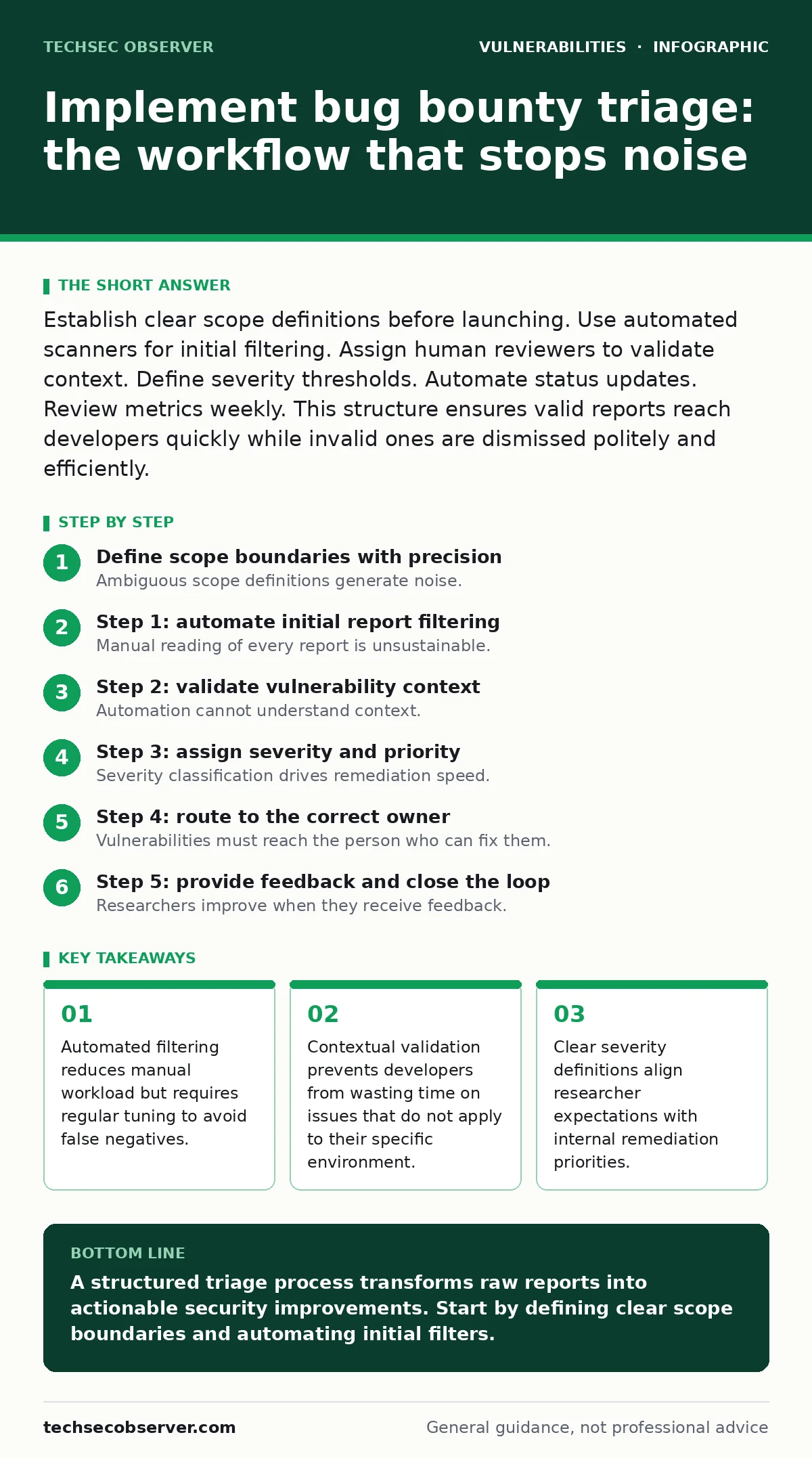
Establish clear scope definitions before launching. Use automated scanners for initial filtering. Assign human reviewers to validate context. Define severity thresholds. Automate status updates. Review metrics weekly. This structure ensures valid reports reach developers quickly while invalid ones are dismissed politely and efficiently.
Define scope boundaries with precision
Ambiguous scope definitions generate noise. Researchers submit reports against out-of-scope assets when boundaries are unclear. You must list included subdomains, API endpoints and excluded third-party services explicitly. A well-defined scope acts as the first filter. It tells researchers where to look and where not to spend their time. This reduces invalid reports before they reach your inbox.
Imagine a company that includes all subdomains in scope. Researchers test internal development servers that are not internet-facing. These reports are invalid but require manual triage to dismiss. Explicitly excluding internal ranges saves hours of manual work. Define the scope in plain language. Avoid technical jargon that might be misinterpreted by junior researchers.
Step 1: automate initial report filtering
Manual reading of every report is unsustainable. You need automated tools to parse incoming submissions. These tools check for duplicate reports. They verify that the target is within scope. They identify common misconfigurations that are not security vulnerabilities. Automation handles the volume. It flags obvious rejections. It routes potential candidates to human reviewers.
The mechanism relies on pattern matching and rule sets. You configure rules to reject reports based on keywords or asset types. For example, a report mentioning a blocked IP range is auto-rejected. This step does not assess vulnerability severity. It only checks validity. You tell it works when the volume of manual reviews drops significantly. The remaining queue contains only reports that passed basic checks.
Step 2: validate vulnerability context
Automation cannot understand context. A reported issue might be technically true but irrelevant to your architecture. Human reviewers must assess the impact. They check if the vulnerability is exploitable in the production environment. They verify if the affected component is in use. This step prevents developers from fixing issues that do not exist in reality.
Suppose a researcher finds an outdated library with a known flaw. The library is present in the codebase but not called by any active feature. A human reviewer identifies this. They mark the report as informational. The developer does not waste time patching unused code. You tell it works when developers confirm that the vulnerabilities they receive are actionable and relevant to their current work.
Step 3: assign severity and priority
Severity classification drives remediation speed. You must use a standard framework like CVSS. Researchers often overestimate severity. They assign high scores to issues with minimal impact. Your triage team recalibrates these scores. They assess the actual risk to business operations. They consider the difficulty of exploitation. They define the potential data exposure.
This step aligns the report with your internal processes. High-severity issues trigger immediate alerts. Low-severity issues enter the standard backlog. You tell it works when your security team agrees on the severity ratings. Disputes about severity indicate a need for better guidelines. Consistent scoring ensures that resources are allocated to the most dangerous threats first.
Step 4: route to the correct owner
Vulnerabilities must reach the person who can fix them. Routing errors cause delays. A backend issue sent to the frontend team sits unresolved. You need a mapping of components to owners. Your triage system uses this mapping to assign tickets. It notifies the responsible developer. It provides clear instructions on how to fix the issue.
Imagine a microservices architecture. A vulnerability in the authentication service must go to the auth team. A vulnerability in the user profile page goes to the UI team. Correct routing reduces handoff time. You tell it works when the time between triage completion and developer acknowledgment is minimal. Track this metric to identify bottlenecks in your routing logic.
See also: IoT Patching Mistakes: 7 Errors That Leave Devices Exposed · Prevent Business Logic Vulnerabilities: 4 Proven Measures
Step 5: provide feedback and close the loop
Researchers improve when they receive feedback. Generic rejections frustrate them. Specific explanations teach them your security posture. You must reply to every report. Even invalid reports deserve a polite explanation. Valid reports should include guidance on remediation. This builds trust. It encourages high-quality submissions. It turns researchers into long-term partners.
Suppose a researcher submits a report for a SQL injection vulnerability. If it is invalid, explain why the input is sanitised. If it is valid, share the fix with them. This transparency improves future submissions. You tell it works when repeat researchers submit higher-quality reports over time. Monitor the quality trend of submissions from active researchers.
Verify triage effectiveness with metrics
You cannot improve what you do not measure. Track the time from submission to triage completion. Track the time from triage to remediation. These metrics reveal inefficiencies. They show where the process breaks down. Regular review ensures the system remains effective.
A short triage time indicates effective automation. A long remediation time suggests routing or severity issues. You check it works when these metrics stabilise at acceptable levels. Set thresholds for each metric. Alert when they are breached. This proactive approach prevents process decay.
Maintain and refine the workflow
Security landscapes change. Your workflow must adapt. Review your scope regularly. Update automation rules as new attack vectors emerge. Train your triage team on new techniques. Solicit feedback from researchers and developers. Continuous improvement keeps the system relevant. It ensures that new threats are handled efficiently.
Imagine the emergence of a new vulnerability class like regular expression denial of service (ReDoS). Your automation rules might not detect it. You must update your filters. You must train your reviewers. Regular audits of the triage process identify gaps. They ensure that your system can handle evolving threats. Stagnation leads to missed vulnerabilities and increased risk.
Key takeaways
- Automated filtering reduces manual workload but requires regular tuning to avoid false negatives.
- Contextual validation prevents developers from wasting time on issues that do not apply to their specific environment.
- Clear severity definitions align researcher expectations with internal remediation priorities.
A structured triage process transforms raw reports into actionable security improvements. Start by defining clear scope boundaries and automating initial filters.
Frequently asked questions
How long should triage take for a high-severity report?
High-severity reports should be triaged within hours. Immediate validation ensures that critical vulnerabilities are addressed before they can be exploited. Delays increase risk significantly.
What if a researcher disputes the severity rating?
Engage in a professional discussion. Explain your reasoning using evidence. Offer to review the report again if new information is provided. Maintain a respectful dialogue to preserve the relationship.
How do I handle duplicate reports?
Identify duplicates during the initial filtering step. Link duplicate reports to the original submission. Notify the subsequent researchers that the issue is already being tracked. This prevents redundant work and confusion.
Should I include internal tools in the scope?
Only if they are internet-facing and critical to your business. Internal tools often have different security requirements. Including them increases complexity. Ensure your team has the capacity to handle reports for these assets.
How this guide was produced: written by the TechSec Observer editorial team with AI assistance, checked against the public references listed below, and reviewed when the facts change. See our editorial policy or report an error.