IoT Patching Mistakes: 7 Errors That Leave Devices Exposed
Firmware updates often bypass standard application security controls, creating a silent gap where known vulnerabilities remain active on deployed hardware for years.

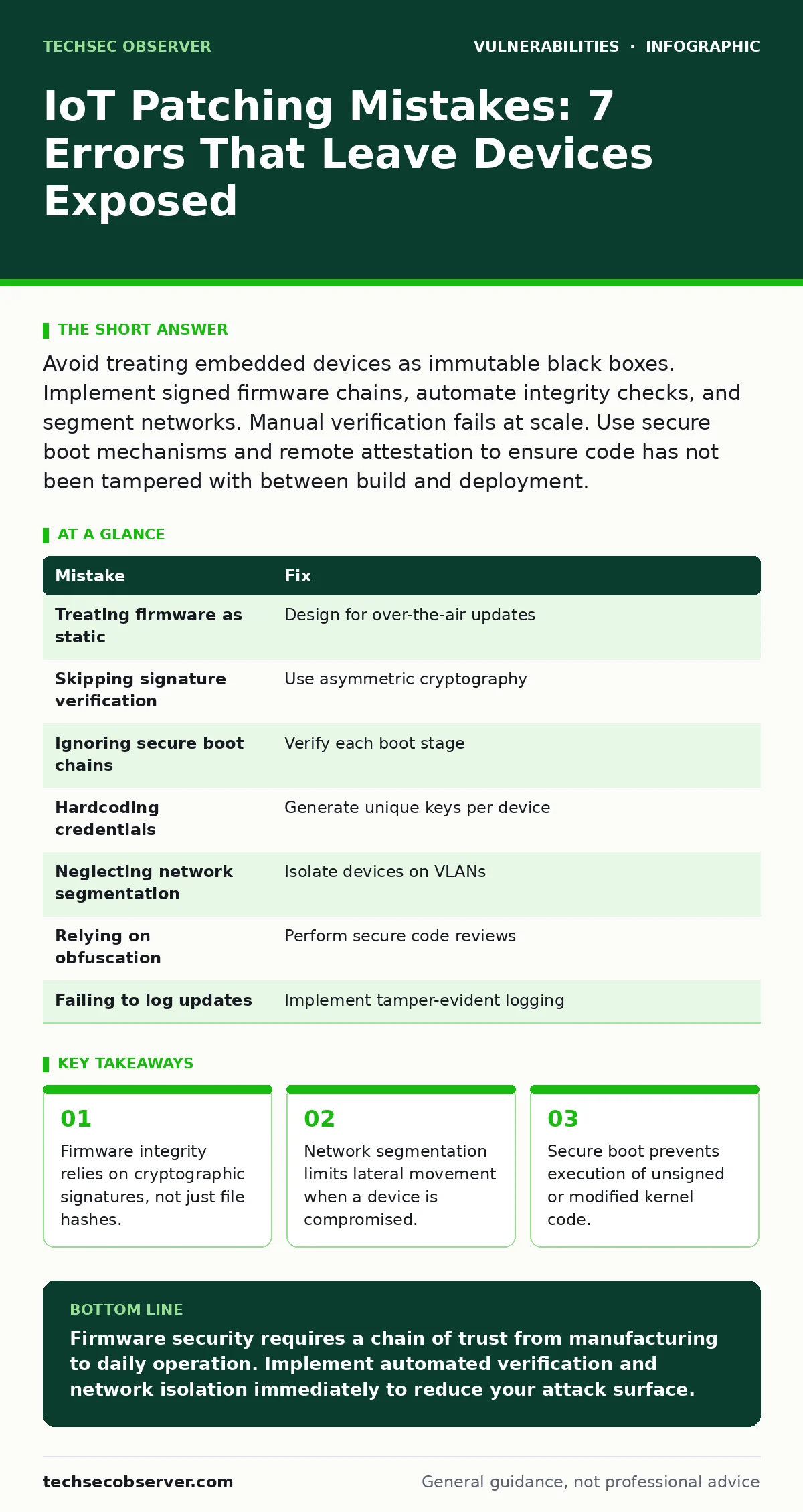
Avoid treating embedded devices as immutable black boxes. Implement signed firmware chains, automate integrity checks, and segment networks. Manual verification fails at scale. Use secure boot mechanisms and remote attestation to ensure code has not been tampered with between build and deployment.
Mistake 1: Treating Firmware as Static Code
Developers often view embedded firmware as immutable once shipped. This mindset ignores the reality that hardware remains in the field while software threats evolve. Static code does not protect against zero-day exploits or newly discovered flaws in underlying libraries. The device becomes a liability rather than an asset.
Why it hurts:
Unpatched firmware retains known vulnerabilities indefinitely. Attackers scan for specific device models with unaddressed flaws. Once entry is gained, the attacker controls the entire device. This mirrors risks seen in WordPress theme vulnerabilities, where outdated components expose the whole site.
The fix:
Design devices for over-the-air updates from day one. Ensure the update mechanism is secure and authenticated. This allows you to push patches without physical access. The architecture must support rollback to prevent bricking during failed updates.
Mistake 2: Skipping Firmware Signature Verification
Many devices accept binary files without verifying their origin. This is akin to running an executable from an untrusted source on a personal computer. Without cryptographic verification, an attacker can inject malicious code into the update stream. The device executes the payload with full privileges.
Why it hurts:
Unsigned firmware allows man-in-the-middle attacks to succeed. An attacker intercepts the update and replaces it with a backdoored version. The device installs the malware, believing it to be legitimate. This bypasses all application-layer security controls entirely.
The fix:
Implement digital signatures using asymmetric cryptography. The private key signs the firmware image during build. The device stores the corresponding public key in read-only memory. It refuses to flash any image lacking a valid signature.
Mistake 3: Ignoring Secure Boot Chains
Secure boot ensures only trusted code runs at startup. Many embedded systems skip this step or implement it incompletely. They verify the bootloader but not the kernel or user-space applications. This creates a trust gap where malicious code can load after the initial check passes.
Why it hurts:
An attacker who compromises the bootloader can disable subsequent checks. This leads to container escape vulnerabilities in embedded Linux environments. The attacker gains root access and persists across reboots. The device remains compromised even after a standard reset.
The fix:
Establish a full chain of trust. Each stage verifies the next stage’s signature before handing over control. This includes the bootloader, kernel, and init system. If any link fails, the device halts and triggers a recovery mode.
Mistake 4: Hardcoding Credentials in Firmware
Some manufacturers embed default passwords directly into the firmware image. This includes root passwords, SSH keys, or API tokens. These credentials are often shared across all units of a specific model. Attackers extract them using binary analysis tools or public dumps.
Why it hurts:
Hardcoded credentials provide immediate access to every device in the wild. This is similar to insecure deserialization risks where default configurations expose sensitive data. Attackers use these known passwords to deploy botnets or steal data. You cannot change a password that is burned into the silicon.
The fix:
Generate unique credentials for each device during manufacturing. Store them in secure hardware elements like TPMs. Provision these keys securely and delete the plaintext from production systems. Use certificate-based authentication instead of static passwords.
Mistake 5: Neglecting Network Segmentation
IoT devices often share the same network segment as critical servers. This flat topology allows lateral movement from a compromised device to high-value targets. A vulnerable sensor can pivot to a database server. The breach expands far beyond the initial point of entry.
Why it hurts:
Without segmentation, a single weak device compromises the entire network. This amplifies the impact of command injection flaws in web interfaces. Attackers move silently between hosts. Defenders struggle to contain the blast radius. The CVSS score of the initial flaw becomes irrelevant due to access escalation.
The fix:
Place IoT devices on isolated VLANs. Use firewalls to restrict communication to only necessary ports and protocols. Implement zero-trust principles where every connection is verified. Monitor traffic for anomalies between segments.
See also: Regular Expression Denial of Service Prevention Checklist
Mistake 6: Relying on Obfuscation for Security
Some developers obfuscate code to hide vulnerabilities. They believe that hiding the implementation prevents reverse engineering. This is security through obscurity. Determined attackers will decompile the binary and analyze the logic. Obfuscation adds no cryptographic protection.
Why it hurts:
Obfuscation creates a false sense of security. When the code is eventually cracked, the underlying flaws are still present. This approach fails to address the root cause of vulnerabilities. It is similar to relying on hidden directories to prevent LDAP injection attempts. The attacker simply brute-forces the access.
The fix:
Focus on secure code review practices. Identify and fix logical flaws rather than hiding them. Use static analysis tools to catch common patterns. Assume the attacker has full visibility into the binary. Design security controls that hold up under scrutiny.
Mistake 7: Failing to Log Update Events
Many devices do not log firmware update attempts. This includes successful installs, failed verifications, and rollback events. Without logs, you cannot detect unauthorized update attempts. You lose the ability to audit the device’s integrity over time.
Why it hurts:
Missing logs hide the signs of compromise. An attacker can repeatedly attempt to push malicious firmware. You have no record of these attempts. This lack of visibility delays incident response. You cannot prove whether a device was tampered with during maintenance.
The fix:
Implement tamper-evident logging. Send logs to a remote, secure server. Use append-only storage to prevent deletion. Include timestamps, source IP, and signature verification results. Regularly review these logs for anomalies.
| Mistake | Fix |
|---|---|
| Treating firmware as static | Design for over-the-air updates |
| Skipping signature verification | Use asymmetric cryptography |
| Ignoring secure boot chains | Verify each boot stage |
| Hardcoding credentials | Generate unique keys per device |
| Neglecting network segmentation | Isolate devices on VLANs |
| Relying on obfuscation | Perform secure code reviews |
| Failing to log updates | Implement tamper-evident logging |
Key takeaways
- Firmware integrity relies on cryptographic signatures, not just file hashes.
- Network segmentation limits lateral movement when a device is compromised.
- Secure boot prevents execution of unsigned or modified kernel code.
Firmware security requires a chain of trust from manufacturing to daily operation. Implement automated verification and network isolation immediately to reduce your attack surface.
Frequently asked questions
Can I patch IoT devices without internet access?
Yes, but you must use offline update mechanisms. Transfer signed firmware via secure USB or local network. Verify signatures before flashing to ensure integrity.
How do I handle legacy devices that cannot be updated?
Isolate these devices on a separate network segment. Restrict their connectivity to only essential services. Consider replacing them if they pose an unacceptable risk.
What is the difference between a firmware update and a patch?
A firmware update replaces the entire system image. A patch modifies specific components within the existing image. Both require verification to ensure authenticity.
Should I disable unused services on IoT devices?
Yes, disabling unused services reduces the attack surface. Turn off Telnet, FTP, and other legacy protocols. Only enable services required for core functionality.
How this guide was produced: written by the TechSec Observer editorial team with AI assistance, checked against the public references listed below, and reviewed when the facts change. See our editorial policy or report an error.