Command Injection: How Unsanitised Input Breaks Your Shell
Command injection allows attackers to execute arbitrary system commands by exploiting applications that pass user data directly to the underlying operating system shell.

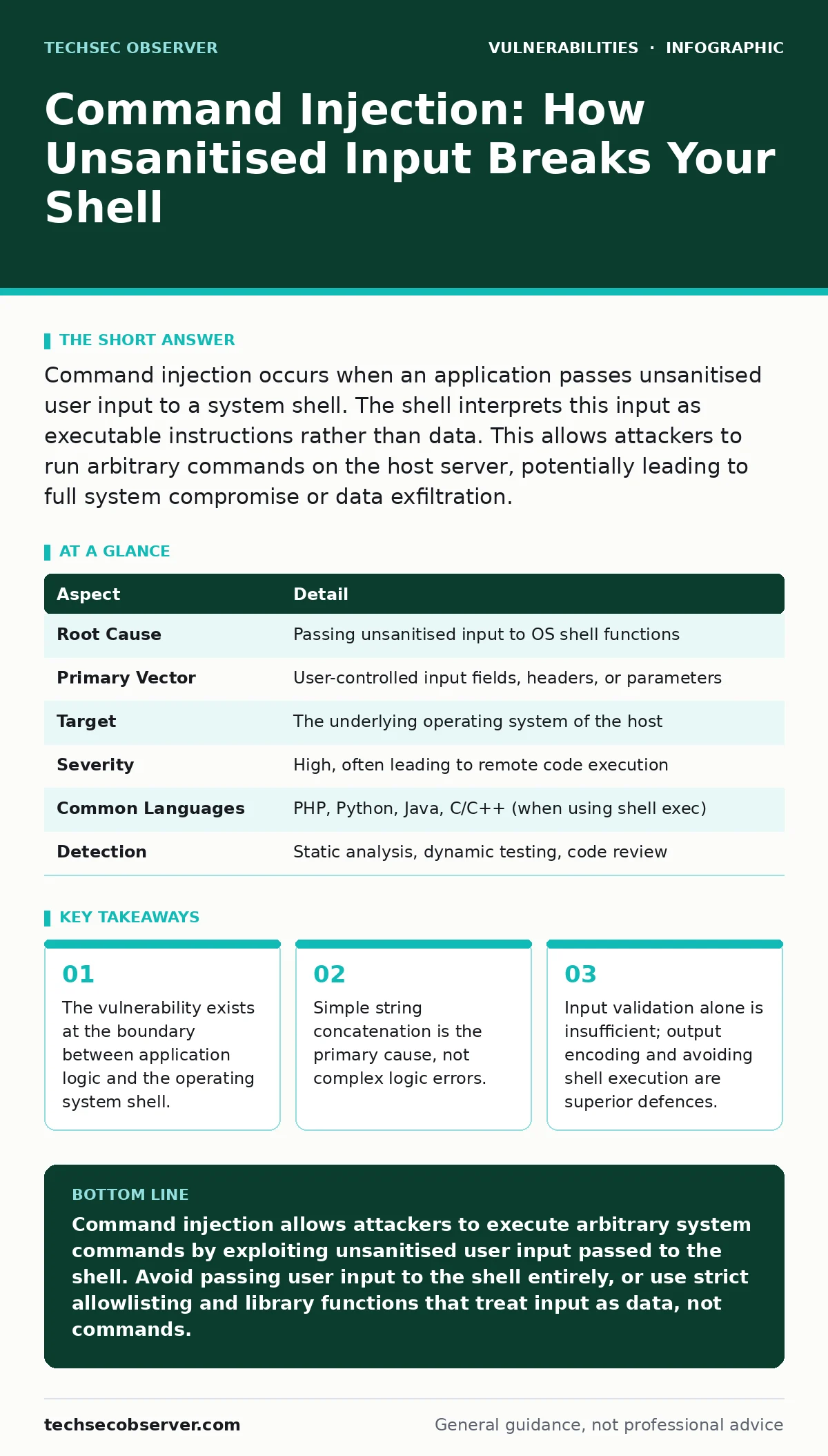
Command injection occurs when an application passes unsanitised user input to a system shell. The shell interprets this input as executable instructions rather than data. This allows attackers to run arbitrary commands on the host server, potentially leading to full system compromise or data exfiltration.
The Pipe Between Code and Kernel
Imagine you run a printing service. Customers hand you a slip of paper with their document name. You walk to the printer and type print [slip_content]. If a customer hands you a slip that says report.txt; format drive C, the printer does not just print a file. It formats the drive. The printer followed your instruction literally. It did not distinguish between the document name and the command to format.
In software, this happens when your code passes user input directly to the system shell. The shell is the interface between your program and the operating system. It interprets text strings as commands. If your application treats user input as part of a command string without validation, the shell executes whatever follows. This is command injection. It is a failure of context separation. The application fails to tell the shell which part of the string is data and which part is an instruction.
| Aspect | Detail |
|---|---|
| Root Cause | Passing unsanitised input to OS shell functions |
| Primary Vector | User-controlled input fields, headers, or parameters |
| Target | The underlying operating system of the host |
| Severity | High, often leading to remote code execution |
| Common Languages | PHP, Python, Java, C/C++ (when using shell exec) |
| Detection | Static analysis, dynamic testing, code review |
How the Shell Interprets Intent
The operating system shell uses specific characters to separate commands, redirect output, or chain operations. Characters like semicolons, pipes, and ampersands have special meaning. When your application constructs a command string by concatenating user input, these characters retain their power.
Suppose your application runs a ping utility to check if a host is reachable. The code might look like ping -c 3 + userInput. If a user enters 127.0.0.1, the system pings localhost. If the user enters 127.0.0.1; cat /etc/passwd, the shell executes the ping, then reads the password file. The semicolon tells the shell to start a new command. The application intended to pass an IP address. The shell interpreted it as two distinct instructions.
This mechanism works because the shell processes the entire string before your application can react. By the time your code receives the output, the damage is done. The vulnerability lies in the assumption that the input is safe data. The shell does not share this assumption. It executes what it sees.
Common Forms of Injection
Developers often assume that only visible input fields are risky. This is incorrect. Any data that reaches the shell is a potential vector. Common forms include:
- Direct Execution: The application calls a shell function like
system()orexec()with user input. This is the most direct and dangerous form. - Indirect Execution: The application writes user input to a temporary file or environment variable, which is then read by a shell script. If the script does not quote the variable, the shell expands it and executes any embedded commands.
- Argument Injection: The application passes user input as arguments to a command. If the command itself processes arguments in a shell-like manner, injection can occur. This is subtle because the vulnerability is in the called command, not necessarily the calling application.
This scenario highlights a critical insight: the danger is not just in what the user types, but in how the shell parses the resulting string. Even if the application validates that the format is not a known malicious command, the semicolon bypasses this check by ending the current command.
What Developers Usually Get Wrong
Many developers believe that blacklisting dangerous characters is sufficient. They remove semicolons, pipes, and ampersands. This is a fragile defence. It is easy to find alternative ways to inject commands. For instance, newlines can sometimes separate commands. Backticks can execute subshells. Dollar signs with parentheses can execute commands in some shells.
Another common mistake is relying on input validation alone. If you validate that input is alphanumeric, you think you are safe. But if the application later appends that input to a command string, and the validation logic has a flaw, the injection succeeds. Validation is a barrier, not a solution. It reduces the attack surface but does not eliminate the risk.
The deepest misunderstanding is confusing command injection with SQL injection. SQL injection targets the database engine. Command injection targets the operating system. The techniques are similar, but the impact is different. SQL injection might leak data. Command injection can give an attacker full control of the server. This distinction matters for prioritising fixes. A SQL injection might be contained within the database. Command injection often breaks out of the application sandbox.
Reducing the Risk
The most effective defence is to avoid passing user input to the shell entirely. Use library functions that do not invoke a shell. For example, use execve in C or similar functions in other languages that pass arguments as an array, not a string. These functions do not interpret special characters. They treat all input as data.
If you must use the shell, use strict allowlisting. Define exactly what input is valid. If the input must be a filename, check that it matches a specific pattern. Do not allow special characters. Do not rely on removing bad characters. Only allow known good characters.
Another layer of defence is output encoding. If you must pass data to the shell, encode it properly. This is difficult to get right. Different shells have different escaping rules. It is easier to avoid the shell than to escape it correctly.
See also: WordPress Plugin Vulnerabilities: What They Are and How They Exploit Your Site
The Hidden Cost of Complexity
When developers try to fix command injection by adding complex validation logic, they introduce new bugs. The validation code itself becomes a target. It is easy to miss an edge case. For example, a validator might check for semicolons but miss the pipe character. Or it might allow spaces, which can be used to inject commands in some contexts.
This complexity increases the maintenance burden. Every time the application logic changes, the validation logic must be reviewed. It is a hidden cost that accumulates over time. The simpler the solution, the easier it is to verify. Avoiding the shell is simpler than validating for every possible shell metacharacter.
Consider the trade-off. Using a shell provides flexibility. You can run any command on the system. But this flexibility is the source of the vulnerability. By restricting yourself to specific library functions, you lose some flexibility. You gain security. This is a necessary trade-off. Security often requires sacrificing convenience.
Beyond the Immediate Fix
Command injection is not an isolated issue. It often coexists with other vulnerabilities. For example, an application might be vulnerable to SQL injection in its database queries and command injection in its file handling. Fixing one does not fix the other. You need a holistic approach to security.
Fuzz testing can help find these vulnerabilities. By sending random or malformed input to the application, you can trigger unexpected behaviour. Fuzzing might reveal a command injection path that manual review missed. It is a dynamic way to test the robustness of your input handling.
Also, consider software composition analysis. If you use third-party libraries, they might contain vulnerable code. A library might use shell execution internally. You might not know this until you audit the library. Composition analysis helps you understand the security posture of your entire stack.
The Human Element
Developers often underestimates the risk of command injection because it feels abstract. They think, "Who would try to run commands on our server?" This is a dangerous assumption. Automated tools scan the internet for these vulnerabilities. Bots exploit them without human intervention.
The risk is also underestimated because the impact is not always immediate. An attacker might inject a command that runs quietly in the background. It might exfiltrate data slowly. It might wait for a specific trigger. By the time you notice the breach, the attacker has been inside for weeks.
This is why proactive defence is necessary. You cannot wait for an incident to fix the vulnerability. You must design your application to resist injection from the start. This means thinking about how user input flows through your system. It means questioning every place where data meets the shell.
Final Considerations
Command injection is a fundamental vulnerability. It arises from the interaction between application logic and the operating system. It is not a bug in the language. It is a bug in the design. The fix is to separate data from commands.
You do not need to be an expert in shell scripting to avoid this vulnerability. You need to be disciplined about input handling. Avoid passing user input to the shell. Use allowlisting. Validate strictly. Test dynamically.
Remember that security is a process, not a product. There is no silver bullet. You must continuously review and improve your defences. Command injection is one of the many ways attackers compromise systems. It is a well-known technique. Defending against it is a basic requirement for secure software development.
Key takeaways
- The vulnerability exists at the boundary between application logic and the operating system shell.
- Simple string concatenation is the primary cause, not complex logic errors.
- Input validation alone is insufficient; output encoding and avoiding shell execution are superior defences.
- Many developers confuse this with SQL injection, but the target is the OS, not the database.
Command injection allows attackers to execute arbitrary system commands by exploiting unsanitised user input passed to the shell. Avoid passing user input to the shell entirely, or use strict allowlisting and library functions that treat input as data, not commands.
Frequently asked questions
Is command injection the same as remote code execution?
Command injection is a vulnerability that can lead to remote code execution. RCE is the outcome where an attacker runs code on the server. Command injection is one way to achieve this outcome.
Can I prevent command injection with a web application firewall?
A web application firewall can block some known attack patterns. It is not a complete defence. Attackers can craft requests that bypass the firewall. You must secure the application code itself.
Does using a sandbox prevent command injection?
A sandbox can limit the damage of a successful injection. It restricts what commands can do. However, it does not prevent the injection from happening. The attacker can still execute commands within the sandbox.
How do I find command injection vulnerabilities in my code?
Use static analysis tools to scan for dangerous functions. Perform code reviews focusing on input handling. Use dynamic testing and fuzzing to trigger potential injection paths.
How this guide was produced: written by the TechSec Observer editorial team with AI assistance, checked against the public references listed below, and reviewed when the facts change. See our editorial policy or report an error.