CVE Monitoring: How to Filter Noise and Track Real Risk
Tracking every published vulnerability creates operational blindness, forcing teams to ignore critical flaws buried under thousands of low-risk alerts.

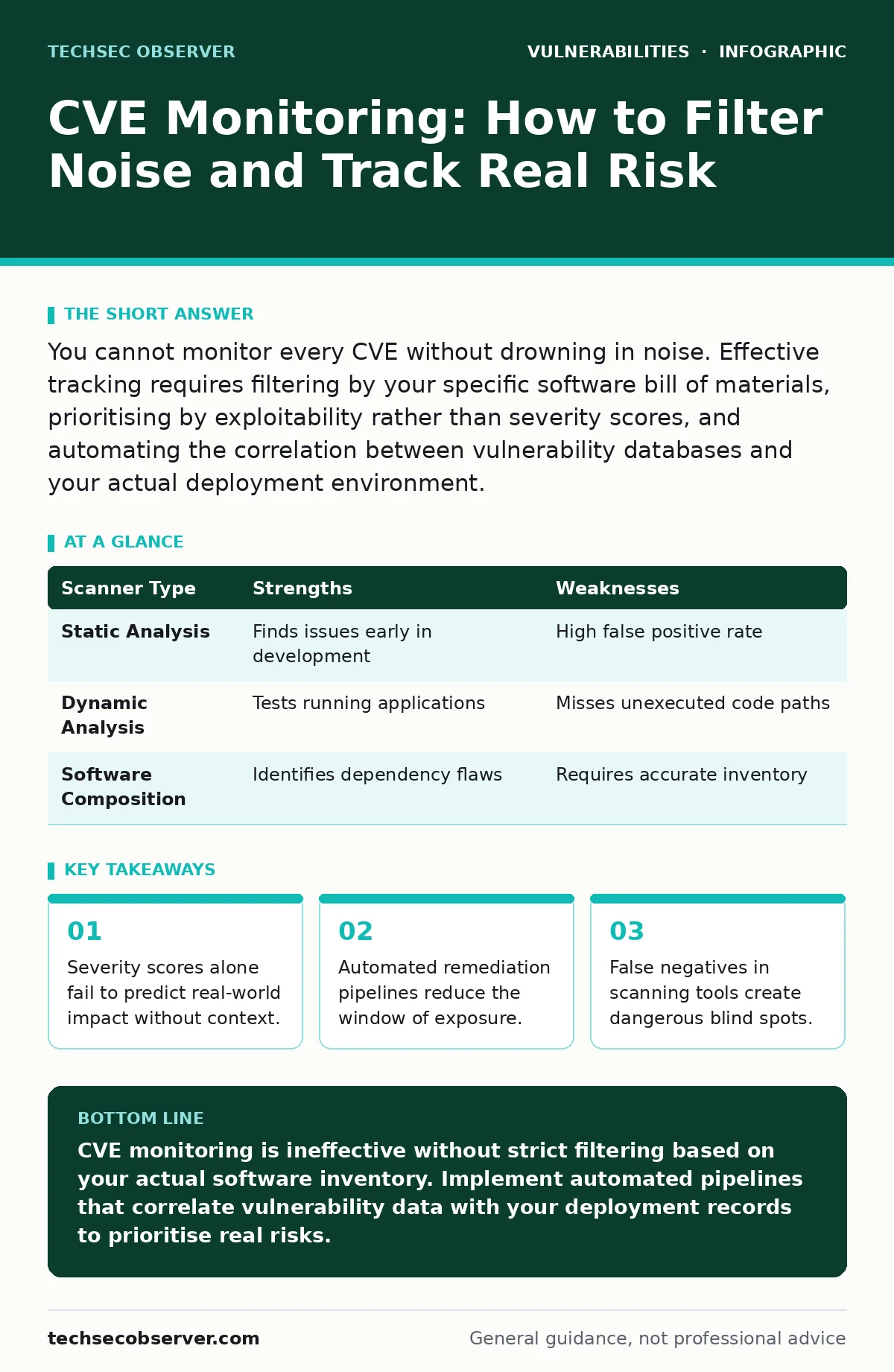
You cannot monitor every CVE without drowning in noise. Effective tracking requires filtering by your specific software bill of materials, prioritising by exploitability rather than severity scores, and automating the correlation between vulnerability databases and your actual deployment environment.
What is a CVE and why does it matter?
A CVE, or Common Vulnerabilities and Exposures, is a standardised identifier for a publicly disclosed cybersecurity weakness. You need these identifiers to track flaws across different vendors and products without confusion. A CVE provides a unique reference point that allows security tools, developers and researchers to discuss specific issues with precision.
Without this standardisation, correlating a flaw in a library with its patched version would be nearly impossible. Imagine trying to patch a system when the vendor calls the flaw "Issue 42" and the scanner calls it "Buffer Overflow B". The CVE bridges that communication gap. It does not, however, tell you how severe the issue is or whether it affects your code. That requires additional data layers, such as CVSS scores and exploit availability.
Why do severity scores often mislead?
CVSS scores provide a quick glance at potential impact, but they frequently overstate risk for internal systems. A score of 9.8 suggests catastrophic damage, yet if the vulnerable service is behind a firewall with no internet access, the actual risk is near zero. You must interpret scores through the lens of your specific architecture.
A high score on a library used only in a test environment carries less weight than a moderate score on a public-facing API. Relying solely on the number ignores the attack path required to reach the vulnerability. This mismatch causes teams to waste resources on low-probability issues while neglecting more accessible entry points. Contextual risk assessment replaces raw scoring with realistic threat modelling.
How do you filter noise from your monitoring pipeline?
You filter noise by intersecting vulnerability feeds with your software bill of materials. If you do not use a library, its vulnerabilities are irrelevant to your operations. Many teams subscribe to all alerts for a language ecosystem, creating an unmanageable backlog. Instead, configure your monitoring tools to only report issues present in your dependencies.
This requires accurate inventory management. If your inventory is outdated, you will miss critical updates or chase ghosts. Regularly synchronise your dependency lists with your deployment records. This ensures that every alert corresponds to a running component. You can further refine this by excluding vulnerabilities that require user interaction if your application is server-side only.
What is the role of automation in patching?
Automation reduces the time between vulnerability disclosure and remediation, shrinking the window for exploitation. Manual patching processes are slow and prone to human error. When a critical flaw is announced, developers cannot stop their current work to investigate every dependency. Automated pipelines can detect the vulnerability, pull the patched version, run tests and deploy the update without human intervention.
This speed is vital for high-frequency deployment environments. However, automation requires rigorous testing strategies. A broken build caused by an automatic update can halt production. You must balance speed with stability by staging deployments and monitoring for regressions. See our guide on secure code review for strategies to validate automated changes.
Why does dependency confusion pose a risk?
Dependency confusion occurs when an attacker publishes a malicious package with a private name to a public registry. Your build system, configured to check public registries first, may download the malicious code instead of the legitimate internal package. This bypasses traditional vulnerability scanners because the package name matches your internal inventory. The flaw lies in the resolution order of your package manager.
You must configure your build tools to prioritise internal registries over public ones. This prevents external actors from injecting code into your supply chain. Regular audits of your package resolution settings are necessary to ensure this priority remains intact. This issue is distinct from GitHub Actions workflow injection, which targets the build environment itself rather than the dependencies.
See also: IoT Patching Mistakes: 7 Errors That Leave Devices Exposed · Prevent Business Logic Vulnerabilities: 4 Proven Measures
How do you handle vulnerabilities in unpatched software?
When a vendor does not provide a patch, you must isolate the vulnerable component or apply a compensating control. You cannot fix the code if you do not own it. In these cases, network segmentation limits the blast radius. Restrict access to the vulnerable service so that only authorised components can communicate with it.
Application-level controls, such as input validation, can mitigate the impact of specific attack vectors. For example, if the vulnerability involves SQL injection, implementing strict parameterised queries in your wrapper code can block the exploit. This approach adds complexity but maintains functionality. Document these workarounds clearly so that future teams understand the temporary nature of the fix.
What are the limitations of vulnerability scanners?
Scanners rely on known signatures and may miss zero-day vulnerabilities or logic flaws. They cannot understand the intent of your code. A scanner might report a false positive if it sees a function call that resembles a dangerous pattern, even if the context is safe. Conversely, it might miss a flaw that requires specific runtime conditions.
This means scanning is only one layer of defence. You must combine it with manual analysis and runtime protection. Over-reliance on scanner output creates a false sense of security. Regularly validate scanner results against known test cases to measure their accuracy. This helps you understand which alerts require immediate attention and which can be deferred.
| Scanner Type | Strengths | Weaknesses |
|---|---|---|
| Static Analysis | Finds issues early in development | High false positive rate |
| Dynamic Analysis | Tests running applications | Misses unexecuted code paths |
| Software Composition | Identifies dependency flaws | Requires accurate inventory |
How do you prioritise remediation efforts?
Prioritisation depends on exploitability, asset criticality and business impact. Not all vulnerabilities require immediate patching. A flaw in a rarely used feature is less urgent than one in a core authentication module. Use threat intelligence to determine if active exploitation is occurring in the wild. If attackers are actively targeting a specific flaw, move it to the top of your queue. Consider the effort required to patch. A simple version bump is easier than a complex code refactor. Balance these factors to create a realistic remediation schedule. This prevents burnout and ensures that critical risks are addressed first.
What is the impact of third-party libraries?
Third-party libraries introduce indirect dependencies that you do not directly control. A library you trust may depend on another library with a severe flaw. This transitive risk is often invisible until a scanner flags it. You must monitor the entire dependency tree, not just the direct imports. This increases the attack surface significantly.
Regular updates are necessary to keep pace with upstream changes. However, frequent updates can break compatibility. You must test each update thoroughly. This trade-off between security and stability is a constant challenge. Consider using software composition analysis tools to visualise these relationships. Understanding the full graph of dependencies helps you anticipate potential issues.
How do you verify a patch is effective?
Verification requires testing the patched version against the specific exploit conditions. Simply updating the version number is not enough. You must confirm that the vulnerability is closed and that no new issues have been introduced. Regression testing ensures that existing functionality remains intact. Security testing, including fuzzing, can uncover edge cases that the vendor may have missed. This step is critical for high-risk vulnerabilities. If you skip verification, you risk deploying a broken system or one that remains vulnerable. Document the verification process for audit purposes. This demonstrates due diligence and provides a record of your security posture.
Key takeaways
- Severity scores alone fail to predict real-world impact without context.
- Automated remediation pipelines reduce the window of exposure.
- False negatives in scanning tools create dangerous blind spots.
CVE monitoring is ineffective without strict filtering based on your actual software inventory. Implement automated pipelines that correlate vulnerability data with your deployment records to prioritise real risks.
Frequently asked questions
How often should I run vulnerability scans?
Run scans continuously in your CI/CD pipeline to catch issues early. Supplement this with weekly full-system scans to detect drift or new dependencies.
Can I ignore low-severity CVEs?
You can defer them, but do not ignore them completely. Aggregate low-severity issues and address them in batch updates to prevent accumulation.
What if a vulnerability affects a discontinued library?
You must replace the library or isolate the component. Discontinued software will not receive patches, leaving you exposed to new exploits.
How do I handle false positives from scanners?
Investigate each alert to confirm its validity. If it is a false positive, document the reason and suppress it in your tooling to reduce future noise.
How this guide was produced: written by the TechSec Observer editorial team with AI assistance, checked against the public references listed below, and reviewed when the facts change. See our editorial policy or report an error.