PowerShell Logging Misconceptions: What Actually Gets Recorded
Script block logging captures executed code in memory, yet administrators often overlook that this data remains unencrypted on disk by default
PowerShell logging does not automatically secure your environment. Many teams assume transcript recording captures everything, but it misses dynamic code generation. Script block logging records the actual code executed, not just the command line. You must enable multiple modules and understand where the data lands to build effective visibility.
Misreading: Transcript logging captures all activity
Correct reading: Transcript logging records only the text you type into the console. It fails to capture code generated by scripts, functions or remote commands. If a malware payload downloads a script and executes it in memory, the transcript shows nothing but the initial download command. You see the trigger, but never the payload. This creates a blind spot for advanced threats that rely on dynamic execution rather than static file drops.
Transcript logging is useful for human error analysis. It helps you reconstruct what an administrator typed during a configuration change. It does not help you detect automated attacks. Attackers know this limitation. They use techniques that bypass the transcript layer entirely. You must enable script block logging to see the actual code running in memory. This module captures the decoded content of scripts before they execute.
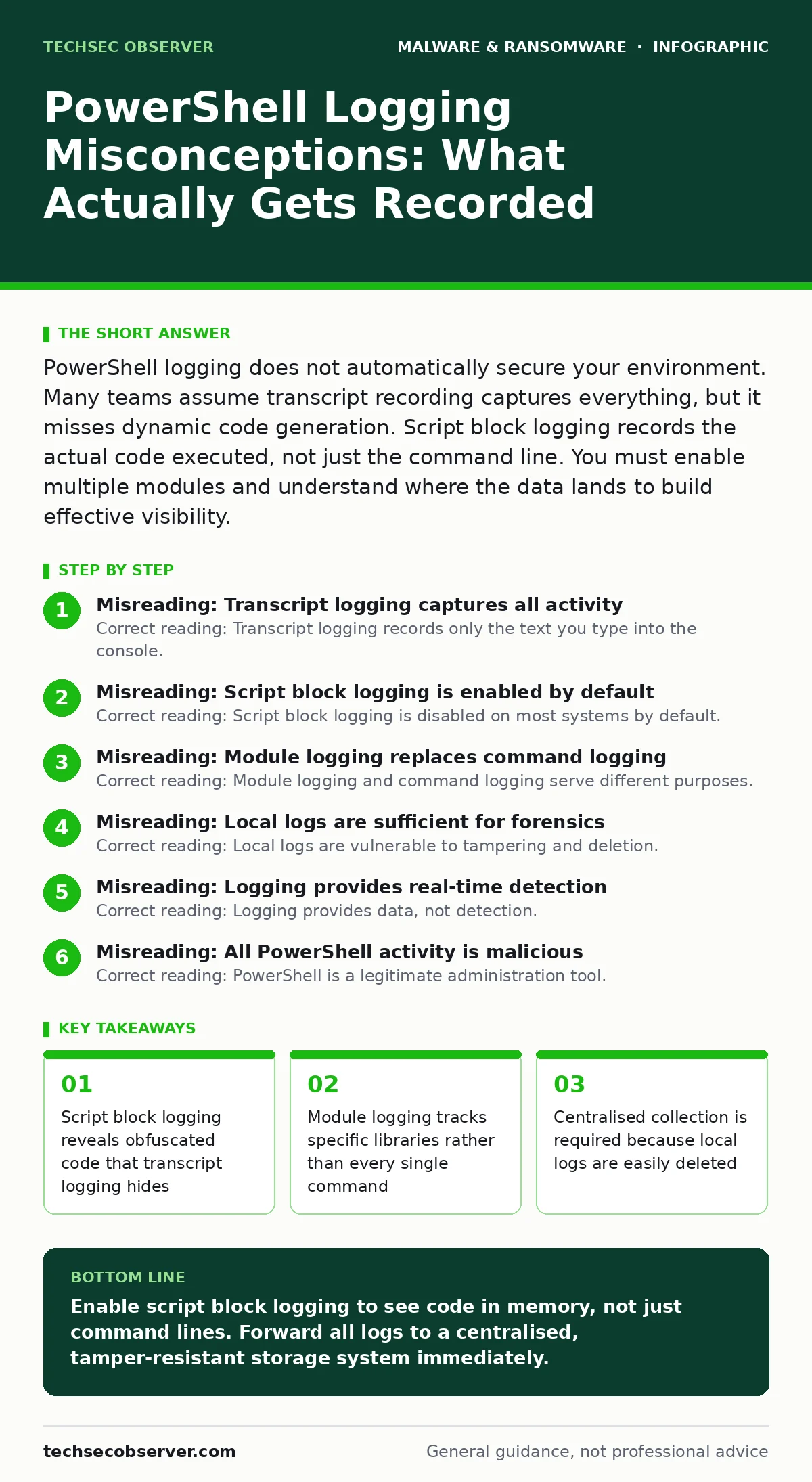
Misreading: Script block logging is enabled by default
Correct reading: Script block logging is disabled on most systems by default. You must explicitly enable it through group policy or registry settings. Many organisations assume it is active because it is a well-known feature. This assumption leaves a significant gap in visibility. Without this module, you cannot see obfuscated commands or encoded payloads. The default state prioritises performance over security. You must change this configuration to gain deep visibility into PowerShell activity.
Enabling script block logging generates substantial data. Every function call and variable expansion is recorded. This volume can overwhelm log collectors if not managed correctly. You must filter noise early in the pipeline. Focus on high-risk events like downloads or process creation. Do not send every single line to your long-term storage. Use a structured approach to ingest only the relevant data. This balance between visibility and performance is critical for sustainable operations.
Misreading: Module logging replaces command logging
Correct reading: Module logging and command logging serve different purposes. Command logging records the exact command line arguments. Module logging records when specific modules are loaded. You need both for complete context. Command logging shows what was invoked. Module logging shows which libraries were used. If an attacker uses a standard module to execute malicious code, command logging alone may look benign. The module name appears legitimate. The actual execution is hidden within the module’s functions.
Imagine a scenario where an attacker uses a standard networking module to exfiltrate data. The command line shows a standard ping or test-connection. It looks like routine maintenance. Module logging reveals that the networking module was loaded in an unusual context. It was called by a suspicious process. This correlation raises the alert level. You cannot rely on one source. You must correlate multiple data streams to identify true threats. This approach reduces false positives and improves detection accuracy.
Misreading: Local logs are sufficient for forensics
Correct reading: Local logs are vulnerable to tampering and deletion. An attacker with administrative access can clear event logs. They can disable logging services or delete the log files. Relying solely on local storage is a single point of failure. You must forward logs to a centralised server or cloud platform. This external storage ensures data persistence even if the endpoint is compromised. Centralised collection also enables correlation across multiple systems. You can identify lateral movement patterns that local logs cannot reveal.
Forwarding logs introduces latency and bandwidth considerations. You must configure your agents to handle network interruptions. Buffering ensures no data is lost during connectivity issues. Authentication and encryption protect the data in transit. You must secure the collection pipeline as rigorously as the endpoint itself. A compromised log collector can feed false data to your analysts. Verify the integrity of your collection infrastructure regularly. This practice maintains trust in your visibility layer.
Misreading: Logging provides real-time detection
Correct reading: Logging provides data, not detection. You must analyse that data to identify threats. Logs are historical records. They do not stop an attack in progress. You need a detection engine to interpret the logs. This engine applies rules and behaviours to identify anomalies. Without this analysis layer, logs are just noise. You may review them during an investigation, but they will not alert you to an active breach. Detection requires continuous monitoring and automated response capabilities.
Imagine a ransomware payload executing in memory. The logs record the activity. If no engine is analysing them in real time, the encryption proceeds. By the time you review the logs, the damage is done. You must integrate your logging with a detection platform. This platform can trigger alerts or containment actions. It reduces the time between compromise and response. This integration is vital for modern security operations. It transforms passive data into active defence.
See also: Cryptojacking: How to Detect and Stop Silent Resource Theft
Misreading: All PowerShell activity is malicious
Correct reading: PowerShell is a legitimate administration tool. It powers countless automation tasks. Blocking it entirely breaks business operations. You must distinguish between normal and abnormal usage. Baseline your environment to understand typical behaviour. Identify which users and processes run PowerShell regularly. Deviations from this baseline indicate potential threats. Overly broad rules cause alert fatigue. Your team will ignore genuine signals amidst the noise. Precision in your detection logic is key to effective security.
Consider a software developer using PowerShell for deployment scripts. These scripts run frequently and use standard modules. They are safe. Now consider the same modules running from a temporary directory. This context is unusual. The location suggests evasion. Your detection logic must account for context, not just content. This nuance prevents false positives. It ensures that legitimate work continues uninterrupted. Balance security with usability to maintain operational efficiency.
Misreading: Logging solves every PowerShell risk
Correct reading: Logging is one layer of defence. It does not replace other controls. You must combine it with application whitelisting, least privilege and regular updates. Logging helps you detect what breaks through other layers. It does not prevent the breach. It informs the response. You must accept that some attacks will succeed. Logging minimises the impact and duration. It provides the evidence needed for recovery and improvement. A holistic strategy requires multiple complementary controls.
For deeper analysis of static threats, refer to the guide on static malware analysis. For understanding broader detection architectures, review the extended detection and response (XDR) documentation. These resources complement your logging strategy. They provide context for how logs fit into the wider security ecosystem. Integrate these practices to build a resilient environment. No single tool provides complete protection. Layered defence ensures resilience against evolving threats.
Key takeaways
- Script block logging reveals obfuscated code that transcript logging hides
- Module logging tracks specific libraries rather than every single command
- Centralised collection is required because local logs are easily deleted
Enable script block logging to see code in memory, not just command lines. Forward all logs to a centralised, tamper-resistant storage system immediately.
Frequently asked questions
Does PowerShell logging slow down the system?
Script block logging generates significant data volume. It can impact performance if not filtered correctly. Configure your agents to send only relevant events to the central collector.
Can attackers disable PowerShell logging?
Attackers with administrative rights can disable logging. This is why you must monitor for changes to logging configurations. Alert on any modification to group policy or registry settings related to logging.
How long should I keep PowerShell logs?
Retention depends on your compliance requirements and investigation needs. Keep raw logs for a short period. Store aggregated or indexed data for longer. Balance storage costs with forensic value.
Is transcript logging enough for compliance?
Transcript logging shows user input. It does not show executed code. Most compliance frameworks require visibility into executed commands. Script block logging provides this deeper visibility. Combine both for comprehensive coverage.
How this guide was produced: written by the TechSec Observer editorial team with AI assistance, checked against the public references listed below, and reviewed when the facts change. See our editorial policy or report an error.