Phishing-Resistant Authentication: 7 Mistakes That Break Security
Most organisations deploy phishing-resistant authentication but bypass its protections through poor policy design, leaving accounts vulnerable to account takeover.
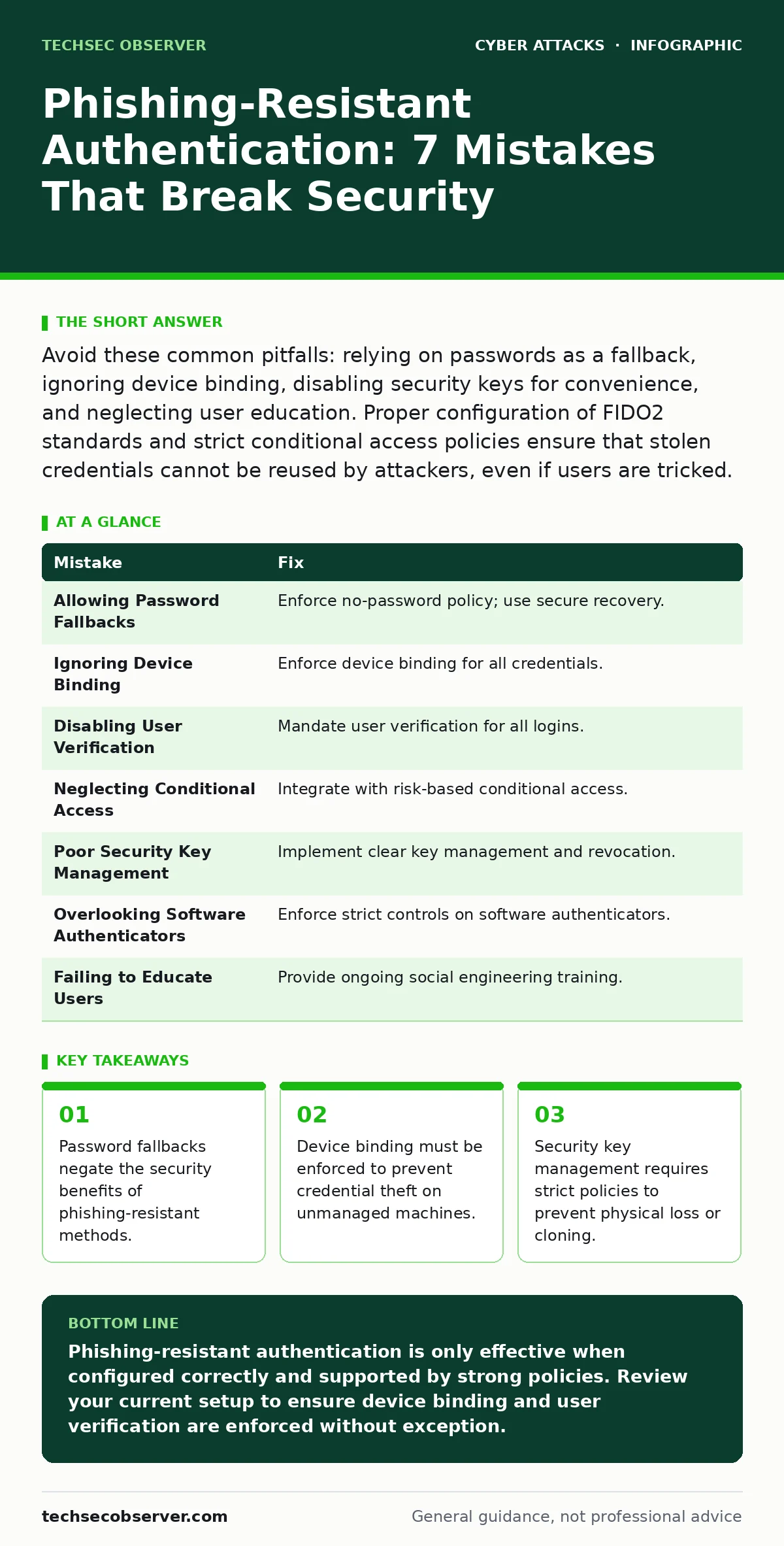
Avoid these common pitfalls: relying on passwords as a fallback, ignoring device binding, disabling security keys for convenience, and neglecting user education. Proper configuration of FIDO2 standards and strict conditional access policies ensure that stolen credentials cannot be reused by attackers, even if users are tricked.
Mistake 1: Allowing Password Fallbacks
Organisations often deploy phishing-resistant authentication but permit users to fall back to passwords if their primary method fails. This creates a weak link in the security chain. Attackers know that if they can disrupt the primary authentication, they can target the secondary method.
Why it hurts:
Passwords are inherently vulnerable to phishing, credential stuffing, and guessing. If an attacker cannot phish your FIDO2 credential, they will attempt to force a password reset or use stolen credentials from a previous breach. The presence of a password option tells the system that the user’s identity is not fully verified by cryptographic means.
The fix:
Enforce a strict no-password policy for all user accounts. Configure your identity provider to reject password authentication entirely for users enrolled in phishing-resistant methods. If a user loses their security key, the recovery process must involve a separate, highly secure verification method, not a simple password reset.
Mistake 2: Ignoring Device Binding
Phishing-resistant authentication protocols like FIDO2 rely on device binding to ensure that a credential can only be used on the device where it was created. Some administrators disable this feature to allow users to register credentials on multiple devices easily.
Why it hurts:
Without device binding, an attacker who steals a credential file or intercepts it during registration can use it on any device. This transforms a phishing-resistant credential into a portable token that can be replayed anywhere. The cryptographic proof of presence is lost.
The fix:
Ensure that device binding is enforced for all registered credentials. This means the private key never leaves the authenticator device. If a user switches devices, they must register a new credential on the new device, and the old one should be revoked or remain inactive until the new one is verified.
Mistake 3: Disabling User Verification for Convenience
User verification requires the user to prove they are present at the device, typically via a fingerprint, PIN, or biometric scan. Some organisations disable this requirement to streamline the login process for users who find it cumbersome.
Why it hurts:
Disabling user verification allows the authenticator to sign authentication requests without the user’s explicit consent. If an attacker gains physical access to the unlocked device or the authenticator, they can authenticate as the user without any further interaction. The security model shifts from "something you have and are" to just "something you have".
The fix:
Mandate user verification for all authentication events. Configure your identity provider to reject authentication requests that do not include a verified user presence. This ensures that even if the device is stolen, the attacker cannot use the stored credentials without the user’s biometric or PIN.
Mistake 4: Neglecting Conditional Access Policies
Phishing-resistant authentication is often deployed in isolation, without integrating it into broader conditional access policies. This means that authentication happens, but the context of the login is not evaluated.
Why it hurts:
An attacker might obtain a valid authentication token from a compromised device. If the system does not check the device compliance status, location, or risk level, the attacker gains access. Phishing-resistant authentication proves identity, but not necessarily the safety of the environment.
The fix:
Integrate authentication with conditional access policies. Require that logins occur from compliant, managed devices. Combine phishing-resistant authentication with risk-based assessments. If a login attempt comes from a new location or an unmanaged device, require additional verification or block the access entirely.
Mistake 5: Poor Security Key Management
Security keys are physical devices that store cryptographic keys. Users often treat them like USB drives, losing them or sharing them. Organisations sometimes fail to provide clear guidance on how to manage these devices.
Why it hurts:
Lost security keys can lead to account lockouts or, if not properly revoked, potential misuse. If a user shares a security key, the principle of individual accountability is broken. An attacker who finds a lost key can attempt to use it if user verification is not enforced.
The fix:
Implement a clear policy for security key management. Users should be instructed to keep their keys secure and to report loss immediately. Administrators should have a streamlined process to revoke compromised or lost keys. Consider issuing multiple keys to users for redundancy, ensuring that losing one does not lock them out.
Mistake 6: Overlooking Software Authenticators
Software-based authenticators, such as mobile apps, are often considered less secure than hardware security keys. Some organisations ban them entirely, while others allow them without restriction. This binary approach fails to address the nuances of software authenticator security.
Why it hurts:
Software authenticators are vulnerable to malware, screen scraping, and SIM swapping if not properly secured. However, banning them entirely can exclude users who do not have access to hardware keys. Allowing them without restriction exposes users to higher risks.
The fix:
Allow software authenticators but enforce strict security controls. Require that the mobile device is managed and encrypted. Use platform authenticators that are integrated into the operating system, which offer better protection against malware than standalone apps. Educate users on the risks of software authenticators and encourage the use of hardware keys for high-privilege accounts.
Mistake 7: Failing to Educate Users on Phishing Variants
Even with phishing-resistant authentication, users remain targets for social engineering. Organisations often assume that technical controls are sufficient and neglect user education.
Why it hurts:
Attackers adapt. They may use baiting attacks to trick users into installing malware that captures authentication tokens or uses shoulder surfing to observe PINs. If users are not aware of these tactics, they may inadvertently compromise their credentials.
The fix:
Provide ongoing education about social engineering tactics. Teach users how to recognise phishing attempts, baiting attacks, and other social engineering techniques. Emphasise that phishing-resistant authentication is not a silver bullet and that vigilance is still required.
| Mistake | Fix |
|---|---|
| Allowing Password Fallbacks | Enforce no-password policy; use secure recovery. |
| Ignoring Device Binding | Enforce device binding for all credentials. |
| Disabling User Verification | Mandate user verification for all logins. |
| Neglecting Conditional Access | Integrate with risk-based conditional access. |
| Poor Security Key Management | Implement clear key management and revocation. |
| Overlooking Software Authenticators | Enforce strict controls on software authenticators. |
| Failing to Educate Users | Provide ongoing social engineering training. |
Key takeaways
- Password fallbacks negate the security benefits of phishing-resistant methods.
- Device binding must be enforced to prevent credential theft on unmanaged machines.
- Security key management requires strict policies to prevent physical loss or cloning.
Phishing-resistant authentication is only effective when configured correctly and supported by strong policies. Review your current setup to ensure device binding and user verification are enforced without exception.
Frequently asked questions
Can phishing-resistant authentication be bypassed?
While highly resistant, it can be bypassed if user verification is disabled or if the device is compromised by malware. Proper configuration and device management are critical.
What is the difference between FIDO2 and WebAuthn?
WebAuthn is the application programming interface that allows web applications to use FIDO2 credentials. FIDO2 is the broader standard that includes both WebAuthn and the Client-to-Authenticator Protocol.
Do I need to issue hardware keys to all users?
Not necessarily. A tiered approach works well. Issue hardware keys to high-privilege users and allow software authenticators for others, with strict security controls.
How do I recover access if I lose my security key?
You should have a backup key or a secure recovery method configured. This might involve a secondary authenticator or a manual verification process by your IT department.
How this guide was produced: written by the TechSec Observer editorial team with AI assistance, checked against the public references listed below, and reviewed when the facts change. See our editorial policy or report an error.