Cookie Consent Management: 7 Mistakes That Break Compliance
Most consent banners fail because they track users before permission is granted, rendering the entire consent mechanism legally void and technically flawed.

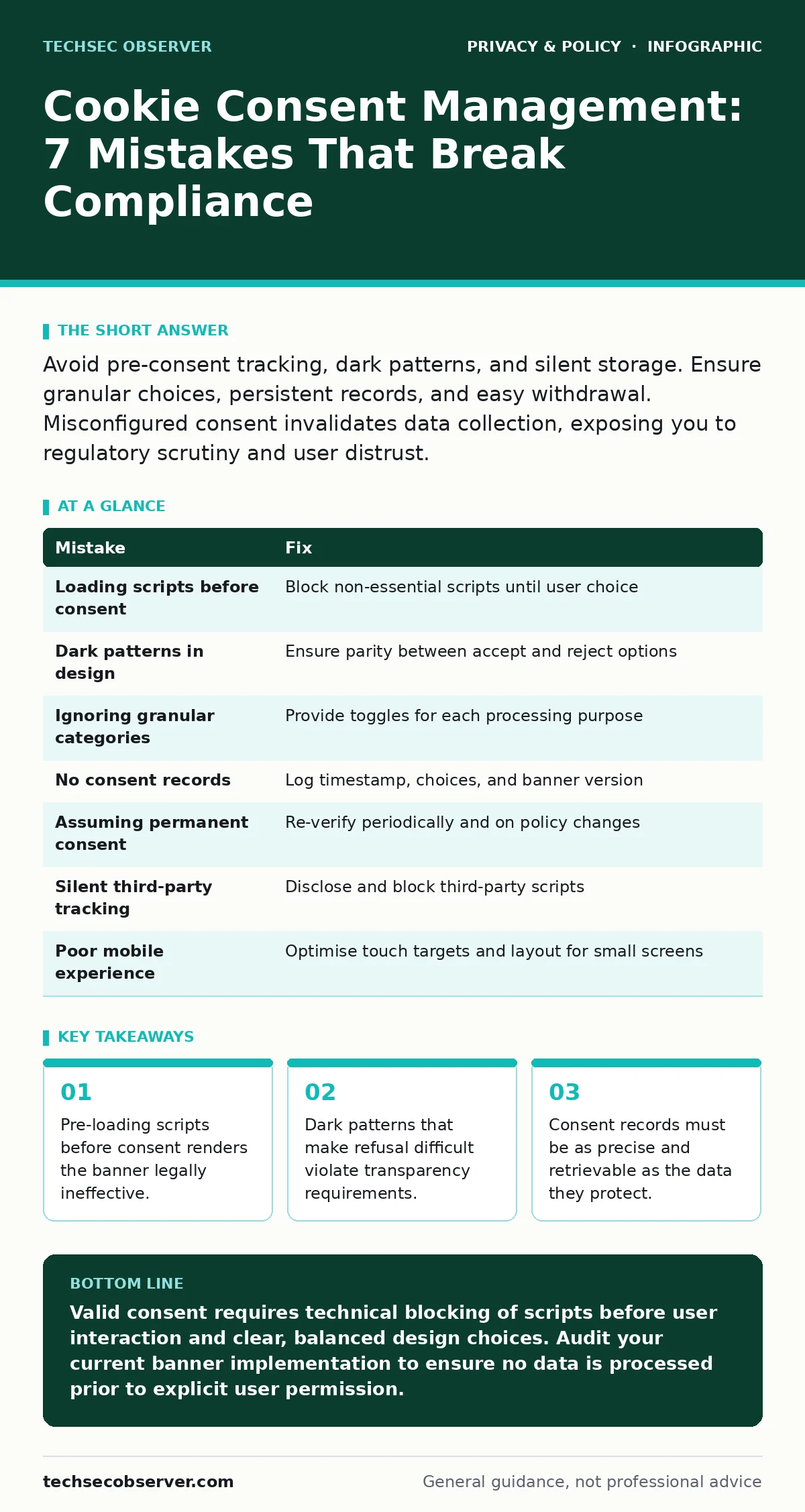
Avoid pre-consent tracking, dark patterns, and silent storage. Ensure granular choices, persistent records, and easy withdrawal. Misconfigured consent invalidates data collection, exposing you to regulatory scrutiny and user distrust.
Mistake 1: Loading Scripts Before Consent
Many websites initialise analytics or advertising scripts in the <head> section of the HTML. This forces the browser to fetch and execute code before the user interacts with the consent banner. The script may set cookies or transmit data immediately upon page load.
Why it hurts:
This practice violates the core principle of prior consent. If data is collected before the user agrees, the consent is retroactive and therefore invalid. Regulatory bodies view this as deceptive, regardless of how clear the banner appears later. It also undermines trust, as users cannot verify what is being tracked before allowing it.
The fix:
Implement a consent management platform (CMP) that blocks all non-essential scripts until a choice is made. Use the defer or async attributes carefully, ensuring no code executes without explicit permission. Essential scripts, such as those required for the banner itself or site navigation, are exempt from this block.
Mistake 2: Using Dark Patterns to Nudge Acceptance
Designers often make the "Accept All" button large, brightly coloured, and immediately visible. Conversely, the "Reject All" or "Manage Preferences" options are small, grey, or hidden behind additional clicks. This manipulation steers users toward consent through design rather than choice.
Why it hurts:
Consent must be freely given. If one option is significantly harder to select than the other, the choice is not free. This imbalance can be cited as evidence of non-compliance during audits. It also frustrates users who value privacy, leading to higher bounce rates and negative brand perception.
The fix:
Ensure parity in design between acceptance and rejection options. Both buttons should be equally visible, similarly styled, and require the same number of interactions. The "Manage Preferences" link should be prominent, allowing users to granularly control their data sharing without friction.
Mistake 3: Ignoring Granular Consent Categories
Some banners present a binary choice: accept everything or reject everything. This ignores the reality that users may want to accept functional cookies but reject advertising or analytics. Bundling these categories forces users to compromise on their privacy preferences.
Why it hurts:
Regulations often require consent to be specific to the purpose of processing. A blanket "accept all" does not constitute valid consent for sensitive or non-essential purposes. If a user accepts functional cookies but rejects analytics, you must not process analytics data. Failure to distinguish these categories leads to over-collection of data.
The fix:
Provide a preferences centre that lists each category of processing separately. Allow users to toggle each category on or off. Clearly describe what each category does, such as "personalised advertising" or "performance measurement". This aligns with the principles of privacy by design, ensuring data minimisation from the start.
Mistake 4: Failing to Record Consent Evidence
Many organisations collect consent but do not store a verifiable record of it. They might save a flag in a database, but without timestamp, IP address, or the specific version of the consent form shown, this record is weak.
Why it hurts:
In the event of an inquiry or audit, you must prove that consent was obtained. A vague flag is insufficient evidence. If you cannot demonstrate when and how consent was given, you cannot prove compliance. This lack of documentation shifts the burden of proof against you.
The fix:
Log detailed consent records for each user. Include the timestamp, the specific choices made, and the version of the consent banner displayed. Store this data securely and link it to the user’s identifier. Ensure this log is immutable and accessible for future verification.
Mistake 5: Assuming Consent Is Permanent
Some systems treat consent as a one-time event. Once a user accepts cookies, the system never asks again, even if the purposes of data processing change or significant time has passed. This ignores the dynamic nature of user preferences and legal requirements.
Why it hurts:
Consent is not indefinite. If you change how you use data, you must seek new consent. Additionally, users have the right to withdraw consent at any time. Assuming permanence leads to processing data without a valid legal basis. This is particularly risky when relying on legitimate interest under the GDPR, which requires regular reassessment.
The fix:
Implement a mechanism to re-verify consent periodically, such as every six or twelve months. Trigger a new consent request if you add new categories of processing or change your privacy policy. Make it as easy to withdraw consent as it was to give it, ensuring the user retains control.
See also: Private file sharing services: secure transfer workflows · Block Wi-Fi Finder Apps From Mapping Your Network
Mistake 6: Silent Third-Party Tracking
Websites often embed third-party widgets, such as social media buttons or chat tools, without disclosing them in the consent banner. These widgets may set their own cookies or track user behaviour across domains, independent of the host site’s controls.
Why it hurts:
You are responsible for all data collection on your site, including by third parties. If a third party tracks users without consent, you are complicit. This exposure is similar to metadata exposure, where incidental data reveals more than intended. Users cannot consent to what they do not know is happening.
The fix:
Audit all third-party integrations. List each third party and its purpose in the consent banner. Ensure that third-party scripts are blocked until consent is granted. Use privacy-focused browsers or tools to test how your site behaves with tracking protection enabled, identifying any silent leaks.
Mistake 7: Poor Mobile Experience
Mobile screens are small, and consent banners often become cluttered or difficult to interact with. Buttons may be too small to tap accurately, or the preferences menu may require excessive scrolling. This friction discourages users from managing their preferences.
Why it hurts:
If users cannot easily exercise their rights, consent is not freely given. A poor mobile experience leads to higher acceptance rates out of frustration rather than genuine agreement. This undermines the validity of the consent and creates a negative user experience, increasing the likelihood of users leaving the site.
The fix:
Design the consent banner specifically for mobile devices. Use larger touch targets and a simplified interface. Consider a collapsible menu for detailed preferences, ensuring the primary accept/reject actions are always visible. Test the banner on various screen sizes to ensure usability.
| Mistake | Fix |
|---|---|
| Loading scripts before consent | Block non-essential scripts until user choice |
| Dark patterns in design | Ensure parity between accept and reject options |
| Ignoring granular categories | Provide toggles for each processing purpose |
| No consent records | Log timestamp, choices, and banner version |
| Assuming permanent consent | Re-verify periodically and on policy changes |
| Silent third-party tracking | Disclose and block third-party scripts |
| Poor mobile experience | Optimise touch targets and layout for small screens |
Key takeaways
- Pre-loading scripts before consent renders the banner legally ineffective.
- Dark patterns that make refusal difficult violate transparency requirements.
- Consent records must be as precise and retrievable as the data they protect.
Valid consent requires technical blocking of scripts before user interaction and clear, balanced design choices. Audit your current banner implementation to ensure no data is processed prior to explicit user permission.
Frequently asked questions
Do I need consent for essential cookies?
No, cookies strictly necessary for the operation of the website, such as session management, do not require consent.
How long should I keep consent records?
Retain records for as long as the data is processed, plus a reasonable period for legal defence, typically several years.
Can I use legitimate interest instead of consent?
Legitimate interest may apply for certain activities, but it requires a balancing test and does not replace consent for intrusive tracking like profiling.
What happens if I fail to comply?
Non-compliance can lead to regulatory fines, enforcement actions, and loss of user trust, impacting your business reputation.
How this guide was produced: written by the TechSec Observer editorial team with AI assistance, checked against the public references listed below, and reviewed when the facts change. See our editorial policy or report an error.