Block Wi-Fi Finder Apps From Mapping Your Network
Adding specific suffixes to your network name stops major mapping services from harvesting your router location without compromising signal quality.

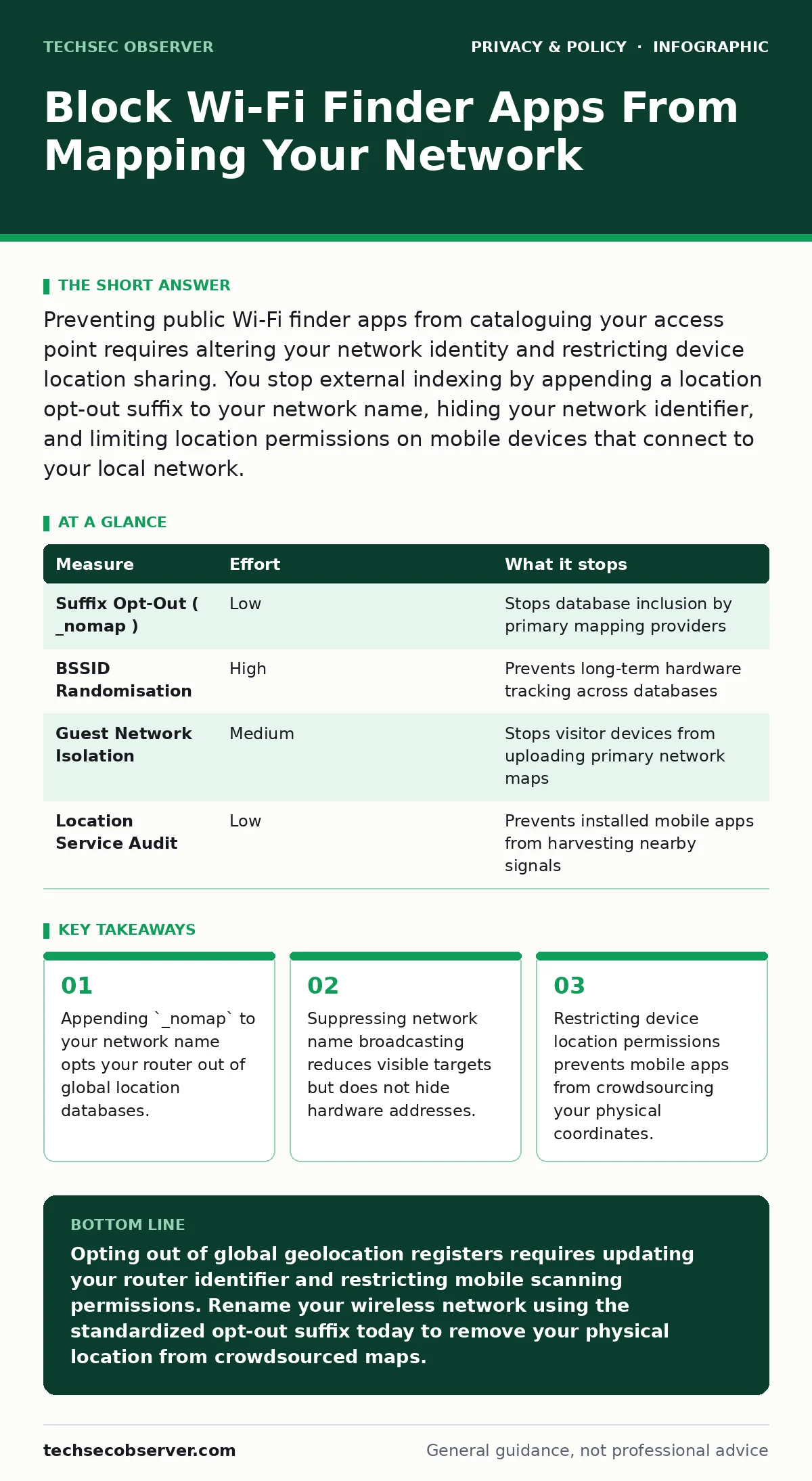
Preventing public Wi-Fi finder apps from cataloguing your access point requires altering your network identity and restricting device location sharing. You stop external indexing by appending a location opt-out suffix to your network name, hiding your network identifier, and limiting location permissions on mobile devices that connect to your local network.
How Wi-Fi Finder Apps Map Private Wireless Networks
Wi-Fi finder applications operate by compiling global databases of wireless access points paired with precise geographic coordinates. When a mobile device runs an app with location permissions, it scans nearby broadcast signals, recording the network SSID (Service Set Identifier), which serves as the human-readable network name, alongside the BSSID (Basic Service Set Identifier), which is the unique hardware address of the router radio interface. The mobile app transmits these paired identifiers to central servers, turning private routers into geolocation beacons without the owner consent.
Geolocation services rely on these crowdsourced hardware addresses to triangulate position data when satellite navigation is unavailable indoors. Even if your router sits behind locked doors, visitors or passers-by running tracking software continuously update your coordinates in public registers. Shielding your infrastructure requires breaking the link between your physical location and your hardware identifiers.
Quick Wins to Prevent Wireless Access Point Indexing
Appending standard opt-out strings to your wireless network name provides the fastest defence against automated indexing. Major technology vendors that maintain primary geolocation databases honour the _nomap suffix appended to an SSID. Renaming a network to HomeNetwork_nomap instructs participating scanning engines to drop the recorded radio frequency data immediately upon processing.
- Access your router management console through a secure local web browser session.
- Locate the wireless settings panel displaying your current SSID configuration.
- Add
_nomapto the end of your network identifier string. - Save the configuration and restart the access point to apply changes.
Some mapping providers use a secondary string, requiring _optout instead. Combining both into HomeNetwork_nomap_optout addresses multiple scanning services simultaneously. Connected devices must re-enter credentials after an SSID change, making this an ideal time to review your local access controls alongside your privacy-focused browsers setup.
Technical Defences Ranked by Risk Reduction
| Measure | Effort | What it stops |
|---|---|---|
Suffix Opt-Out (_nomap) | Low | Stops database inclusion by primary mapping providers |
| BSSID Randomisation | High | Prevents long-term hardware tracking across databases |
| Guest Network Isolation | Medium | Stops visitor devices from uploading primary network maps |
| Location Service Audit | Low | Prevents installed mobile apps from harvesting nearby signals |
Network administrators achieve superior protection by isolating client devices that host crowdsourcing software. Creating a separate virtual local area network for mobile devices limits the exposure of internal server infrastructure. While guest network isolation prevents visitors from probing internal management interfaces, it does not stop their phones from reading raw radio beacons broadcast into the air.
The Limits of Suppressing SSID Broadcasts
Disabling SSID broadcasting hides your network name from casual device menus, but it fails as a standalone privacy control. Routers constantly transmit unencrypted beacon frames containing their static BSSID, allowing specialized scanner software to map physical hardware regardless of network name visibility. Furthermore, client devices configured to connect to hidden networks continuously broadcast probe requests containing the network name whenever they leave home.
For robust network privacy, combine broadcast modifications with pseudonymization principles at the device level. Relying solely on hidden networks increases battery consumption on client hardware while leaving unique physical addresses exposed to passive signal collectors.
Restricting Mobile App Crowdsourcing Capabilities
Mobile applications gather wireless data primarily because operating systems grant broad permission models to third-party software. Reviewing location privileges on every smartphone connected to your network halts the transmission of signal maps at the source. Operating systems categorise Wi-Fi scanning under precise location permissions, meaning an app denied precise location access cannot read nearby access point details.
Settings -> Privacy & Security -> Location Services -> App Permissions
Denying continuous background location access to non-navigation apps prevents passive background harvesting. Combining location restrictions with parental controls ensures that secondary devices do not inadvertently stream network telemetry to external analytics engines. If you suspect your account details were exposed alongside network metadata, perform a check to confirm if your email was in a breach.
See also: How Data Exfiltration Works: The Silent Stages of Theft
Mitigating Hardware Address Harvesting
Modern mobile operating systems implement MAC address randomisation, an automated security feature that periodically alters the media access control address used by a client device. While MAC randomisation protects mobile clients from tracking, access point hardware maintains a static BSSID set by the manufacturer. Attackers and mapping apps correlate this fixed BSSID with physical locations over long periods.
Advanced wireless access points allow administrators to alter the factory BSSID through custom firmware configurations. Rotating your access point virtual BSSID every few months breaks historical tracking records held in public databases. This administrative task carries operational overhead, as all legitimate clients must reconnect whenever the underlying radio identifier changes.
When exchanging infrastructure details or administrative scripts between management workstations, rely on private file sharing services to prevent metadata leaks. Combining hardware address management with active permission auditing creates an effective defence against persistent location mapping.
Immediate Steps to Secure Your Access Point Location
Implement 3 core measures today to safeguard your wireless infrastructure from unauthorised mapping services:
- Rename your primary wireless network identifier to include the
_nomap_optoutsuffix. - Audit location service permissions across all connected mobile devices to block background network scanning.
- Configure an isolated guest network for third-party devices to separate visitor traffic from internal network nodes.
Reviewing these settings regularly protects your network perimeter without sacrificing signal reach or client bandwidth. Further technical details on tracking vectors are detailed in our analysis of social media privacy risks and cookie consent management mechanisms.
Key takeaways
- Appending `_nomap` to your network name opts your router out of global location databases.
- Suppressing network name broadcasting reduces visible targets but does not hide hardware addresses.
- Restricting device location permissions prevents mobile apps from crowdsourcing your physical coordinates.
Opting out of global geolocation registers requires updating your router identifier and restricting mobile scanning permissions. Rename your wireless network using the standardized opt-out suffix today to remove your physical location from crowdsourced maps.
Frequently asked questions
How do Wi-Fi finder apps locate private home routers?
Wi-Fi finder apps map routers by recording the network name and hardware address broadcast by access points alongside the GPS coordinates of user smartphones. This paired telemetry uploads automatically to global databases whenever an app with location permissions scans nearby wireless signals.
Does setting a password stop Wi-Fi finder apps from indexing my router?
Setting a Wi-Fi password prevents unauthorised connections but does not stop apps from indexing your network details. Routers broadcast their identity and hardware address publicly so that client devices can discover them before attempting authentication.
Will adding `_nomap` to my network name disrupt my internet connection speed?
Adding `_nomap` to your network name alters only the broadcast identifier and has zero impact on connection speed, latency, or bandwidth. You will simply need to reconnect your existing devices to the newly named network once.
Can differential privacy prevent wireless network mapping?
Implementing differential privacy helps mask individual telemetry data in aggregate datasets, but it cannot prevent local mobile devices from capturing clear broadcast beacons. Network access points broadcast explicit identifiers by design, which bypasses statistical noise models applied at the software level.
How this guide was produced: written by the TechSec Observer editorial team with AI assistance, checked against the public references listed below, and reviewed when the facts change. See our editorial policy or report an error.