How Data Exfiltration Works: The Silent Stages of Theft
Attackers rarely break walls; they wait for you to leave the door open by abusing trusted channels and normalising small data transfers that bypass standard security checks.

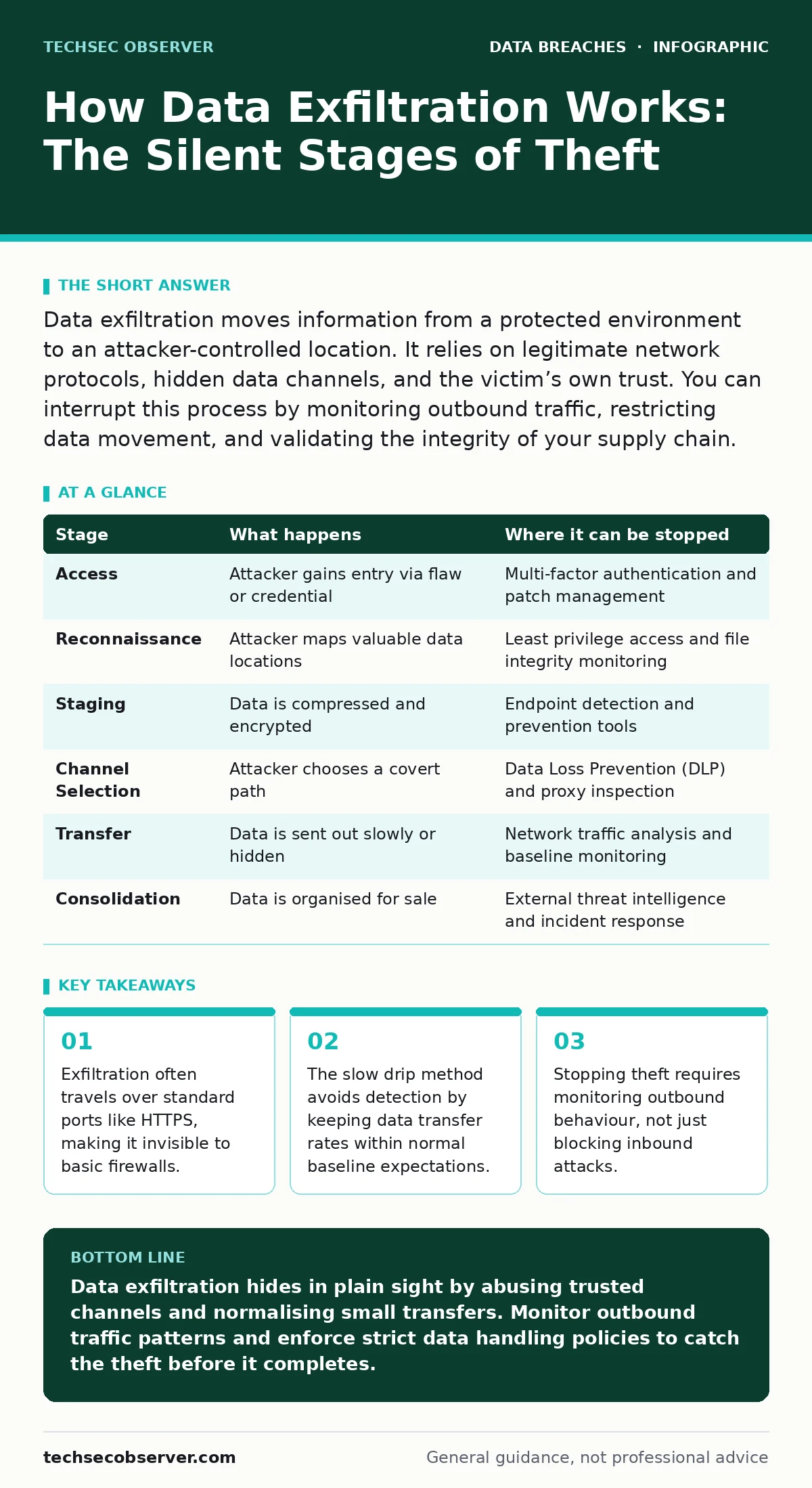
Data exfiltration moves information from a protected environment to an attacker-controlled location. It relies on legitimate network protocols, hidden data channels, and the victim’s own trust. You can interrupt this process by monitoring outbound traffic, restricting data movement, and validating the integrity of your supply chain.
The Architecture of Silence
Data exfiltration is the unauthorised transfer of data from a computer or server. Unlike a loud intrusion that crashes systems, exfiltration aims for invisibility. The attacker wants the data, not the disruption. This distinction changes how you must design your defences. You cannot rely on alarms for noise. You must look for absence, for anomalies in silence.
The process relies on two things: access and a channel. Access comes from a compromised account, a vulnerable service, or a trusted partner. The channel is any path that carries data out. This could be email, cloud storage, or even DNS queries. Understanding the stages helps you see where your controls fail.
Access and Persistence
The attacker first gains entry. This might happen through a phishing link, a software flaw, or stolen credentials. Once inside, they need to stay. They install tools that survive reboots. These tools often mimic system processes. If you only check for known malware signatures, you will miss them. The attacker blends in.
This stage relies on your assumption that internal traffic is safe. It is not. An attacker inside your network has the same privileges as a legitimate user. They can read files, copy databases, and intercept messages. You must treat internal movement with the same scrutiny as external traffic.
Reconnaissance and Staging
Before moving data, the attacker maps the environment. They identify high-value targets. These are customer records, intellectual property, or financial data. They then prepare the data for transfer. Large files are difficult to move without notice. The attacker compresses or encrypts the data. This reduces size and hides content from inspection tools.
This stage exploits the gap between storage and monitoring. Most organisations monitor access to files, not the preparation for theft. They see a file being opened, not a file being packed. The attacker waits for a quiet period. They choose a time when network traffic is low. This makes their activity look like background noise.
The Channel Selection
The attacker chooses how to send the data. They avoid obvious methods. Uploading a large file to a personal cloud account raises flags. Instead, they use covert channels. These are hidden paths within standard protocols. DNS tunneling is one method. It hides data in domain name lookups. Another is HTTP headers. Data is hidden in the metadata of web requests.
This stage relies on the complexity of modern networks. Firewalls allow HTTPS traffic. They cannot easily inspect encrypted content. The attacker uses your own tools against you. They might use a legitimate file-sharing service. They might use a cloud storage bucket that your company already uses. The channel looks normal. Only the volume or timing is wrong.
Data Transfer and Evasion
The data leaves the network. The attacker uses techniques to avoid detection. Slow drip exfiltration sends small amounts of data over a long period. This stays below the threshold for alerts. Data is hidden in images or audio files. This is steganography. It hides messages within other media. The content looks like a normal photo. It contains stolen data in its pixels.
This stage exploits the limits of your monitoring tools. Many tools look for large transfers. They miss small, steady streams. They look for known bad files. They miss data hidden in good files. The attacker relies on your fatigue. They know you will ignore small anomalies. They turn volume into invisibility.
See also: vlans for home network: isolate traffic without buying enterprise gear
Consolidation and Sale
The data arrives at the attacker’s server. It is decrypted and organised. The attacker verifies the quality. They check for duplicates or incomplete records. They then prepare it for sale or use. This might be a data broker market. It might be a leak to the public. The goal is profit or damage.
This stage is the final proof of failure. Once the data is outside, you have lost control. You cannot recall it. You can only react. This is where data breach response plans become active. You must contain the damage. You must notify affected parties. You must strengthen your controls to prevent recurrence.
| Stage | What happens | Where it can be stopped |
|---|---|---|
| Access | Attacker gains entry via flaw or credential | Multi-factor authentication and patch management |
| Reconnaissance | Attacker maps valuable data locations | Least privilege access and file integrity monitoring |
| Staging | Data is compressed and encrypted | Endpoint detection and prevention tools |
| Channel Selection | Attacker chooses a covert path | Data Loss Prevention (DLP) and proxy inspection |
| Transfer | Data is sent out slowly or hidden | Network traffic analysis and baseline monitoring |
| Consolidation | Data is organised for sale | External threat intelligence and incident response |
Interrupting the Flow
You can stop exfiltration at any stage. But you must look for the right signs. At the access stage, enforce strict authentication. Use multi-factor authentication everywhere. This stops stolen passwords from working. At the reconnaissance stage, limit access. Users should only see what they need. This reduces the value of a compromised account.
At the staging and transfer stages, monitor outbound traffic. Look for unusual patterns. A server sending data to an unknown IP is suspicious. A user downloading large files at night is suspicious. Use Data Loss Prevention tools. These tools scan content before it leaves. They block sensitive data from being sent to untrusted locations.
The Hidden Cost of Trust
The biggest risk is not the technology. It is the assumption of trust. You trust your employees. You trust your vendors. You trust your software. Attackers exploit this trust. They use legitimate credentials. They use approved tools. They use expected behaviour.
You must verify, not trust. Verify that the traffic is normal. Verify that the user is who they say they are. Verify that the software is safe. This is the core of zero trust architecture. It assumes breach. It checks every request. It limits the damage of any single failure.
Consider insider data theft. An employee might steal data intentionally. The techniques are the same. The defence is the same. You must monitor and restrict data movement. You cannot rely on good intentions. You must rely on controls.
Building Resilience
Exfiltration is a process. It takes time. You can use this time to your advantage. Detect it early. Contain it quickly. Learn from it. Update your rules. Improve your monitoring. Strengthen your access controls.
Do not wait for a breach. Test your defences now. Simulate an attack. See where the data goes. Find the gaps. Fix them. This is the only way to stay ahead. The attackers change their methods. You must change your defences. Stay precise. Stay measured. Stay alert.
Key takeaways
- Exfiltration often travels over standard ports like HTTPS, making it invisible to basic firewalls.
- The slow drip method avoids detection by keeping data transfer rates within normal baseline expectations.
- Stopping theft requires monitoring outbound behaviour, not just blocking inbound attacks.
Data exfiltration hides in plain sight by abusing trusted channels and normalising small transfers. Monitor outbound traffic patterns and enforce strict data handling policies to catch the theft before it completes.
Frequently asked questions
Can antivirus software stop data exfiltration?
Antivirus focuses on malicious files. It rarely monitors data movement. You need Data Loss Prevention and network monitoring to stop exfiltration.
How do I detect DNS tunneling?
Look for unusually long or frequent DNS queries. Normal lookups are short. Tunneling generates high volumes of data in domain names.
Is encryption enough to protect data?
Encryption protects data at rest and in transit. It does not stop an attacker from stealing the encrypted data. They can decrypt it if they have the keys.
What is the difference between exfiltration and leakage?
Exfiltration is intentional theft by an attacker. Leakage is accidental exposure due to misconfiguration or error. Both require similar monitoring.
How this guide was produced: written by the TechSec Observer editorial team with AI assistance, checked against the public references listed below, and reviewed when the facts change. See our editorial policy or report an error.