Data Loss Prevention Rules: How to Stop Leaks Without Blocking Work
Effective data loss prevention rules inspect content patterns rather than file names, ensuring sensitive information is blocked even when users rename files to bypass filters.

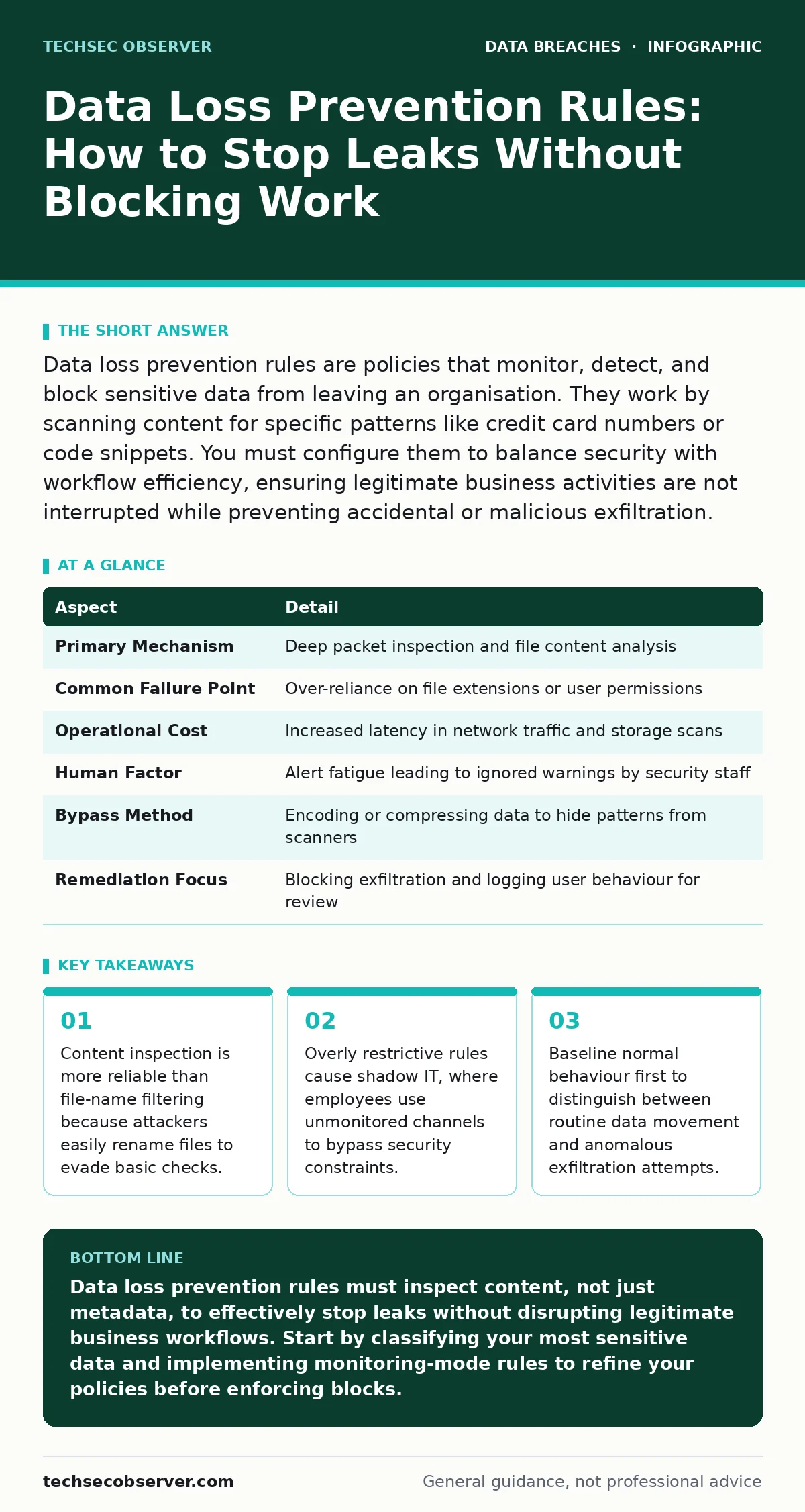
Data loss prevention rules are policies that monitor, detect, and block sensitive data from leaving an organisation. They work by scanning content for specific patterns like credit card numbers or code snippets. You must configure them to balance security with workflow efficiency, ensuring legitimate business activities are not interrupted while preventing accidental or malicious exfiltration.
Why Simple Rules Fail to Stop Data Loss
Imagine a library where the librarian only checks the titles of books leaving the building. A thief could simply take a confidential ledger, rename it "Cookbook," and walk out unnoticed. This is how most basic data loss prevention rules fail. They rely on metadata, such as file extensions or names, rather than examining the actual content inside the file. Content-aware inspection is the mechanism that truly stops leaks.
It reads the payload, looking for specific structures like social security numbers, source code patterns, or proprietary design specifications. This approach ensures that renaming a file does not bypass security controls. It also means the system can detect sensitive data embedded within seemingly innocuous documents, such as a spreadsheet containing a column of unencrypted customer records.
| Aspect | Detail |
|---|---|
| Primary Mechanism | Deep packet inspection and file content analysis |
| Common Failure Point | Over-reliance on file extensions or user permissions |
| Operational Cost | Increased latency in network traffic and storage scans |
| Human Factor | Alert fatigue leading to ignored warnings by security staff |
| Bypass Method | Encoding or compressing data to hide patterns from scanners |
| Remediation Focus | Blocking exfiltration and logging user behaviour for review |
How Data Loss Prevention Rules Actually Work
Data loss prevention rules function by defining what constitutes sensitive information and where that information is allowed to travel. The system establishes a baseline of normal network traffic and user behaviour. When data moves, the engine compares it against this baseline and the defined policy rules. If a rule matches, the system takes a predefined action. This action is rarely just "block." Modern systems offer granular responses, such as quarantining the file for human review, encrypting it automatically, or sending an alert to the security operations centre.
The effectiveness of these rules depends entirely on the accuracy of the data classification. If the system cannot distinguish between a public marketing brochure and a confidential financial report, the rules become useless noise. You must define the data types explicitly, using regular expressions or machine learning models trained on your specific data formats.
The Hidden Cost of Strict Enforcement
Strict data loss prevention rules create a hidden cost known as operational friction. When security tools block legitimate work, employees find ways around them. This phenomenon, often called shadow IT, drives data to unsecured channels like personal email accounts or consumer cloud storage services. These alternative channels lack any visibility or control, making data loss more likely, not less. You must design rules that allow necessary business workflows to proceed.
For instance, a marketing team needs to share large media files with external partners. A rule that blocks all large outbound transfers will halt their work. Instead, the rule should permit large files but require them to be encrypted or sent through a secure file transfer portal. Balancing security with usability is not a compromise; it is a requirement for effective protection. If the security tool becomes an obstacle, it will be ignored or disabled.
Who Is Affected by These Rules
Data loss prevention rules affect every role that handles information, but the impact varies significantly. Software developers are heavily affected because they frequently move code and configuration files between local environments, version control systems, and cloud platforms. Their workflow requires high-speed data movement, making strict DLP rules feel intrusive. Customer support staff handle large volumes of personal data daily.
Rules here must prevent accidental exposure, such as emailing a full customer database instead of a single record. Executive teams often bypass standard controls due to their high-volume communication needs. They require tailored rules that protect strategic information without hindering rapid decision-making. Legal and compliance teams benefit from the audit trails DLP systems provide. These logs prove that the organisation took reasonable steps to protect data, which is vital during investigations into insider data theft or accidental leaks.
What People Usually Get Wrong
Many organisations mistake data loss prevention for a backup solution. This is a fundamental error. DLP stops data from leaving; it does not preserve copies for recovery. You still need a solid 3-2-1 backup rule to protect against ransomware or hardware failure. Another common mistake is assuming that DLP rules are set-and-forget. Data formats change, new applications emerge, and business processes evolve.
Rules that were effective six months ago may now block legitimate work or miss new types of sensitive data. Regular review and tuning of these rules are necessary. Finally, teams often ignore the human element. Technical controls alone cannot stop a determined insider. You must combine DLP with clear data handling policies and training. Understanding data retention policies helps define what data should even exist on the network, reducing the attack surface that DLP must protect.
See also: Warning Signs of Tax Identity Theft and How to Respond
Crafting Effective Rules for Your Environment
Start by identifying your crown jewels. These are the data sets that would cause the most damage if leaked. Map the lifecycle of this data. Where is it created? Where is it stored? How does it move? Define rules that protect the data at each stage. Use allowlists for known safe destinations and blocklists for known risky channels. Implement rules gradually. Start with monitoring mode, where the system logs violations but does not block them.
This allows you to measure the impact on operations and refine the rules before enforcement. Analyse the false positives. If a rule blocks too many legitimate actions, adjust the sensitivity or add exceptions for specific users or applications. This iterative process ensures that your data loss prevention rules are precise and effective. It also helps build trust among users, who are more likely to cooperate when they understand the purpose of the controls.
Integrating DLP with Broader Security
Data loss prevention does not operate in a vacuum. It must integrate with other security measures to provide layered protection. Endpoint detection and response tools can catch malware that attempts to exfiltrate data before DLP rules see it. Identity and access management ensures that only authorised users can access sensitive data in the first place. If an attacker steals credentials, DLP can still stop the data from leaving, but preventing the initial access is more efficient.
Consider how your data breach response plans interact with DLP logs. These logs provide critical evidence for digital forensics, helping investigators understand the scope and method of a breach. They can also reveal patterns of synthetic identity fraud if stolen data is used to create fake profiles. By connecting DLP to your broader security ecosystem, you create a cohesive defence that is stronger than any single tool.
Next Steps for Implementation
Begin with a data discovery phase. You cannot protect what you do not know exists. Use automated tools to scan your storage systems and classify data based on content. Prioritise rules for the most sensitive and highest-risk data. Engage with business units to understand their workflows. Their input is critical for designing rules that are both secure and practical. Pilot the DLP solution in a limited environment before rolling it out organisation-wide.
Monitor the results closely and adjust the rules as needed. Communicate the changes to all users. Explain why the rules are in place and how they protect both the organisation and the individuals. Provide clear channels for reporting issues or requesting exceptions. This transparency reduces resistance and encourages a culture of security awareness. Remember, the goal is not to stop all data movement, but to ensure that sensitive data moves safely and securely.
Key takeaways
- Content inspection is more reliable than file-name filtering because attackers easily rename files to evade basic checks.
- Overly restrictive rules cause shadow IT, where employees use unmonitored channels to bypass security constraints.
- Baseline normal behaviour first to distinguish between routine data movement and anomalous exfiltration attempts.
Data loss prevention rules must inspect content, not just metadata, to effectively stop leaks without disrupting legitimate business workflows. Start by classifying your most sensitive data and implementing monitoring-mode rules to refine your policies before enforcing blocks.
Frequently asked questions
Do data loss prevention rules slow down network performance?
Yes, deep content inspection requires processing power and can introduce latency. You must balance the depth of inspection with network capacity, often using hardware appliances or cloud-based processing to mitigate impact.
Can employees easily bypass data loss prevention rules?
Sophisticated users can bypass basic rules by encoding, compressing, or fragmenting data. Effective DLP systems use advanced algorithms to detect these evasion techniques, but no system is perfect. Combine technical controls with user training and monitoring.
How do I handle false positives in DLP alerts?
Regularly review and tune your rules based on false positive reports. Adjust sensitivity thresholds, add exceptions for specific workflows, and update data patterns. Continuous refinement is necessary to maintain accuracy and user trust.
Is DLP enough to prevent insider threats?
No, DLP is one layer of defence. Insider threats require a holistic approach including strict access controls, user behaviour analytics, and clear policies. DLP helps detect and block exfiltration, but it does not prevent malicious intent or compromised credentials.
How this guide was produced: written by the TechSec Observer editorial team with AI assistance, checked against the public references listed below, and reviewed when the facts change. See our editorial policy or report an error.