Insider Data Theft: How to Detect and Stop Internal Threats
Most insider theft is not malicious intent but uncontrolled access, meaning detection relies on behaviour analysis rather than signature matching.

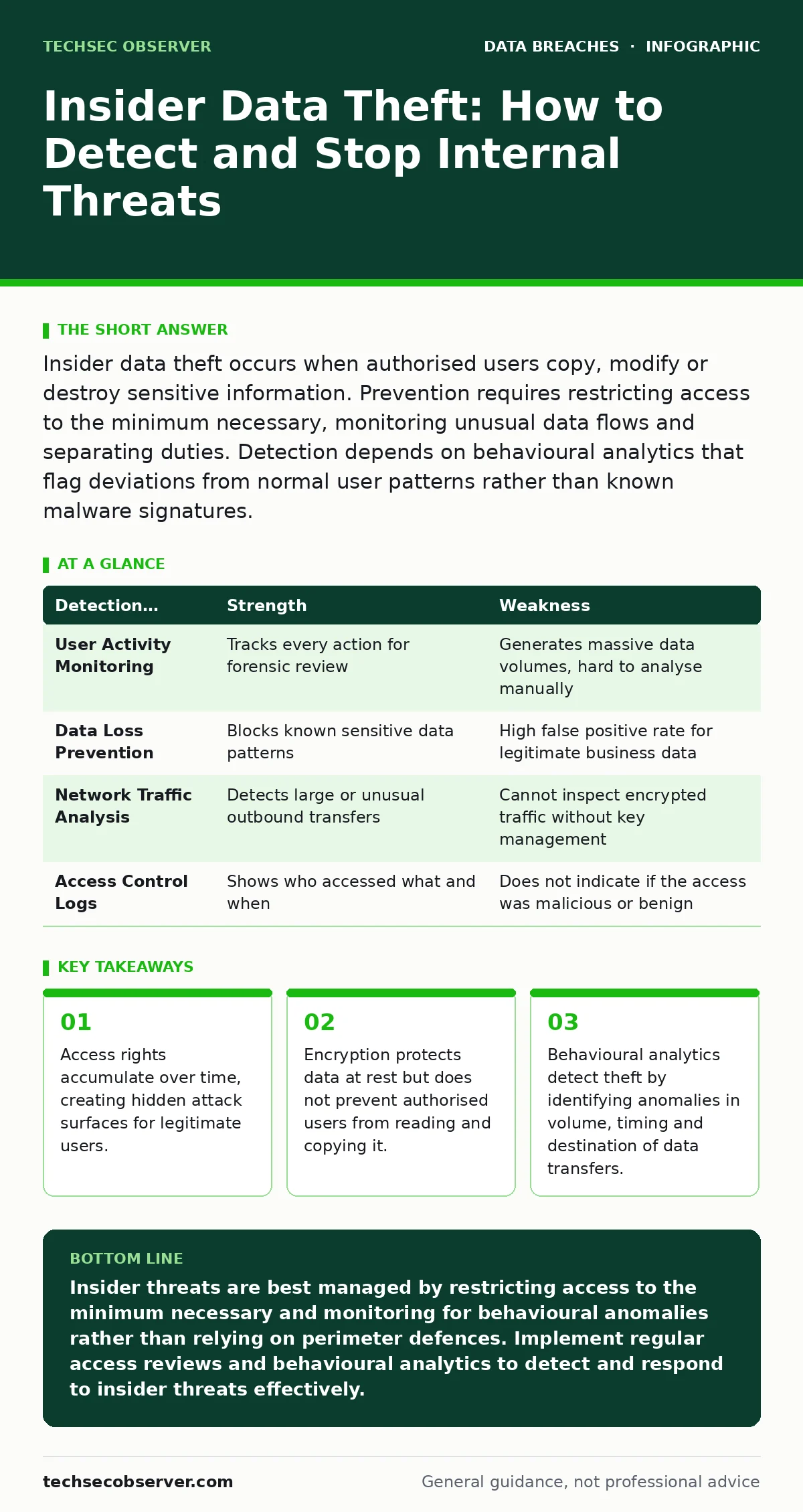
Insider data theft occurs when authorised users copy, modify or destroy sensitive information. Prevention requires restricting access to the minimum necessary, monitoring unusual data flows and separating duties. Detection depends on behavioural analytics that flag deviations from normal user patterns rather than known malware signatures.
What distinguishes insider threats from external attacks?
Insider threats involve authorised users who access data they should not, whereas external attacks bypass perimeter controls to reach data. The critical difference is that insiders already possess valid credentials and trusted network access. This trust means traditional perimeter defences, such as firewalls, are largely ineffective against them. You must shift your focus from keeping people out to monitoring what people inside are doing.
How do insiders typically steal data?
Insiders exfiltrate data using legitimate tools they already have permission to use. Common methods include copying files to removable media, uploading documents to personal cloud storage or sending large attachments via email. They may also use command-line tools to compress and transfer data in ways that mimic normal administrative tasks. The stealth of these methods lies in their use of authorised channels, making them difficult to distinguish from routine work. See our guide on data exfiltration for technical details on how data leaves an organisation.
Why is least privilege difficult to maintain?
Least privilege grants users only the access they need to perform their current job functions. It is difficult to maintain because roles change, projects end and access rights are rarely revoked promptly. Over time, users accumulate permissions from previous roles, a phenomenon known as privilege creep. This accumulation creates a large attack surface where a single compromised account or disgruntled employee has access to far more data than necessary. Regular access reviews are required to prune these accumulated rights.
Can encryption stop an authorised user from stealing data?
Encryption protects data at rest and in transit by rendering it unreadable without the correct key. However, it cannot stop an authorised user who has the keys or access to the decryption process. If a user can view the data in an application, they can copy it to their clipboard or take a screenshot. Encryption ensures that if the stolen data falls into the wrong hands, it remains unreadable, but it does not prevent the initial theft. For broader protection strategies, refer to the 3-2-1 backup rule to ensure data integrity and availability.
How do you detect subtle insider threats?
Detection requires behavioural analytics that establish a baseline of normal user activity. These systems flag deviations, such as accessing files at unusual hours, downloading large volumes of data or accessing records outside the user’s department. Unlike signature-based detection, which looks for known malicious patterns, behavioural analytics look for statistical anomalies. This approach catches novel threats but requires tuning to reduce false positives from legitimate but unusual work patterns.
See also: Warning Signs of Tax Identity Theft and How to Respond
What is the role of data loss prevention software?
Data loss prevention (DLP) software inspects data flows to identify and block sensitive information leaving the network. It uses content inspection to recognise patterns like credit card numbers or proprietary code structures. DLP can block transfers to unapproved destinations, such as personal email accounts or USB drives. While effective for structured data, DLP struggles with unstructured data or when users obfuscate content, such as by renaming files or using steganography.
| Detection Method | Strength | Weakness |
|---|---|---|
| User Activity Monitoring | Tracks every action for forensic review | Generates massive data volumes, hard to analyse manually |
| Data Loss Prevention | Blocks known sensitive data patterns | High false positive rate for legitimate business data |
| Network Traffic Analysis | Detects large or unusual outbound transfers | Cannot inspect encrypted traffic without key management |
| Access Control Logs | Shows who accessed what and when | Does not indicate if the access was malicious or benign |
How do you separate duties effectively?
Separation of duties ensures that no single individual has control over all aspects of a critical process. For example, the person who writes code should not be the same person who deploys it to production. This prevents a single insider from both creating a vulnerability and exploiting it without detection. It also makes collusion necessary for complex fraud, which is harder to coordinate and more likely to leave evidence. Implementing this requires clear role definitions and automated enforcement where possible.
What happens when an insider threat is confirmed?
Confirmation triggers the incident response plan, which must include steps for preserving evidence and limiting further damage. You must immediately revoke access for the suspect account while ensuring that logging continues for forensic analysis. Isolating the user’s workstation may be necessary to prevent further exfiltration, but this must be done carefully to avoid alerting the insider to destroy evidence. Coordinate with legal and human resources to ensure compliance with employment laws and data protection regulations. A well-prepared data breach response plans document will outline these specific steps.
How do you balance monitoring with employee privacy?
Monitoring employee activity can feel intrusive and damage trust if not handled transparently. You must clearly communicate what is being monitored, why and how the data will be used. Focus monitoring on data access and transfer rather than personal communications or keystrokes. Anonymising data where possible and restricting access to monitoring logs to a small, trusted team helps mitigate privacy concerns. Balance security needs with legal requirements and ethical considerations to maintain a positive workplace culture. See customer data exposure for insights on handling sensitive information responsibly.
Can AI help detect insider threats?
Artificial intelligence can analyse vast amounts of log data to identify subtle patterns that humans might miss. Machine learning models can adapt to changing user behaviours and improve detection accuracy over time. However, AI systems require high-quality data and careful tuning to avoid bias and false positives. They are a tool to assist analysts, not a replacement for human judgement. Understanding the limitations and ethical implications of AI in security is critical. Refer to AI governance frameworks to ensure responsible use of these technologies.
Key takeaways
- Access rights accumulate over time, creating hidden attack surfaces for legitimate users.
- Encryption protects data at rest but does not prevent authorised users from reading and copying it.
- Behavioural analytics detect theft by identifying anomalies in volume, timing and destination of data transfers.
Insider threats are best managed by restricting access to the minimum necessary and monitoring for behavioural anomalies rather than relying on perimeter defences. Implement regular access reviews and behavioural analytics to detect and respond to insider threats effectively.
Frequently asked questions
How do I know if an employee is stealing data?
Look for behavioural changes, such as working unusual hours, accessing files unrelated to their role or attempting to bypass security controls. Correlate these observations with system logs showing unusual data access or transfer patterns.
What is the difference between malicious and negligent insiders?
Malicious insiders intentionally steal or damage data for personal gain or revenge. Negligent insiders accidentally expose data through carelessness, such as misconfiguring cloud storage or falling for phishing attacks. Both require different prevention and response strategies.
Should I monitor employee emails?
Monitoring email content raises significant privacy and legal concerns. Focus instead on metadata, such as recipients and attachments, and use DLP to scan for sensitive data patterns. Ensure monitoring policies are transparent and comply with local laws.
How often should I review user access rights?
Review access rights at least quarterly, or whenever an employee changes roles or leaves the organisation. Automated tools can help identify unused or excessive permissions, but human review is necessary to confirm changes.
How this guide was produced: written by the TechSec Observer editorial team with AI assistance, checked against the public references listed below, and reviewed when the facts change. See our editorial policy or report an error.