Customer Data Exposure: Five Persistent Myths That Leave Systems Vulnerable
Protecting customer records requires understanding architectural flaws rather than relying on perimeter defences that fail when internal logic is compromised by design.

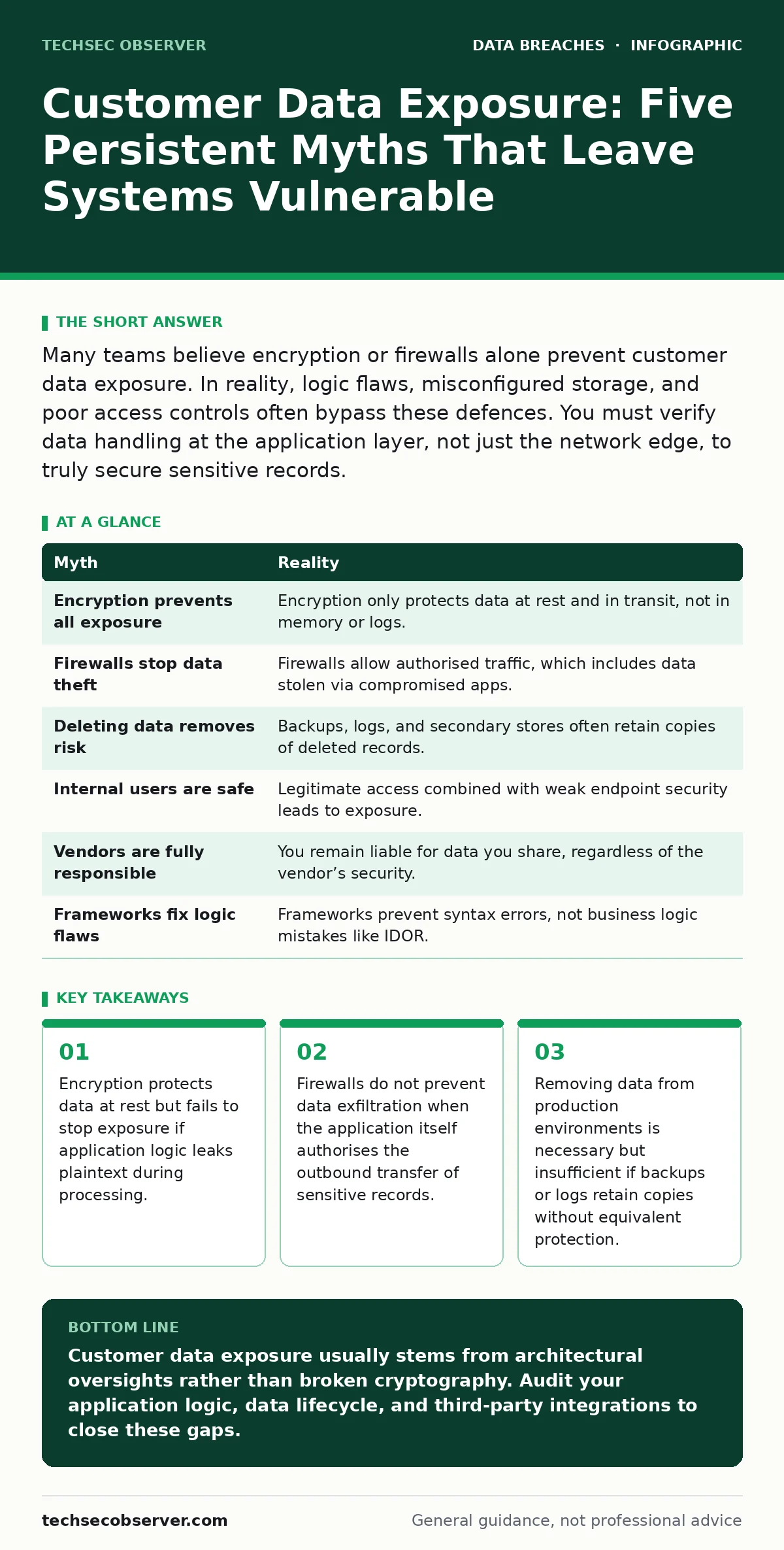
Many teams believe encryption or firewalls alone prevent customer data exposure. In reality, logic flaws, misconfigured storage, and poor access controls often bypass these defences. You must verify data handling at the application layer, not just the network edge, to truly secure sensitive records.
Myth: Encryption Alone Prevents Customer Data Exposure
Reality: Encryption secures data while it sits on a disk or travels across a network, but it does not protect information while it is being processed by an application. When your software decrypts a record to display it to a user or perform a calculation, that data exists in plaintext in memory. If an attacker gains access to the running process, they can read the unencrypted data directly from RAM. This is known as a memory dump attack.
Imagine a web server that stores credit card details in an encrypted database. The encryption is strong, and the keys are managed correctly. However, the application logs errors by printing the entire object state to a text file for debugging. That log file contains the decrypted card number. The encryption protected the storage, but the application logic exposed the data.
You must treat memory and temporary files as high-risk zones. Implementing strict memory sanitisation and ensuring logs never capture sensitive fields is required. Relying solely on database encryption gives a false sense of security because the application layer remains the weakest link. See our guide on data controllers and data processors to understand how responsibility shifts when third-party services handle this decrypted data.
Myth: Firewalls Stop Data From Leaving Your Network
Reality: Firewalls inspect network traffic based on rules like IP addresses and ports, but they cannot easily distinguish between legitimate application data and stolen customer records. If your application is designed to send data to a payment processor or a cloud analytics service, that traffic looks identical to data being stolen by an attacker who has compromised the application credentials.
Suppose an attacker exploits a vulnerability in your customer portal. They do not need to break through the firewall. They use the application’s own API to request customer profiles. The firewall sees this as authorised outbound HTTPS traffic and allows it. This is why perimeter defence is insufficient for data protection.
You need Data Loss Prevention (DLP) tools that inspect the content of the traffic, not just the header. These tools look for patterns like credit card numbers or social security identifiers within the payload. Without content inspection, your firewall is blind to what is actually being transferred. Refer to our section on data exfiltration for methods attackers use to mask stolen data inside normal-looking traffic.
Myth: Deleting Data From Production Removes the Risk
Reality: Production databases are rarely the only place where customer data exists. Backups, development environments, analytics warehouses, and third-party integrations often hold copies of the same records. When you delete a record from the primary database, those other copies may persist indefinitely. Attackers frequently target these secondary stores because they are less secure than the main system.
Imagine a customer requests deletion of their account. Your team removes the row from the primary SQL table. However, a nightly backup job ran an hour before the deletion. That backup file now contains the deleted data. If that backup is stored on an unencrypted cloud bucket, the data is exposed. The deletion request was fulfilled in the live system, but the data remains accessible elsewhere.
You must map the entire data lifecycle. This includes identifying every backup, log, and cache that holds customer information. Implement automated purging policies that apply to backups and secondary stores, not just the primary database. Check our guide on the 3-2-1 backup rule to understand how to balance recovery needs with data minimisation principles.
Myth: Internal Users Are Not a Threat to Customer Data
Reality: Employees, contractors, and service accounts often have legitimate access to large volumes of customer data. When this access is poorly monitored, it becomes a vector for exposure. This is not always malicious; sometimes it is accidental. A developer might copy a production database to their local machine for debugging, exposing thousands of records to a less secure environment.
Suppose a support agent needs to view a customer’s history to resolve a ticket. They have access to the full record, including sensitive health information. If their workstation is compromised by malware, that data is stolen. Even if the agent acts in good faith, the architecture allows the data to be accessed from a vulnerable endpoint. Insider data theft often starts with legitimate access that is then abused or exploited.
You must implement the principle of least privilege. Grant access only to the specific fields needed for a task, not the entire record. Use session recording and audit logs to monitor who views what data and when. See our guide on insider data theft for strategies to detect anomalous access patterns that indicate misuse.
Myth: Third-Party Vendors Are Responsible for Your Data
Reality: When you share customer data with a vendor, you remain legally and operationally responsible for its protection. If a vendor suffers a breach, your customers blame you, and regulators hold you accountable for choosing an inadequate partner. Assuming the vendor’s security is sufficient is a critical error. You must verify their controls independently.
Imagine you use a cloud provider for email marketing. You upload a list of customer names and addresses. The provider suffers a configuration error, making that list publicly accessible. Even though the error was on their infrastructure, the exposure is yours. You entrusted them with the data, but you did not verify their security posture.
You must conduct regular security assessments of your vendors. Require evidence of their compliance with relevant standards. Do not rely on their marketing claims. Review our guide on data controllers and data processors to clarify the legal boundaries of liability when sharing data.
See also: Data Loss Prevention Rules: How to Stop Leaks Without Blocking Work
Myth: Modern Frameworks Prevent Logic Flaws
Reality: Development frameworks handle many security issues automatically, such as SQL injection, but they do not prevent business logic errors. If your application logic allows a user to view another user’s profile by changing an ID number in the URL, no framework will stop this. This is an Insecure Direct Object Reference (IDOR) vulnerability.
Suppose your API endpoint is /api/user/123/orders. The framework ensures the SQL query is safe. However, it does not check if the logged-in user owns user ID 123. An attacker can change the ID to 124 and see another customer’s orders. The code is syntactically correct, but the logic is flawed.
You must implement authorisation checks at every data retrieval point. Verify that the requesting user has permission to access the specific resource. Fuzz testing can help find these issues, but manual review of logic flows is essential. See our guide on fuzz testing for techniques to automate the discovery of input validation errors.
| Myth | Reality |
|---|---|
| Encryption prevents all exposure | Encryption only protects data at rest and in transit, not in memory or logs. |
| Firewalls stop data theft | Firewalls allow authorised traffic, which includes data stolen via compromised apps. |
| Deleting data removes risk | Backups, logs, and secondary stores often retain copies of deleted records. |
| Internal users are safe | Legitimate access combined with weak endpoint security leads to exposure. |
| Vendors are fully responsible | You remain liable for data you share, regardless of the vendor’s security. |
| Frameworks fix logic flaws | Frameworks prevent syntax errors, not business logic mistakes like IDOR. |
Key takeaways
- Encryption protects data at rest but fails to stop exposure if application logic leaks plaintext during processing.
- Firewalls do not prevent data exfiltration when the application itself authorises the outbound transfer of sensitive records.
- Removing data from production environments is necessary but insufficient if backups or logs retain copies without equivalent protection.
- Access controls often fail because they grant permissions to services, not just humans, creating persistent exposure vectors.
Customer data exposure usually stems from architectural oversights rather than broken cryptography. Audit your application logic, data lifecycle, and third-party integrations to close these gaps.
Frequently asked questions
How do I detect if customer data has been exposed?
Monitor for unusual data access patterns, such as bulk downloads or access from unfamiliar locations. Implement alerting for sensitive field access.
Is anonymisation enough to protect customer data?
Anonymisation reduces risk but does not eliminate it. Re-identification is possible if enough quasi-identifiers remain. Combine it with strict access controls.
What is the first step after discovering an exposure?
Contain the breach by revoking compromised credentials and isolating affected systems. Then, assess the scope of the exposed data.
Do I need to notify customers of every exposure?
Notification requirements depend on the sensitivity of the data and local regulations. Assess the risk to individuals to determine if notification is mandatory.
How this guide was produced: written by the TechSec Observer editorial team with AI assistance, checked against the public references listed below, and reviewed when the facts change. See our editorial policy or report an error.