Prevent Cloud Supply Chain Risks: Priority Measures for Security
Most supply chain compromises bypass perimeter defences by exploiting the trust inherent in automated build pipelines and third-party dependencies.
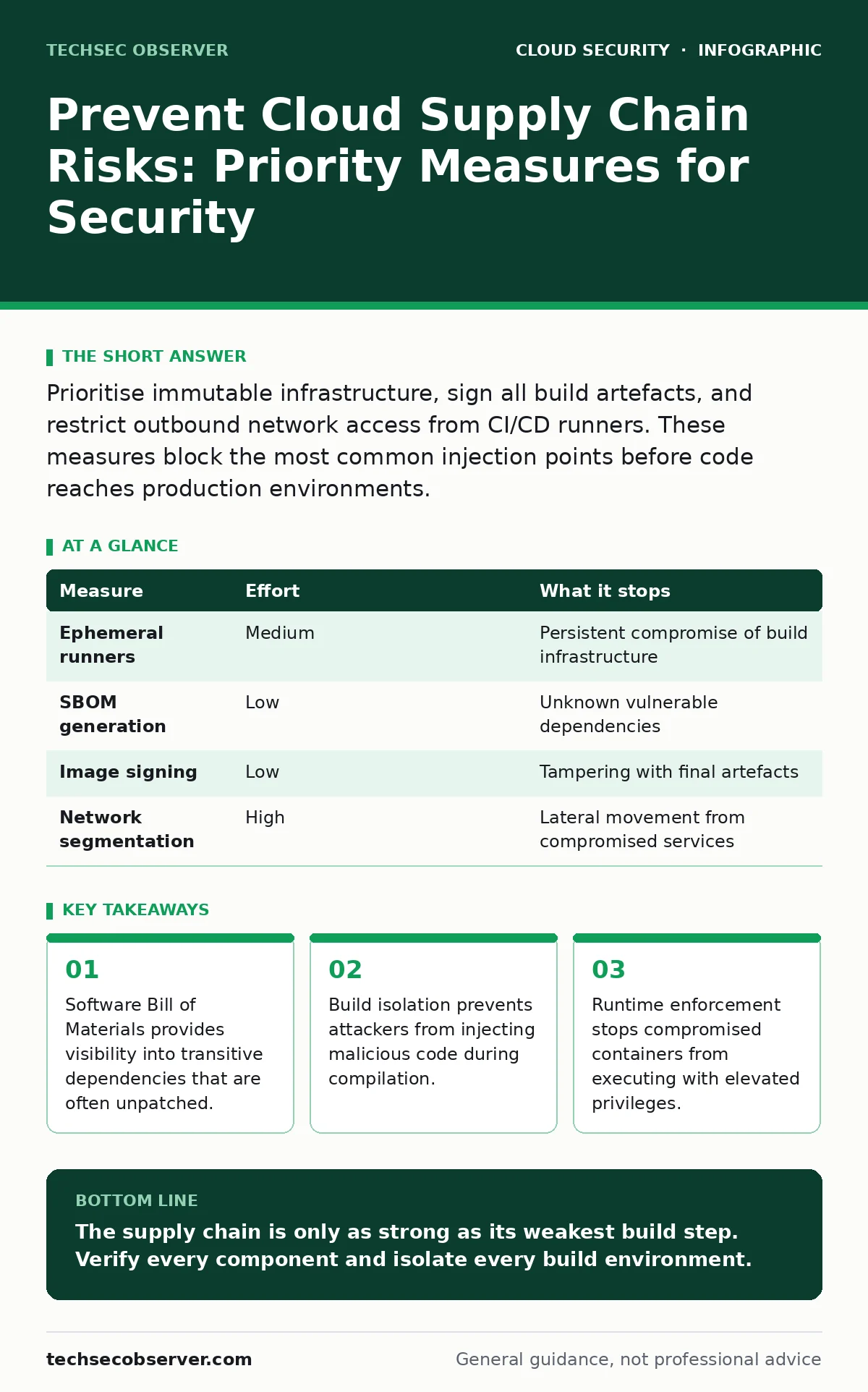
Prioritise immutable infrastructure, sign all build artefacts, and restrict outbound network access from CI/CD runners. These measures block the most common injection points before code reaches production environments.
The Trust Deficit in Automated Pipines
Modern development relies on automation to move code from version control to production. This speed introduces a fundamental trade-off: you trade manual oversight for velocity. The supply chain is the sequence of tools and services that transform source code into a running application. Each step in this sequence is a potential injection point.
Attackers rarely target your application directly. They target the tools you use to build it. If a dependency manager pulls a malicious package, that code becomes part of your binary. If a build server is compromised, every subsequent build carries the infection. This is why traditional perimeter security fails. The threat is inside the pipeline, not outside the firewall.
Start with Dependency Integrity
The first line of defence is ensuring that every component you include in your application is legitimate. You must generate and maintain a Software Bill of Materials. This document lists every direct and transitive dependency, including their versions and licences. It is the inventory of what you are shipping.
Without this inventory, you cannot verify updates. When a vulnerability is disclosed, you need to know immediately if your application uses the affected component. Many teams only track direct dependencies. This leaves transitive dependencies—libraries that your libraries depend on—unmonitored. These indirect components often contain known vulnerabilities that go unnoticed for years.
Isolate Build Environments
Your continuous integration and continuous deployment runners are high-value targets. They possess the credentials needed to push code to production. If an attacker compromises a runner, they can inject backdoors into your application or steal secrets. You must treat these runners as untrusted systems.
Use ephemeral build environments. These are temporary instances that are created for each build and destroyed immediately after. This ensures that no state persists between builds. If a runner is compromised during one job, the attacker gains nothing because the environment ceases to exist. Reusing persistent build agents creates a persistent attack surface.
Imagine a scenario where a malicious dependency installs a miner on a shared build agent. That miner survives the build job. Over time, it exfiltrates data from every project that uses that agent. Ephemeral environments break this chain of persistence.
| Measure | Effort | What it stops |
|---|---|---|
| Ephemeral runners | Medium | Persistent compromise of build infrastructure |
| SBOM generation | Low | Unknown vulnerable dependencies |
| Image signing | Low | Tampering with final artefacts |
| Network segmentation | High | Lateral movement from compromised services |
Enforce Artefact Signing
Once your code is built, it must be delivered to the deployment environment. This transfer is vulnerable to tampering. An attacker who intercepts the transfer can replace your legitimate binary with a malicious one. You must cryptographically sign every artefact before it leaves the build stage.
Signing creates a chain of trust. The deployment system verifies the signature before running the code. If the signature is invalid, the deployment fails. This prevents the execution of unauthorised binaries, even if an attacker gains access to the storage location. Do not rely on hashes alone, as these are easy to forge if the attacker controls the source.
Use established standards for signing. This ensures that your tooling can verify signatures without custom code. Verification must be mandatory. Optional verification is ignored under pressure to release.
Restrict Runtime Privileges
Even with a secure build process, runtime threats remain. Containers often run with unnecessary privileges. They may have access to the host kernel or other containers. This allows an attacker who exploits a vulnerability in your application to escape the container.
Apply the principle of least privilege. Run containers as non-root users. Drop all Linux capabilities that are not strictly required. Mount the host filesystem as read-only where possible. This limits the damage an attacker can do if they breach your application.
You should also restrict outbound network access. Many applications do not need to communicate with the internet at runtime. If they do, restrict them to specific endpoints. This prevents data exfiltration and command-and-control communication.
See also: Difference Between DevSecOps and SecDevOps: The Structural Reality · Cloud Compliance Standards: Mapping Rules to Infrastructure Code
What Does Not Work
Many teams rely on static analysis tools to secure their supply chain. While useful, these tools do not prevent runtime exploitation. They scan source code for patterns that match known vulnerabilities. They do not verify the integrity of the build process.
Another common misconception is that using private registries ensures security. A private registry only limits who can pull the image. It does not verify that the image was built securely. If the build process is compromised, the private registry hosts the malicious image just as effectively as a public one.
Addressing Credential Exposure
Supply chain attacks often target the credentials stored in your pipeline. Secrets in source code are a frequent vector for initial access. Attackers search repositories for API keys, database passwords, and service account tokens. Once obtained, these credentials allow lateral movement into your cloud environment.
You must scan your repositories for leaked secrets continuously. This should happen before code is merged. However, scanning is not enough. You must rotate credentials regularly. If a secret is compromised, its validity window is limited by its rotation policy.
See our guide on secrets in source code for detailed implementation strategies. Additionally, review MFA for cloud accounts to ensure that human access to your pipeline is protected.
Closing Checklist
Securing the supply chain is an ongoing process. It requires continuous verification and adjustment. Here are three actions you can take today to reduce risk.
- Enable ephemeral build environments for all critical projects.
- Generate a software bill of materials for your latest release.
- Verify that all production deployments require valid signatures.
Review your pipeline configurations. Ensure that no step runs with unnecessary privileges. Test your deployment process by attempting to deploy an unsigned artefact. It should fail. If it succeeds, your chain of trust is broken.
Key takeaways
- Software Bill of Materials provides visibility into transitive dependencies that are often unpatched.
- Build isolation prevents attackers from injecting malicious code during compilation.
- Runtime enforcement stops compromised containers from executing with elevated privileges.
The supply chain is only as strong as its weakest build step. Verify every component and isolate every build environment.
Frequently asked questions
How often should I update my software bill of materials?
Update it with every commit that changes dependencies. Automation ensures it remains accurate without manual effort.
Can I use open-source tools for artefact signing?
Yes, many open-source standards and tools exist for signing and verifying software artefacts.
Does container scanning replace the need for build isolation?
No, scanning detects known vulnerabilities but does not prevent tampering during the build process. Isolation prevents tampering.
What is the risk of using community plugins in CI/CD?
Community plugins may contain malicious code that executes on your build runners. Vet all plugins carefully.
How this guide was produced: written by the TechSec Observer editorial team with AI assistance, checked against the public references listed below, and reviewed when the facts change. See our editorial policy or report an error.