LSASS Credential Theft: How Attackers Steal Your Active Memory
Attackers bypass traditional security by copying credentials directly from the running process in your computer’s memory rather than stealing saved files.

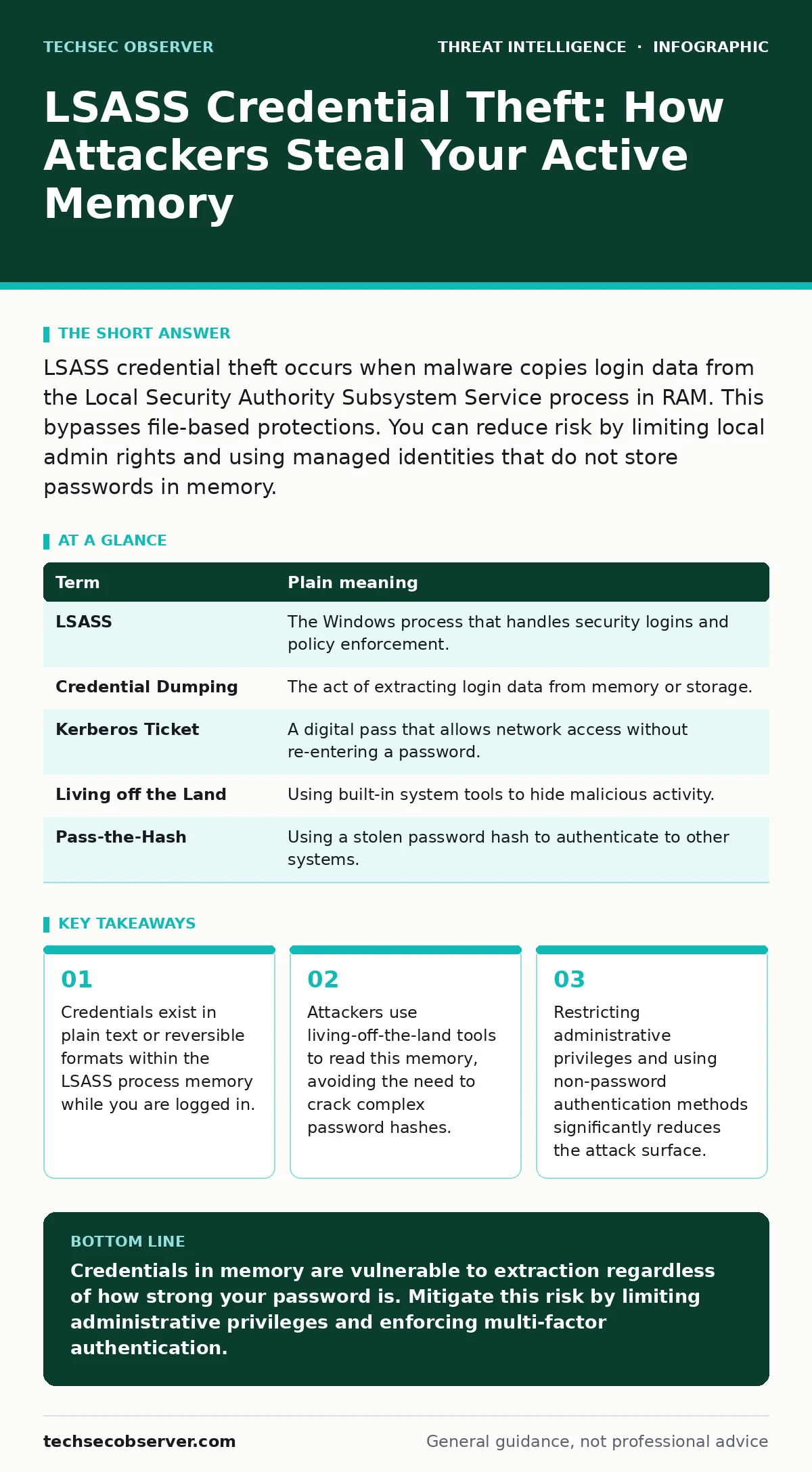
LSASS credential theft occurs when malware copies login data from the Local Security Authority Subsystem Service process in RAM. This bypasses file-based protections. You can reduce risk by limiting local admin rights and using managed identities that do not store passwords in memory.
The Keycard Office Analogy
Imagine your computer is a secure office building. When you log in, you present your keycard to the receptionist. The receptionist checks your ID, opens the door, and then keeps a copy of your keycard data in their pocket to verify your identity every time you move between rooms. This receptionist is the Local Security Authority Subsystem Service, often called LSASS. It is the Windows component responsible for enforcing security policies and managing user logins.
Normally, security guards patrol the hallways to stop intruders. However, if an attacker manages to walk past the front desk undetected, they do not need to break into the safe where master keys are stored. Instead, they simply approach the receptionist and copy the keycard data currently held in their pocket. This is LSASS credential theft. The attacker does not steal a file from the hard drive. They extract the active credentials directly from the computer’s random access memory.
Why Memory Is the Target
Traditional security focuses on protecting data at rest. Encryption ensures that if someone steals your hard drive, they cannot read your files. However, encryption does not protect data while it is being used. When you are logged into your workstation, your credentials must be available to the operating system to authenticate your actions. This means they reside in the volatile memory of the LSASS process.
This creates a paradox for security. To function, the system must keep secrets accessible. To remain secure, it must keep secrets hidden. Attackers exploit this tension. By targeting the memory space of LSASS, they bypass file-level encryption and many traditional antivirus signatures. This technique is part of a broader strategy known as remote desktop abuse, where attackers leverage stolen tokens to move laterally across networks without triggering alerts associated with new logins.
The Mechanism of Extraction
To perform this theft, attackers typically use legitimate system tools or common scripting languages. This approach is known as living off the land. Because these tools are part of the operating system or standard development environments, they often do not trigger security alarms. The attacker injects code into the LSASS process or reads its memory dump.
Once the data is extracted, the attacker obtains the user’s password hash or clear-text credentials. A hash is a mathematical representation of a password. While hashes are designed to be one-way, attackers can use offline cracking techniques to reverse them. More concerning is the theft of Kerberos tickets. These tickets allow the attacker to impersonate the user on the network without ever needing to know the actual password. This makes detection difficult because no password entry is recorded in the logs.
Mini Glossary
| Term | Plain meaning |
|---|---|
| LSASS | The Windows process that handles security logins and policy enforcement. |
| Credential Dumping | The act of extracting login data from memory or storage. |
| Kerberos Ticket | A digital pass that allows network access without re-entering a password. |
| Living off the Land | Using built-in system tools to hide malicious activity. |
| Pass-the-Hash | Using a stolen password hash to authenticate to other systems. |
What This Means for You
If you are a standard user, this threat is invisible during daily use. You will not see a prompt asking for permission to read memory. The theft happens silently in the background. However, the consequence is severe. Once an attacker has your credentials, they can access your email, files, and connected services. They can also impersonate you to access other systems, making it difficult to determine the true source of the breach.
This is why user and entity behavior analytics is becoming a standard defense. By monitoring for unusual access patterns, such as a user accessing sensitive data at odd hours or from new locations, security teams can detect the aftermath of credential theft. For individuals, the implication is that relying solely on a strong password is insufficient. If that password is loaded into LSASS, it is vulnerable to extraction.
See also: What is Dwell Time: Why Detection Latency Dictates Breach Severity · What is User Behavior Analytics: How Baselines Detect Anomalies
Practical Safety Habits
You cannot completely eliminate the risk of memory-based theft, as the operating system requires these credentials to function. However, you can reduce the value of the data an attacker might steal. The most effective step is to avoid using local administrator accounts for daily tasks. Admin accounts have higher privileges, making them more valuable targets. Use a standard user account for browsing and email, and elevate privileges only when necessary.
Another critical habit is to use multi-factor authentication wherever possible. Even if an attacker steals your password hash from LSASS, they cannot log in without the second factor, such as a hardware token or a mobile authenticator app. This adds a layer of protection that memory dumping cannot bypass. Additionally, be cautious with software installations. Many initial infections occur through malicious updates or pirated software.
Try This Now
- Check your account type by opening System Properties. Ensure your daily account is listed as a "Standard User" rather than an "Administrator".
- Enable multi-factor authentication on your primary email and work accounts. Disable SMS-based verification if possible, as it is less secure than app-based or hardware methods.
- Review your installed applications and remove any software you do not actively use. Fewer applications mean fewer potential entry points for malware that could target LSASS.
Key takeaways
- Credentials exist in plain text or reversible formats within the LSASS process memory while you are logged in.
- Attackers use living-off-the-land tools to read this memory, avoiding the need to crack complex password hashes.
- Restricting administrative privileges and using non-password authentication methods significantly reduces the attack surface.
Credentials in memory are vulnerable to extraction regardless of how strong your password is. Mitigate this risk by limiting administrative privileges and enforcing multi-factor authentication.
Frequently asked questions
Can antivirus software stop LSASS credential theft?
Standard antivirus may detect known malware families, but it often struggles with living-off-the-land techniques that use legitimate system tools to read memory.
Is LSASS theft specific to Windows?
While LSASS is a Windows component, similar memory-based credential theft techniques exist on Linux and macOS, targeting different system processes.
How do I know if my credentials have been stolen from memory?
You usually cannot know in real time. Detection relies on monitoring tools that identify unusual process behavior or unexpected network access patterns.
Does using a password manager protect against this?
A password manager protects stored passwords on disk, but once you log in, the credentials are passed to the system and reside in memory, where they remain vulnerable.
How this guide was produced: written by the TechSec Observer editorial team with AI assistance, checked against the public references listed below, and reviewed when the facts change. See our editorial policy or report an error.