Email Attachment Scanning: How Gatekeepers Filter Digital Mail
Scanners inspect file structure before execution, blocking known threats while missing novel code that mimics legitimate document formats.

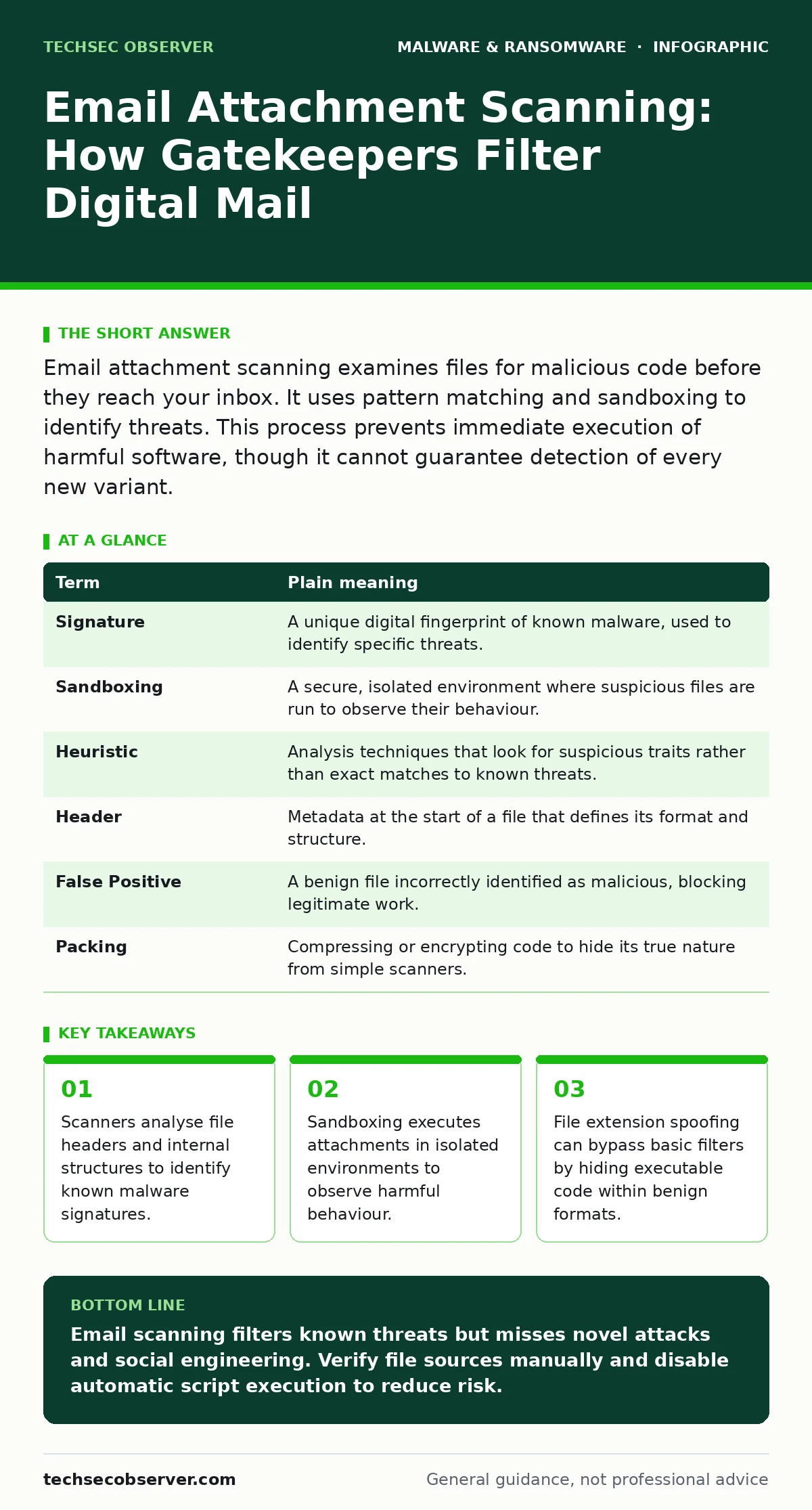
Email attachment scanning examines files for malicious code before they reach your inbox. It uses pattern matching and sandboxing to identify threats. This process prevents immediate execution of harmful software, though it cannot guarantee detection of every new variant.
The Post Office Inspection Metaphor
Imagine receiving a package at a busy post office. The clerk does not open every box, nor can they read every letter inside. Instead, they check the shipping label for red flags, weigh the parcel, and perhaps shake it to hear if contents rattle suspiciously. If the label looks standard and the weight matches the declared contents, the package moves to your mailbox. If it smells odd or is taped shut in an unusual way, it goes to a secondary inspection area. This is how email attachment scanning operates. It filters traffic at the boundary, relying on visible cues and structural analysis rather than reading the entire content of every file.
Decoding the Inspection Process
When you send an email with an attachment, the file passes through a security gateway. This gateway acts as the post office clerk. The first check involves looking at the file header, which is metadata describing the file type. If the header claims the file is a standard image but contains executable code, the scanner flags it. This is similar to a package labelled "Books" that feels too heavy for paper. The system compares the file against a database of known bad patterns. This database is updated constantly to include new threats.
| Term | Plain meaning |
|---|---|
| Signature | A unique digital fingerprint of known malware, used to identify specific threats. |
| Sandboxing | A secure, isolated environment where suspicious files are run to observe their behaviour. |
| Heuristic | Analysis techniques that look for suspicious traits rather than exact matches to known threats. |
| Header | Metadata at the start of a file that defines its format and structure. |
| False Positive | A benign file incorrectly identified as malicious, blocking legitimate work. |
| Packing | Compressing or encrypting code to hide its true nature from simple scanners. |
The Limits of Pattern Matching
Signature-based detection relies on recognising code that has been seen before. If a threat actor creates a new piece of malware, it has no signature yet. The scanner cannot stop it if it only looks for known fingerprints. This is the blind spot of static analysis. Imagine a forger creating a new type of counterfeit bill. If the inspection machine only checks for old counterfeits, the new one passes through. This is why relying solely on signatures is insufficient. Attackers often modify code slightly to change its fingerprint, a technique known as polymorphism. The structure remains the same, but the digital signature changes, evading the initial check.
Behavioural Observation in Sandboxes
To catch what signatures miss, systems use sandboxing. The attachment is detonated in a virtual machine that mimics a real computer. This environment is isolated from your actual network. If the file tries to modify system settings, connect to a remote server, or encrypt files, the sandbox records this behaviour. This is akin to opening a suspicious package in a sealed room with no windows.
If the contents explode, only the room is damaged. This method detects zero-day threats, which are vulnerabilities unknown to vendors. However, sandboxing has a cost. It slows down email delivery and consumes significant computing resources. Some malware detects it is in a sandbox and sleeps, waiting for a real user to open it.
The Human Element and Social Engineering
Scanners cannot read intent. A file can be technically clean but socially malicious. Imagine a document that contains no code, but instructions to call a phone number and transfer money. The scanner sees a harmless text file. The user, however, is manipulated into taking a harmful action.
This is why shoulder surfing and physical security matter, as attackers may observe your habits to craft convincing scams. Even with perfect technical scanning, the human factor remains the weakest link. Attackers exploit trust, urgency, and curiosity. They use legitimate tools like spreadsheet formulas or macros to perform harm. These are not external viruses but features of the software used against you.
See also: Static Malware Analysis Errors: 7 Common Mistakes and Fixes · Cryptojacking: How to Detect and Stop Silent Resource Theft
Practical Steps for Better Protection
You can improve your defence by understanding how these systems work. Do not rely on the gateway alone. Configure your email client to disable automatic execution of scripts. This stops macros from running immediately. Use extended detection and response (XDR) platforms that correlate email events with other system activities.
If a user opens a suspicious file and then tries to access sensitive data, XDR can block the action. This holistic view catches threats that email scanners miss. Also, review your USB device control policies. Malware often enters via removable drives, bypassing email filters entirely. Ensuring all entry points are monitored creates a layered defence.
- Disable automatic macro execution in office applications to prevent immediate code running.
- Verify file extensions are visible in your operating system to spot disguised executables.
- Report suspicious emails even if they pass scanning, to help improve detection models.
Understanding False Positives and Costs
Every security measure carries a trade-off. Over-aggressive scanning blocks legitimate files, known as false positives. This disrupts work and erodes trust in the system. Users may begin to ignore warnings, reducing overall security. Balancing sensitivity is difficult. Too loose, and threats slip through. Too tight, and productivity suffers. This is similar to a post office that opens every package. Security improves, but delivery stops. You must accept that some risk remains. The goal is to reduce the likelihood of success, not to eliminate it entirely. Regular updates to your signature-based detection rules are necessary to keep pace with new threats.
Beyond the Inbox: Mobile and Physical Risks
Email is not the only vector. Mobile malware often spreads through malicious apps rather than email attachments. Users may install malicious mobile apps from unofficial stores, bypassing desktop security entirely. Similarly, stalkerware is often installed physically on a device by someone with access. This highlights that email scanning is only one layer.
You must consider how data moves across all devices. USB device control prevents data theft via physical drives. A comprehensive strategy includes monitoring mobile applications and physical access. Ignoring these vectors leaves gaps that attackers will exploit. The post office analogy ends at the mailbox, but your security must extend to your home and mobile devices.
Key takeaways
- Scanners analyse file headers and internal structures to identify known malware signatures.
- Sandboxing executes attachments in isolated environments to observe harmful behaviour.
- File extension spoofing can bypass basic filters by hiding executable code within benign formats.
Email scanning filters known threats but misses novel attacks and social engineering. Verify file sources manually and disable automatic script execution to reduce risk.
Frequently asked questions
Can email scanners detect all types of ransomware?
No, scanners miss novel ransomware variants that do not match known signatures or behave differently in sandboxes.
Why do I receive false positive warnings?
Legitimate files may contain code patterns that resemble malware, causing the scanner to block them incorrectly.
Does deleting an email remove the malware?
Yes, if you delete the message before opening the attachment, the malicious code is not executed on your device.
How often should I update my email security settings?
Regularly, as new threats emerge constantly and detection rules need updating to remain effective.
How this guide was produced: written by the TechSec Observer editorial team with AI assistance, checked against the public references listed below, and reviewed when the facts change. See our editorial policy or report an error.