Prevent Malicious Mobile Apps: Priority Controls That Actually Work
Most mobile infections bypass signature checks by abusing legitimate permissions, making runtime behaviour analysis far more effective than static scanning for modern threats.

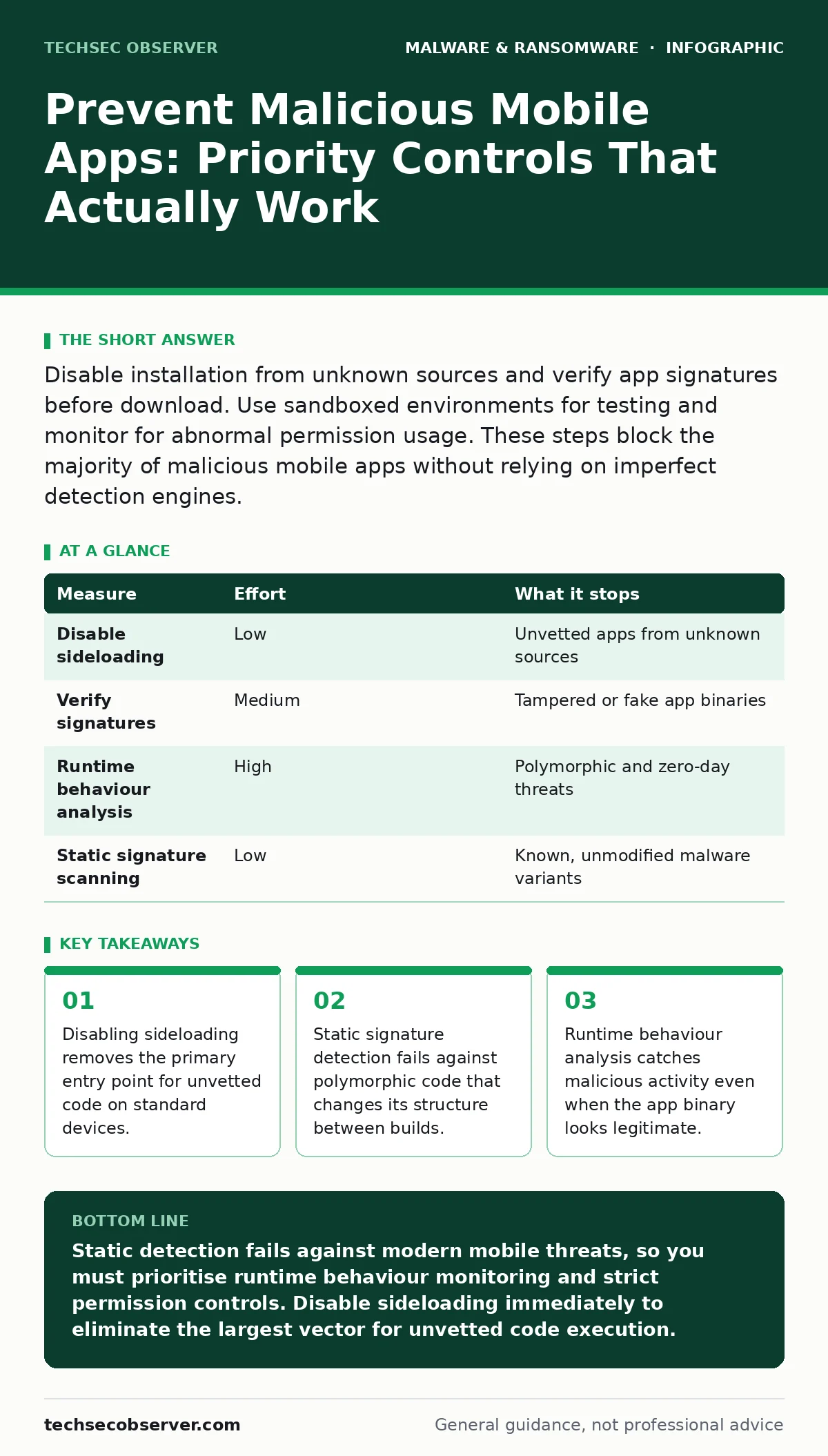
Disable installation from unknown sources and verify app signatures before download. Use sandboxed environments for testing and monitor for abnormal permission usage. These steps block the majority of malicious mobile apps without relying on imperfect detection engines.
The Sideloading Trap
Most users assume their operating system protects them from malware because the default settings block installations from outside official stores. This assumption is dangerous. When you enable installation from unknown sources, you bypass the primary gatekeeper of the mobile ecosystem. You are trusting the file itself rather than the vetting process of the platform provider.
Imagine you download a cracked version of a popular productivity tool from a third-party forum. The file looks identical to the legitimate version. It has the same icon and similar code structure. However, it contains a hidden payload that exfiltrates your credentials. By allowing sideloading, you have granted this code execution rights that the standard store review process would have rejected.
The risk is not just about obvious viruses. It is about the loss of automated verification. Official stores scan for known malicious patterns and check cryptographic signatures. When you sideload, you remove those checks. You must manually verify the integrity of the software, which most users do not do.
Signature Detection Limitations
Many security solutions rely on signature-based detection. This method compares the code of an installed app against a database of known malicious hashes. It is fast and efficient for common threats. However, it is useless against new or modified malware.
Malware authors use obfuscation techniques to change the appearance of their code without changing its function. They might reorder instructions, add junk code, or encrypt parts of the binary. Each change creates a new signature. If the signature is not in the database, the app passes the check. This is why signature-based detection alone is insufficient for modern mobile security.
Developers often face this issue when testing internal builds. A benign app might trigger a false positive if its structure resembles known malware. Conversely, a sophisticated threat might evade detection entirely. You cannot rely on static analysis to provide complete protection. It serves as a first line of defence, not a final barrier.
| Measure | Effort | What it stops |
|---|---|---|
| Disable sideloading | Low | Unvetted apps from unknown sources |
| Verify signatures | Medium | Tampered or fake app binaries |
| Runtime behaviour analysis | High | Polymorphic and zero-day threats |
| Static signature scanning | Low | Known, unmodified malware variants |
The Power of Behaviour Analysis
Because static checks fail against modified code, you must monitor what the app does, not just what it is. Behaviour-based detection observes the actions of an application while it runs. It looks for patterns that indicate malicious intent, such as unexpected network connections or access to sensitive data stores.
Suppose an app declares it is a simple flashlight utility. It requests permission to read your contacts and send SMS messages. A static scanner might see valid permissions and allow the install. A behaviour monitor will flag the discrepancy. A flashlight app does not need to send messages. This anomaly triggers an alert or blocks the action.
This approach catches threats that have no known signature. It identifies the intent of the code regardless of how it is written. However, it requires more processing power and can generate false positives if legitimate apps behave unusually. You must tune these systems to balance security with usability.
Permission Hygiene and Least Privilege
Mobile operating systems use a permission model to restrict what apps can do. You should review these permissions carefully before granting them. The principle of least privilege states that an app should only have the access it strictly needs to function.
Many malicious apps request excessive permissions to increase their potential damage. A game might ask for access to your location or microphone. While this might be normal for some apps, it is suspicious for a simple puzzle game. If you grant these permissions, the app can track your movements or record audio without your knowledge.
You can mitigate this by denying unnecessary permissions. Most modern mobile operating systems allow you to revoke permissions after installation. If an app crashes or behaves strangely after revoking a permission, it likely depended on that access for malicious purposes. This simple step reduces the attack surface significantly.
Sandboxing and Isolation
Sandboxing is a security mechanism that isolates processes from the rest of the system. When an app runs in a sandbox, it cannot access other apps' data or system resources unless explicitly allowed. This containment limits the damage a malicious app can cause.
Imagine a malicious app manages to execute its payload. Without a sandbox, it could read your banking app's data or install other malware. With a sandbox, it is trapped in a confined environment. It can only interact with the resources allocated to it. Even if it succeeds in its malicious goals, those goals are limited to the sandbox.
Mobile operating systems implement sandboxing by default for installed apps. However, sideloaded apps or poorly configured enterprise applications might bypass these restrictions. You should ensure that your device enforces strict isolation. For developers, this means testing apps in isolated environments to prevent accidental data leakage or privilege escalation.
See also: Static Malware Analysis Errors: 7 Common Mistakes and Fixes
Supply Chain and Developer Practices
For those who build software, the security of your app starts with your build process. Compromised build tools or dependencies can introduce malware into your application. This is a supply chain attack. You must verify the integrity of all components you use.
Use cryptographic signing to verify that your app has not been tampered with since it was built. Distribute your apps through trusted channels that verify these signatures. If you distribute via sideloading, ensure that users verify the signature before installation. This builds trust and prevents man-in-the-middle attacks where an attacker replaces your legitimate app with a malicious one.
Avoid hardcoding secrets in your application code. Secrets like API keys or encryption passwords should be stored securely and accessed dynamically. If an attacker reverse-engineers your app, they should not find the keys needed to compromise your backend systems. This practice reduces the impact of a reverse-engineering attack.
What Does Not Work
Several popular measures provide a false sense of security. Clearing app cache regularly does not remove persistent malware. Malware often installs itself in system partitions or uses other apps to maintain persistence. Deleting the cache only removes temporary files, not the malicious code.
Similarly, using a generic password manager does not protect against keylogging malware. If a malicious app has accessibility permissions, it can record your screen and capture your inputs in real-time. The password manager is irrelevant if the attacker can see what you type. You must remove the malicious app and revoke its permissions.
Immediate Action Checklist
You can reduce your risk significantly by taking three specific actions today. These steps require minimal effort but remove the most common entry points for malicious software.
- Disable installation from unknown sources in your device settings. This blocks the majority of unvetted apps.
- Review installed apps and revoke unnecessary permissions, especially for accessibility and notification access.
- Verify that your device is running the latest security patches. Outdated operating systems contain known vulnerabilities that malware exploits.
Key takeaways
- Disabling sideloading removes the primary entry point for unvetted code on standard devices.
- Static signature detection fails against polymorphic code that changes its structure between builds.
- Runtime behaviour analysis catches malicious activity even when the app binary looks legitimate.
Static detection fails against modern mobile threats, so you must prioritise runtime behaviour monitoring and strict permission controls. Disable sideloading immediately to eliminate the largest vector for unvetted code execution.
Frequently asked questions
Can a mobile app hack my computer?
A mobile app cannot directly hack your computer, but it can steal credentials that give an attacker access to your accounts on other devices. It can also send malicious links or files to your computer via email or messaging apps.
Do I need a separate antivirus for my phone?
Modern mobile operating systems have built-in security features that are sufficient for most users. Additional antivirus software may provide behaviour-based detection, but it is not strictly necessary if you follow safe installation practices.
How do I know if an app is malicious?
Look for unusual permission requests, poor reviews mentioning battery drain or strange behaviour, and downloads from unofficial sources. If an app behaves unexpectedly or requests access it does not need, it may be malicious.
Is sideloading ever safe?
Sideloading is safe only if you trust the source completely and verify the cryptographic signature of the app. It is generally unsafe for casual users because it bypasses automated security checks and increases the risk of installing tampered software.
How this guide was produced: written by the TechSec Observer editorial team with AI assistance, checked against the public references listed below, and reviewed when the facts change. See our editorial policy or report an error.