Detecting Mobile Malware: Log Signals and System Blind Spots
Mobile malware often hides in plain sight by abusing legitimate system permissions, leaving no trace in traditional network logs or file hashes.

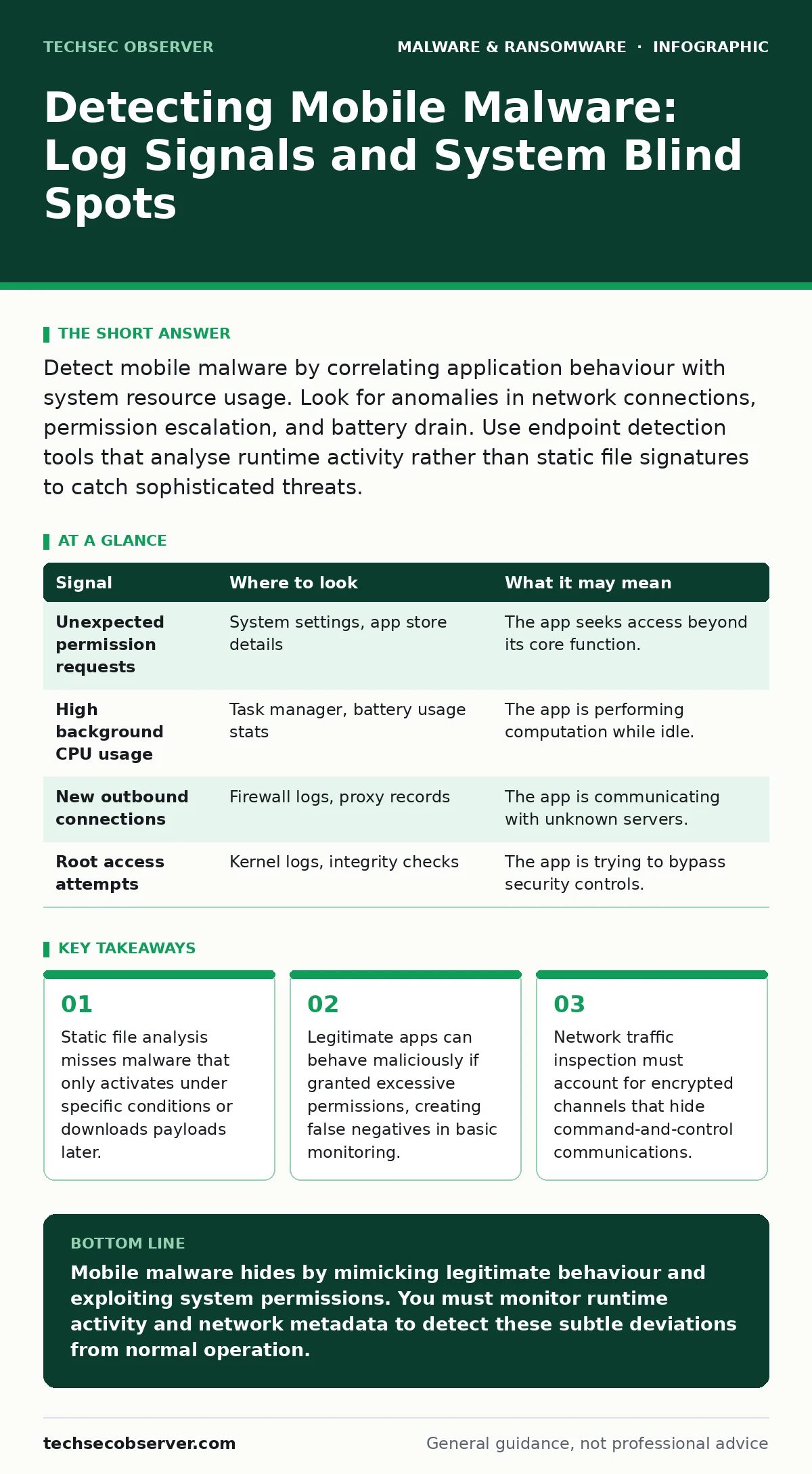
Detect mobile malware by correlating application behaviour with system resource usage. Look for anomalies in network connections, permission escalation, and battery drain. Use endpoint detection tools that analyse runtime activity rather than static file signatures to catch sophisticated threats.
Runtime Behaviour Anomalies
Mobile operating systems isolate applications to prevent interference, but malware often exploits the gaps between these boundaries. You must look beyond the app’s declared purpose. A calculator app that requests access to your contact list or microphone is behaving outside its expected scope. This mismatch between functionality and permission requests is a primary indicator of compromise.
The operating system logs these permission grants. Reviewing the audit trail for permission changes can reveal when an application escalated its privileges. Malware may install a benign-looking component first, then request higher-level access after gaining user trust or exploiting a vulnerability. This staged approach allows it to bypass initial security checks.
| Signal | Where to look | What it may mean |
|---|---|---|
| Unexpected permission requests | System settings, app store details | The app seeks access beyond its core function. |
| High background CPU usage | Task manager, battery usage stats | The app is performing computation while idle. |
| New outbound connections | Firewall logs, proxy records | The app is communicating with unknown servers. |
| Root access attempts | Kernel logs, integrity checks | The app is trying to bypass security controls. |
Network Traffic Inspection
Malware needs to exfiltrate data or receive instructions. This communication leaves traces in network logs, even if the traffic is encrypted. You cannot read the content of encrypted traffic without the decryption keys, but you can analyse the metadata. Look for connections to domains with high entropy, which often indicates randomly generated addresses used by command-and-control servers.
Suppose an app connects to a server every thirty seconds, even when the user is not interacting with it. This periodic beaconing suggests the app is checking for instructions. Compare this pattern against baseline behaviour for similar applications. If a messaging app sends large amounts of data to an unfamiliar IP address, it may be stealing content.
System Resource Exhaustion
Malware consumes resources to perform its tasks. Cryptocurrency mining or data encryption processes will drain the battery and increase data usage. You can detect this by comparing current resource consumption against historical baselines. A sudden spike in battery drain without a corresponding change in user activity is a red flag.
These logs show which applications are consuming power in the background. If an app appears at the top of this list despite being rarely used, it is likely running hidden processes. This method is effective against malware that does not attempt to hide its resource usage, relying instead on the user’s lack of attention.
File System and Integrity Checks
Malware often modifies system files or installs new components. File integrity monitoring can detect these changes. You should establish a baseline of what the system files should look like. Any deviation from this baseline, such as a changed hash value for a system library, indicates potential tampering.
Look for hidden files or directories. Malware may create folders with names that mimic system directories to avoid detection. These folders often contain configuration files or downloaded payloads. Reviewing the file system for unexpected directories, especially those with restrictive permissions, can reveal the presence of malicious code.
Blind Spots in Detection
Traditional detection methods often fail against modern mobile malware. Signature-based detection relies on known patterns of malicious code. If the malware is new or slightly modified, it will not match any known signatures. This leaves a gap in protection where novel threats can operate freely.
Another blind spot is the abuse of legitimate applications. Stalkerware often masquerades as parental control or device management tools. These applications have valid digital signatures and are approved by app stores. They behave legitimately but are used for malicious purposes. Detecting them requires analysing user behaviour and intent, not just the application’s code.
See also: Static Malware Analysis Errors: 7 Common Mistakes and Fixes
Leveraging Advanced Detection Tools
To address these blind spots, you need tools that look at behaviour rather than static characteristics. Behaviour-based detection monitors how an application interacts with the system in real-time. It looks for sequences of actions that are indicative of malicious intent, such as rapidly cycling through contacts or taking screenshots without user interaction.
Extended detection and response (XDR) platforms can correlate data from multiple sources. They combine endpoint telemetry, network logs, and user activity to build a complete picture of potential threats. This holistic approach allows you to detect sophisticated attacks that span multiple vectors. By integrating mobile endpoints into your broader security strategy, you reduce the risk of isolated incidents going unnoticed.
Validation and Response
Once you identify a potential threat, you must validate it. False positives are common in behaviour-based detection. Isolate the device from the network to prevent further data exfiltration. Then, perform a detailed analysis of the application’s behaviour. Check for known indicators of compromise, such as specific file paths or network destinations.
If the threat is confirmed, remove the application and revoke any permissions it granted. Reset the device to factory settings if the malware has deeply embedded itself in the system. Finally, review your detection rules to ensure they catch similar threats in the future. Continuous improvement of your detection capabilities is necessary to stay ahead of evolving malware techniques.
Key takeaways
- Static file analysis misses malware that only activates under specific conditions or downloads payloads later.
- Legitimate apps can behave maliciously if granted excessive permissions, creating false negatives in basic monitoring.
- Network traffic inspection must account for encrypted channels that hide command-and-control communications.
Mobile malware hides by mimicking legitimate behaviour and exploiting system permissions. You must monitor runtime activity and network metadata to detect these subtle deviations from normal operation.
Frequently asked questions
How do I distinguish between a buggy app and malware?
Malware often persists despite being closed and may request permissions unrelated to its function. Buggy apps usually crash or behave inconsistently without hidden background activity.
Can mobile malware infect my computer?
Most mobile malware is platform-specific and cannot run on desktop operating systems. However, it can steal credentials that allow attackers to access your computer accounts.
Is email attachment scanning enough to protect mobile devices?
No. Mobile malware often spreads through app stores, QR codes, or malicious links in messages, not just attachments. You need broader protection strategies.
What is the 3-2-1 backup rule for mobile devices?
Keep three copies of your data, on two different media types, with one copy offsite. This ensures you can recover from ransomware or device loss without paying a ransom.
How this guide was produced: written by the TechSec Observer editorial team with AI assistance, checked against the public references listed below, and reviewed when the facts change. See our editorial policy or report an error.