Secure Code Review: Mechanism, Limits and Hidden Costs
Static analysis misses logic flaws, while manual review misses scale, requiring a layered approach to catch real defects before deployment.

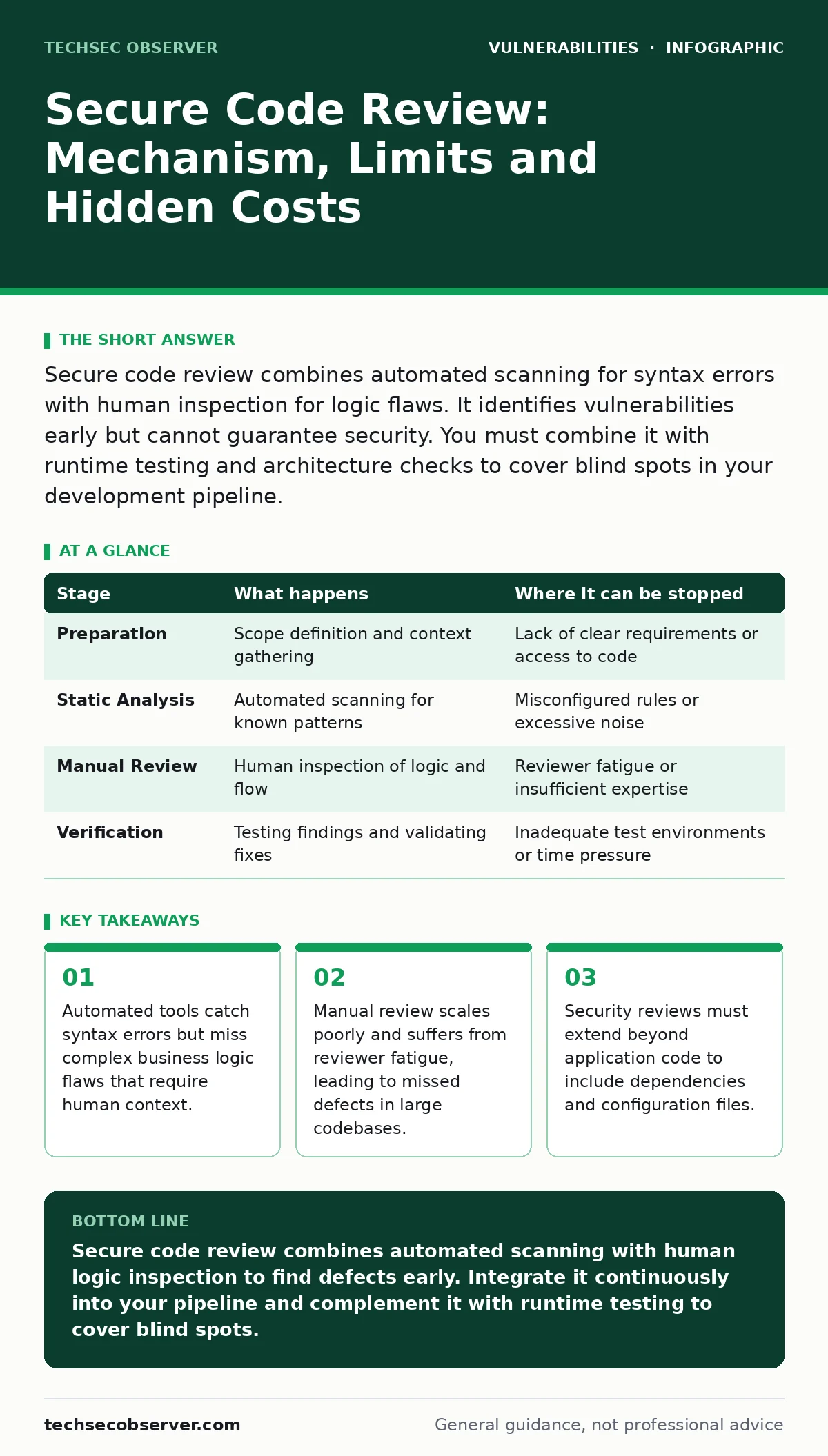
Secure code review combines automated scanning for syntax errors with human inspection for logic flaws. It identifies vulnerabilities early but cannot guarantee security. You must combine it with runtime testing and architecture checks to cover blind spots in your development pipeline.
The Anatomy of a Secure Code Review
Secure code review is the process of examining source code to identify security vulnerabilities before the software reaches production. It is not a single action but a layered defence combining automated analysis with human expertise. The goal is to find defects that could allow an attacker to bypass controls, access data or disrupt service.
Imagine a developer writes a function that checks user permissions. An automated tool might see the code is syntactically correct. A human reviewer, however, might notice that the permission check occurs after the data has already been fetched, creating a race condition. This distinction defines the two main approaches: static analysis and manual inspection. Each has distinct strengths and blind spots.
Stage 1: Preparation and Scope Definition
The first stage involves defining what will be reviewed and why. You must identify the critical components of the application, such as authentication modules, payment processing logic or data handling routines. Reviewing every line of code is impossible for large projects. You need to prioritise areas with the highest risk exposure.
You also gather the necessary context. This includes the architecture diagram, the threat model and the coding standards. Without understanding how the system fits into the wider ecosystem, a reviewer cannot assess whether a local fix introduces a global risk. For example, a secure function might still be vulnerable if the surrounding infrastructure allows insecure deserialization.
| Stage | What happens | Where it can be stopped |
|---|---|---|
| Preparation | Scope definition and context gathering | Lack of clear requirements or access to code |
| Static Analysis | Automated scanning for known patterns | Misconfigured rules or excessive noise |
| Manual Review | Human inspection of logic and flow | Reviewer fatigue or insufficient expertise |
| Verification | Testing findings and validating fixes | Inadequate test environments or time pressure |
Stage 2: Automated Static Analysis
Static Application Security Testing (SAST) tools scan the source code without executing it. They look for patterns associated with known vulnerabilities, such as SQL injection or cross-site scripting. These tools are fast and consistent. They can process thousands of lines of code in minutes.
The mechanism relies on data flow analysis. The tool tracks how data moves from an untrusted source, such as user input, to a sensitive sink, such as a database query. If the data is not sanitised along the way, the tool flags it. This is effective for finding syntax-based errors.
Stage 3: Manual Code Inspection
Human reviewers examine the code for logic flaws that tools cannot detect. This includes business logic errors, race conditions and complex authentication bypasses. A reviewer reads the code as an attacker would, looking for ways to subvert the intended behaviour.
This stage requires deep knowledge of the language and the framework. A reviewer must understand how the framework handles requests, sessions and errors. For instance, a developer might use a standard library function that is safe in most cases but vulnerable when used with specific headers. This nuance is often invisible to automated scanners.
Manual review also checks for insecure design choices. Does the code follow the principle of least privilege? Are secrets hardcoded in configuration files? These questions require judgment, not just pattern matching. The cost is high: manual review is slow and scales poorly.
Stage 4: Contextual Analysis and Dependencies
Modern applications rely on third-party libraries. A secure code review must include software composition analysis. This process checks the dependencies for known vulnerabilities. Even if your code is perfect, a vulnerable library can compromise the entire application.
You must also review configuration files. Misconfigured servers, overly permissive Content Security Policy headers or incorrect encryption settings can negate secure code. The review extends beyond the source code to the deployment manifests and infrastructure as code scripts.
See also: Prevent Business Logic Vulnerabilities: 4 Proven Measures · Regular Expression Denial of Service Prevention Checklist
Stage 5: Verification and Remediation
Once vulnerabilities are identified, they must be verified. False positives are common in automated tools. A reviewer must confirm that the flagged issue is exploitable in the specific context of the application. This step prevents wasting development effort on non-issues.
Remediation involves fixing the code. The fix must address the root cause, not just the symptom. For example, patching an SQL injection requires parameterised queries, not just input filtering. The developer then re-runs the automated scans to ensure the fix works and does not introduce new issues.
This stage also includes updating the threat model. If a new vulnerability type is discovered, the model should be updated to reflect this risk. This ensures future development avoids similar mistakes.
The Limits of Secure Code Review
Secure code review cannot guarantee security. It misses vulnerabilities that only appear at runtime, such as memory corruption or race conditions under load. It also cannot detect flaws in the underlying operating system or network infrastructure.
Imagine a perfectly reviewed application deployed on a misconfigured server. The code is secure, but the server allows directory traversal. The review of the code alone would not have caught this. You need a holistic approach that includes fuzz testing and runtime protection.
Furthermore, code review is static. It does not account for how the code behaves in a live environment with real users and network latency. Dynamic analysis and penetration testing are necessary complements. A CVSS score helps prioritise findings, but it does not measure business impact.
Integrating Review into the Pipeline
To be effective, secure code review must be integrated into the development pipeline. It should happen continuously, not just before major releases. Automated scans run on every commit. Manual reviews are triggered for critical changes.
This shift-left approach reduces the cost of fixing defects. It is cheaper to fix a bug during development than in production. It also builds security awareness among developers. They learn from the feedback and improve their coding practices over time.
Key takeaways
- Automated tools catch syntax errors but miss complex business logic flaws that require human context.
- Manual review scales poorly and suffers from reviewer fatigue, leading to missed defects in large codebases.
- Security reviews must extend beyond application code to include dependencies and configuration files.
Secure code review combines automated scanning with human logic inspection to find defects early. Integrate it continuously into your pipeline and complement it with runtime testing to cover blind spots.
Frequently asked questions
How often should I perform secure code reviews?
Perform automated scans on every commit. Conduct manual reviews for critical components, major features or high-risk changes. Continuous integration ensures consistent coverage.
Can automated tools replace human reviewers?
No. Automated tools catch syntax errors and known patterns. Humans are needed to understand business logic, complex workflows and subtle design flaws that tools cannot interpret.
What is the biggest risk in code review?
The biggest risk is false confidence. Assuming a reviewed codebase is secure ignores runtime issues, infrastructure misconfigurations and dependency vulnerabilities that code review does not cover.
How do I handle false positives in automated scans?
Verify each finding manually. Suppress confirmed false positives in the tool configuration to reduce noise. Focus development effort on verified, explo
How this guide was produced: written by the TechSec Observer editorial team with AI assistance, checked against the public references listed below, and reviewed when the facts change. See our editorial policy or report an error.