Cloud Account Hijacking: Response and Recovery Steps
The most costly error in cloud hijacking is resetting credentials before isolating the compromised instance, which allows the attacker to maintain persistence through active sessions.

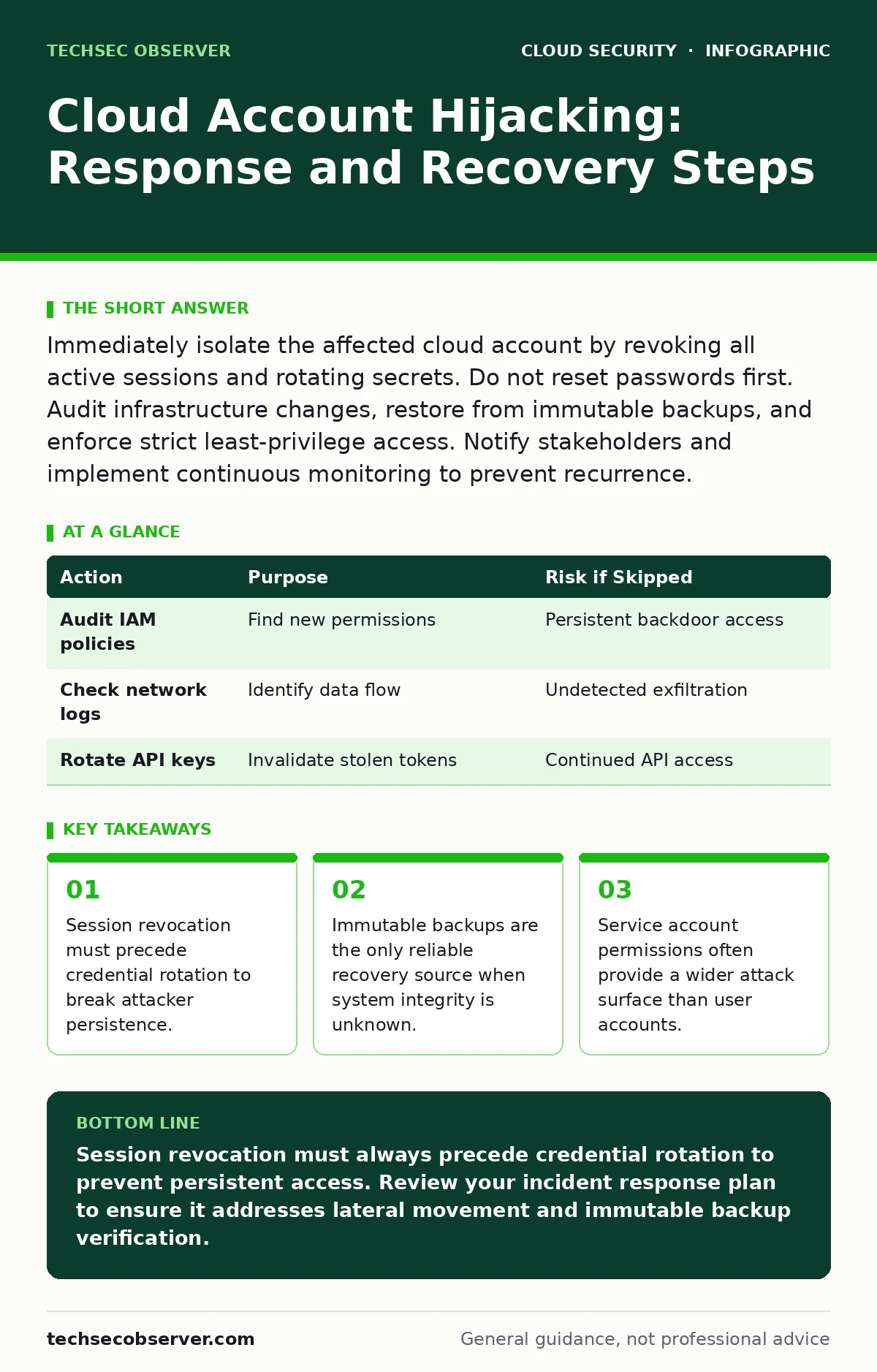
Immediately isolate the affected cloud account by revoking all active sessions and rotating secrets. Do not reset passwords first. Audit infrastructure changes, restore from immutable backups, and enforce strict least-privilege access. Notify stakeholders and implement continuous monitoring to prevent recurrence.
First hour
An adversary has gained access to your cloud environment. Your immediate goal is to stop lateral movement and data exfiltration. Speed matters, but sequence matters more. Panic often leads to resetting passwords immediately. This is a critical error.
- Identify the compromised identity. Check login logs for impossible travel, unusual user agents, or logins from unexpected geographic regions.
- Revoke all active sessions for the affected identity. This forces a re-authentication challenge for every open browser tab or API connection.
- Disable multi-factor authentication bypass mechanisms. If the attacker has enrolled a new device or backed up codes, disable those options immediately.
- Isolate the affected account from sensitive resources. Remove administrative rights and restrict network access to that identity.
Do not delete logs. Do not shut down the compromised instance yet. You need the forensic evidence to understand the scope. If you terminate the instance, you destroy the memory state where the attacker’s tools may reside.
First day
Once the immediate bleeding is stopped, you must determine the extent of the damage. The attacker may have created new identities, modified security groups, or exfiltrated data. You need to map their footprint.
Check for new identities. Attackers often create secondary accounts to maintain access even if you lock the primary one. Look for users created in the last few hours. Check for new API keys or access tokens. These are often generated to bypass standard login logging.
Review infrastructure changes. Look for new security groups that allow inbound traffic on sensitive ports. Check for new storage buckets with public read access. These are common exfiltration points. If you suspect secrets in source code may have been exposed, treat all repositories as compromised. Rotate any credentials found in commit history.
| Action | Purpose | Risk if Skipped |
|---|---|---|
| Audit IAM policies | Find new permissions | Persistent backdoor access |
| Check network logs | Identify data flow | Undetected exfiltration |
| Rotate API keys | Invalidate stolen tokens | Continued API access |
You must also check for service account security issues. Service accounts often have broader permissions than human users. If the attacker pivoted to a service account, the blast radius is larger. Rotate the keys for any service account that interacted with the compromised identity.
First week
Recovery is not just about restoring access. It is about restoring trust in your environment’s integrity. You cannot assume the system is clean until you have verified it.
Start with a clean slate. Do not patch the compromised environment. Provision new resources from known-good templates. If you use infrastructure-as-code misconfigurations as a risk vector, ensure your templates are scanned before deployment. This prevents the attacker from hiding backdoors in your configuration files.
Restore data from immutable backups. Immutable backups cannot be altered or deleted for a set period. This is your only guarantee that the data has not been tampered with by ransomware or subtle corruption. Verify the integrity of the restored data before reconnecting it to production.
Implement stricter access controls. Review all administrative permissions. Apply the principle of least privilege. Remove any permissions that were granted for convenience but are not strictly necessary. If you rely on MFA for cloud accounts, ensure it is enforced for all privileged operations, not just login.
Who to tell
Communication is part of containment. You must inform your stakeholders, but you must be precise. Vague alerts cause panic. Detailed reports cause confusion.
Notify your security team immediately. They need to correlate this incident with other alerts. If you use threat intelligence reports, check if the indicators of compromise match known campaigns. This helps determine if this is a targeted attack or opportunistic.
Inform your legal and compliance teams. Data breach notification laws have strict timelines. You need to determine if personal data was accessed. This is not a technical decision. It is a legal one.
Communicate with your customers only if required. If no customer data was exposed, a public statement may do more harm than good. If data was exposed, be transparent but do not speculate. Stick to the facts.
How to stop a repeat
Prevention is about reducing the attack surface. You cannot stop all attacks, but you can make them harder.
Enforce strict identity governance. Regularly review who has access to what. Remove access for employees who leave or change roles. This reduces the number of valid targets for attackers.
Monitor for anomalous behaviour. Set up alerts for impossible travel, large data transfers, or changes to security configurations. If you use SaaS security posture management, ensure it covers all your cloud services. This provides a unified view of your security configuration.
Educate your team. Phishing is still the primary entry point. Train your staff to recognise suspicious emails. But do not rely on training alone. Technical controls are more reliable.
Review your supply chain. If you use third-party libraries or services, ensure they are secure. Cloud supply chain risks can introduce vulnerabilities that bypass your perimeter controls. Vet your vendors and monitor their security posture.
See also: Difference Between DevSecOps and SecDevOps: The Structural Reality · Cloud Compliance Standards: Mapping Rules to Infrastructure Code
Final checks
Before declaring the incident over, perform a final review. Check all logs for any signs of residual activity. Ensure all rotated credentials are working correctly. Verify that all backups are intact.
Document the incident. Record what happened, what you did, and what you learned. This documentation is valuable for future incidents. It helps you improve your response plan.
Update your incident response plan. Incorporate the lessons learned. Test your plan regularly. A plan that is not tested is a plan that will fail.
Key takeaways
- Session revocation must precede credential rotation to break attacker persistence.
- Immutable backups are the only reliable recovery source when system integrity is unknown.
- Service account permissions often provide a wider attack surface than user accounts.
Session revocation must always precede credential rotation to prevent persistent access. Review your incident response plan to ensure it addresses lateral movement and immutable backup verification.
Frequently asked questions
How do I know if my cloud account was hijacked?
Look for login attempts from unfamiliar locations, new devices, or unusual times. Check for unrecognised API keys, new user accounts, or changes to security settings that you did not authorise.
Should I shut down my cloud instances immediately?
No. Shutting down instances destroys forensic evidence in memory. Isolate the instances from the network first to stop lateral movement, then preserve the state for analysis before powering them down.
Can multi-factor authentication prevent cloud account hijacking?
MFA significantly reduces risk but does not eliminate it. Attackers can use session hijacking, token theft, or MFA fatigue attacks. MFA must be combined with continuous monitoring and least-privilege access.
How long should I keep logs after an incident?
Keep logs for at least the duration required by your compliance obligations. Ideally, store them in an immutable, off-cloud storage solution to prevent tampering by attackers who may gain administrative access.
How this guide was produced: written by the TechSec Observer editorial team with AI assistance, checked against the public references listed below, and reviewed when the facts change. See our editorial policy or report an error.